
Outlook calendarThe date on the schedule is the date in Outlook.
Cademy connects to Microsoft Outlook in two ways. Calendar Sync writes your course dates to the Outlook calendar you choose and updates them when a date moves. Each facilitator can also connect their own Outlook calendar, so Cademy sees when they are busy before you assign them, without reading what is in it.
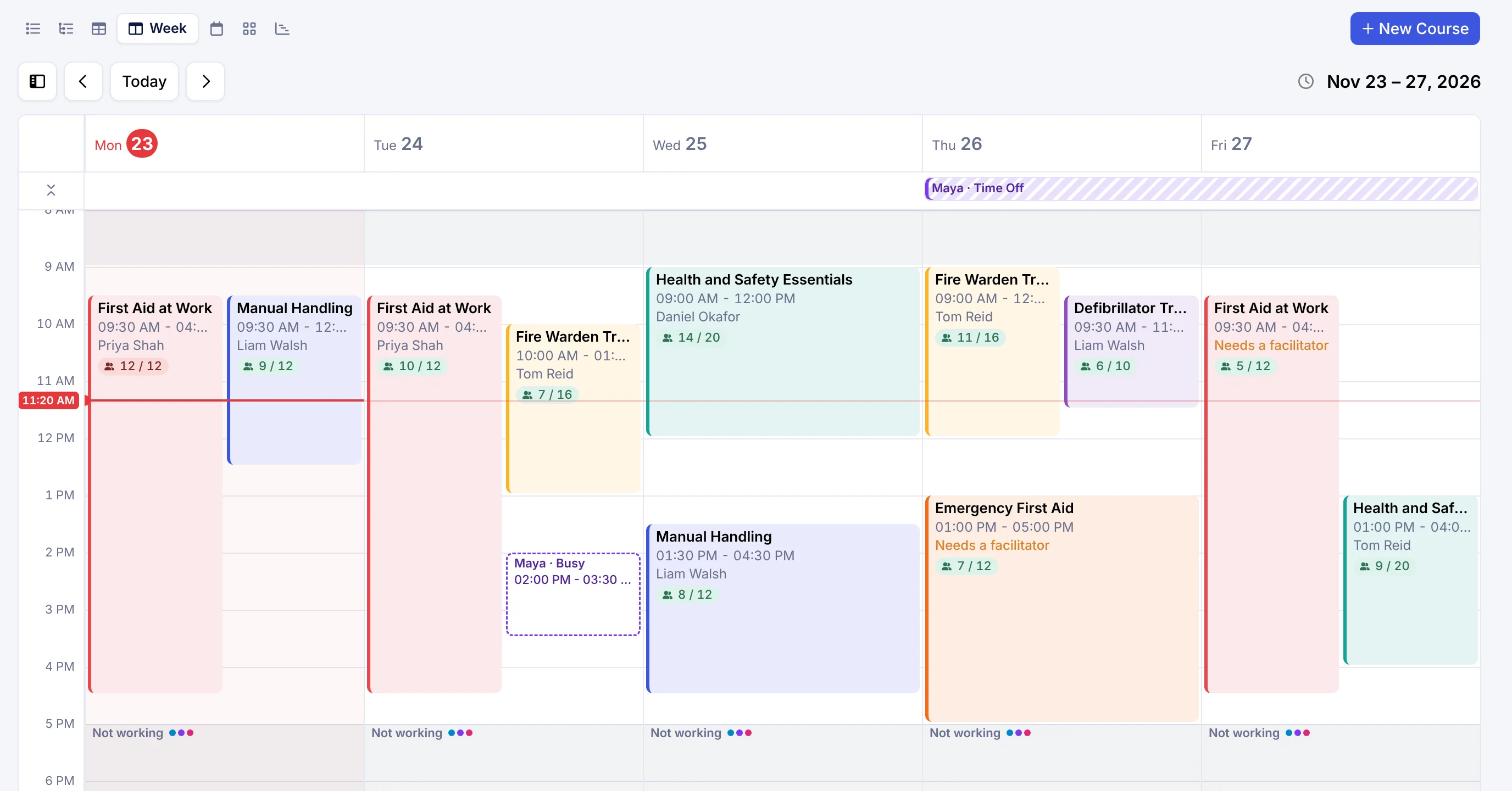
Course dates out
- Course dates as events in the calendar you choose
- Venue, times and course name on each event
- Updated when a date moves
- A calendar invite for each facilitator with their assignment email
Busy times in
- Each facilitator connects their own Outlook calendar, or several
- Only free and busy times are read; titles and details stay private
- Busy times show beside your dates, and Cademy warns you before you assign someone who is busy. More on trainer availability
What it is not
- Not a booking channel: learners book on your website
- Not a substitute for the schedule: Cademy stays the record
- Nothing is written to a facilitator’s own calendar
Two minutes, per calendar.
Connect
Apps, Calendar Sync, Add Account, Microsoft Outlook. A System Admin signs in with the Microsoft account that should receive the course dates.
Choose the calendar
Pick the default calendar for new courses. Every new or changed course date goes there automatically.
Facilitators connect their own
Each person connects their Outlook calendar from My Profile and ticks the calendars that count as busy.
About Outlook and Cademy.
Does it work with Google Calendar too?
Yes. Google Calendar works the same way for both, and a trainer can connect Google and Outlook at once. Google Calendar integration
Do learners get calendar invites?
Learners get confirmation and reminder emails a week, a day and an hour before, and can add a session to their calendar from their learner home.
Can Cademy see what is in a facilitator’s calendar?
No. Cademy reads only when they are free or busy. Event titles and details never reach Cademy, nothing is written to their calendar, and only the facilitator can connect or disconnect it.
Does it work with Microsoft 365 work accounts?
Yes. A facilitator can connect a work account and a personal one, and choose which of their calendars count as busy.
Which plan includes it?
Both are on every plan: Calendar Sync for course dates, and each facilitator’s own calendar connection.
Connect a calendar today.
Start on the free plan and connect your calendar in Settings.
No card needed. Import a spreadsheet and run a course this week.