🎓 All Course Certificates in Learner Accounts
Learners and bookers can choose each certificate issued for a course.
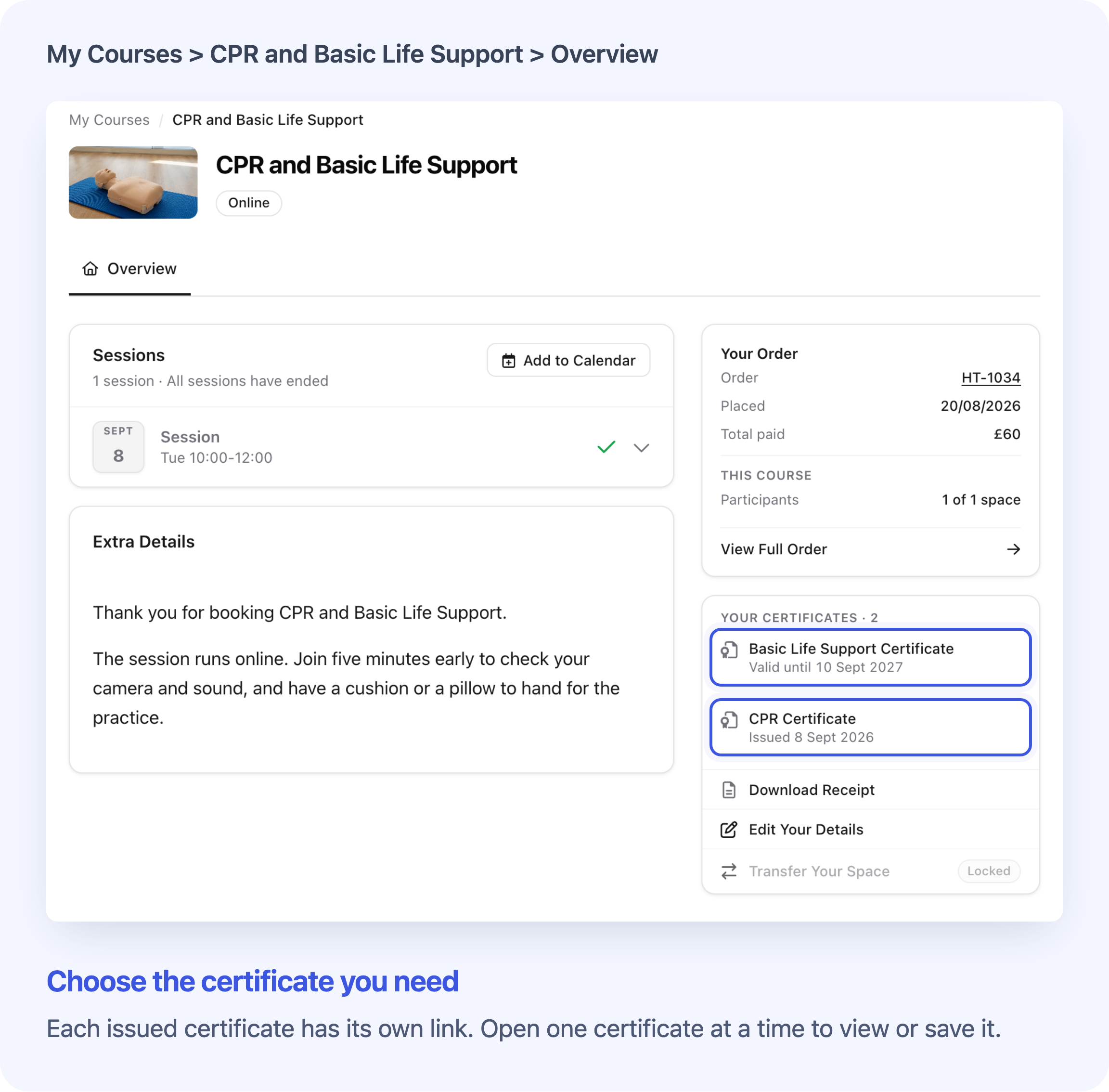
Learners can now choose from all the certificates issued for their course in their Cademy account. Each certificate has its own named link, so someone who receives two certificates for one course can open and save either PDF.
This is useful when one course awards separate certificates for different skills or qualifications. Learners can retrieve the certificate they need without asking your team to send an individual link.
Choose a certificate by name
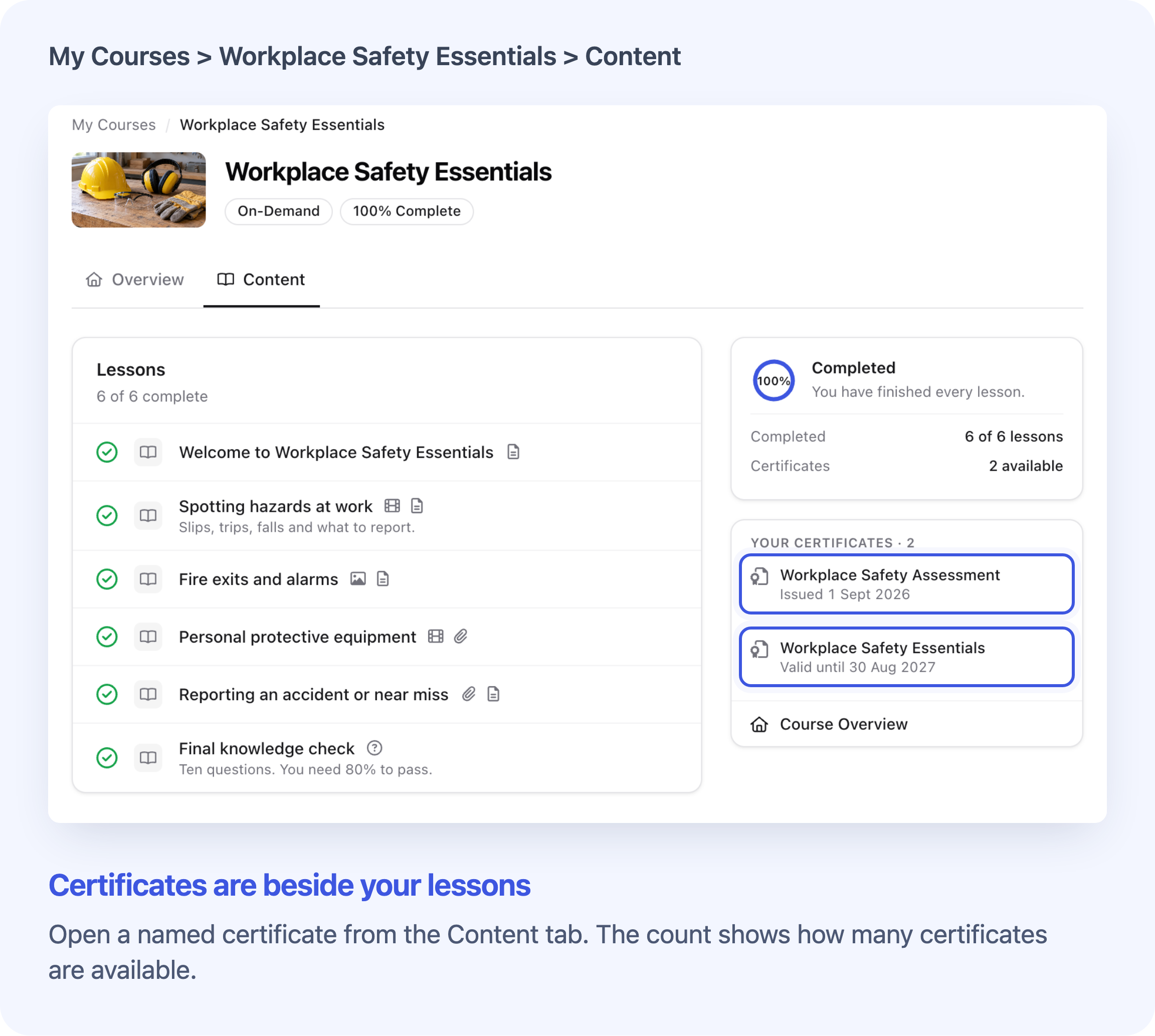
After signing in, learners open their course from My Courses & Bookings. Their certificates appear on the course Overview, and beside the lessons in the Content view where the course has online content.
Selecting a certificate opens its PDF in a new tab, where the learner can save or print it. Certificates are listed with the latest issue date first. A learner with just one certificate sees the same named row under Your Certificate.
Custom certificates use the certificate template's name. Certificates made with Cademy's built-in template use the course name. Your template names are therefore visible to learners, so use names they will recognise.
Each row shows one date:
- Valid until for a certificate with a future expiry date.
- Expired for a certificate whose expiry date has passed.
- Issued for a certificate with no expiry date.
Expired certificates remain available to open, with their expired status clearly shown. Revoked certificates are excluded from the list.
Open certificates for people you booked
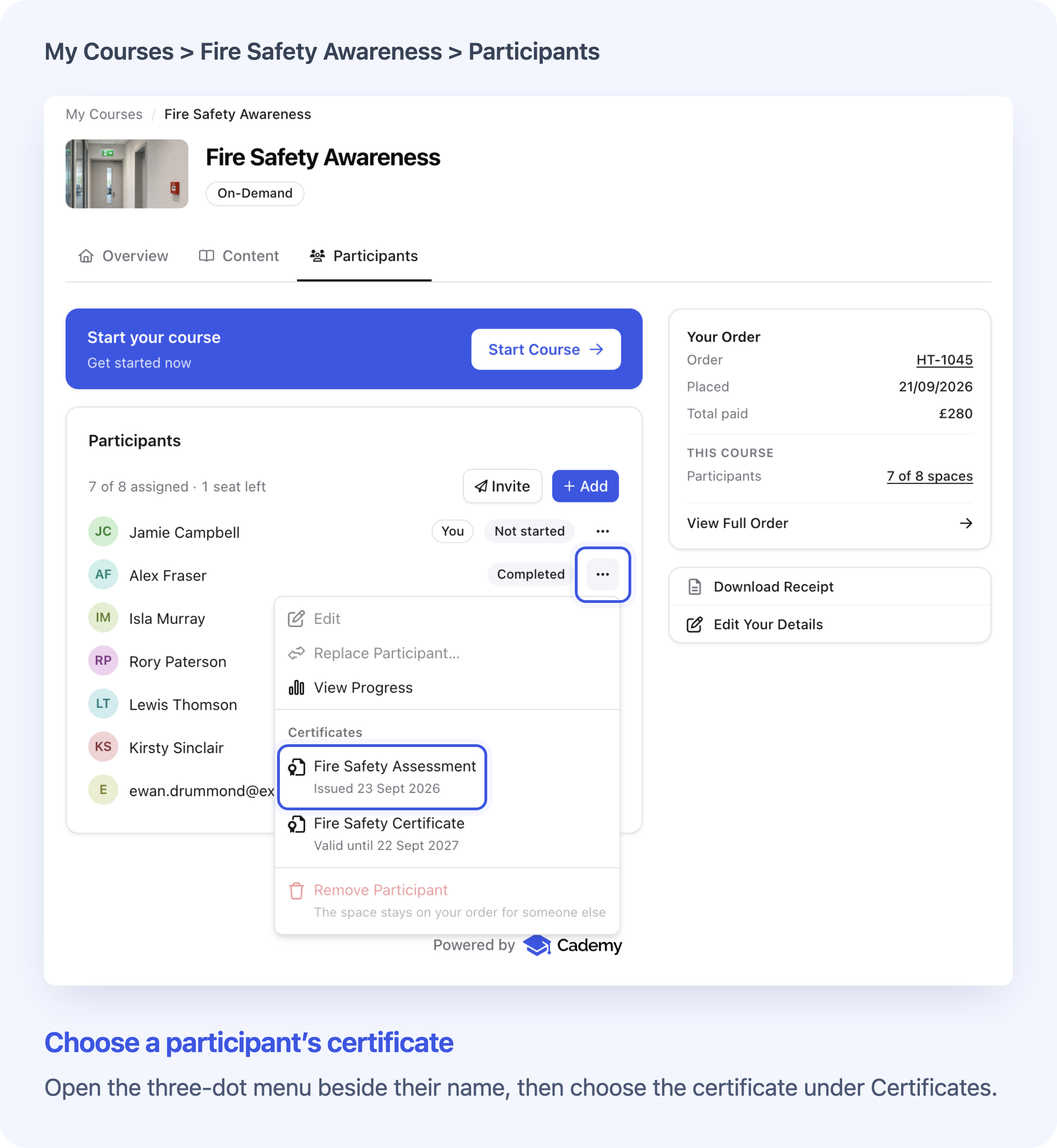
Someone who books places for other people can also access each participant's certificates. The participant's ⋯ menu now lists the available certificates under Certificates, both on the course's Participants tab and in the order details.
For example, a training coordinator who books several colleagues can open the relevant certificate for each person. Each menu shows certificates for that participant on that course.
See Manage the People on a Course You Booked for the full booker instructions.
Frequently asked questions
Do I need to switch this on or reissue existing certificates?
No. The list uses certificates already issued for the learner's course place, including older certificates. There is no new setting to enable it. Your existing certificate-issuing rules and course-access conditions still apply.
Can learners download every certificate in one file?
Each certificate opens separately. This update does not add a learner ZIP download. Providers can use the existing bulk delivery options described in Issue a Certificate Manually or in Bulk.
What if no certificate has been issued yet?
The list appears once a certificate has been issued. Existing unavailable Get Certificate actions remain disabled until then. On a completed online course with automatic certificates enabled, the progress card says Not issued yet if there is no certificate. Providers should check the learner's certificate record and issuing requirements before advising them to download it.
Will certificate emails and the course-completion button still work?
Yes. Links to an individual certificate still open that certificate. Older links that select the latest certificate, and the Get Certificate button in the course-completion window, keep their existing behaviour. To choose a different certificate, the learner uses the list in their account.
Does this help a learner who can no longer sign in?
They need access to their account and course to use the list. If they cannot sign in, your team can still share an individual certificate link or use the existing certificate delivery options.
Does this change which plans can issue custom certificates?
No. This update changes how issued certificates are accessed. Existing plan requirements for creating and using custom certificate templates still apply.
Help learners find their certificates
If your course issues more than one certificate, share Find or Download Your Course Certificate with learners. It covers choosing a certificate, saving or printing the PDF, and what to check when a certificate is missing.