🏅 CPD Points & Hours for Courses
Set CPD values on courses and record awards when learners complete them.
You can now assign CPD points, hours or both to a course in Cademy. When a learner completes the course, Cademy records their CPD award automatically against their Registration.
The course values can appear on the public course page, in the learner's Registration and contact activity, in registration exports, and on certificates. You can also rename the units to match the terminology your organisation or accrediting body uses.
Set up CPD for your account

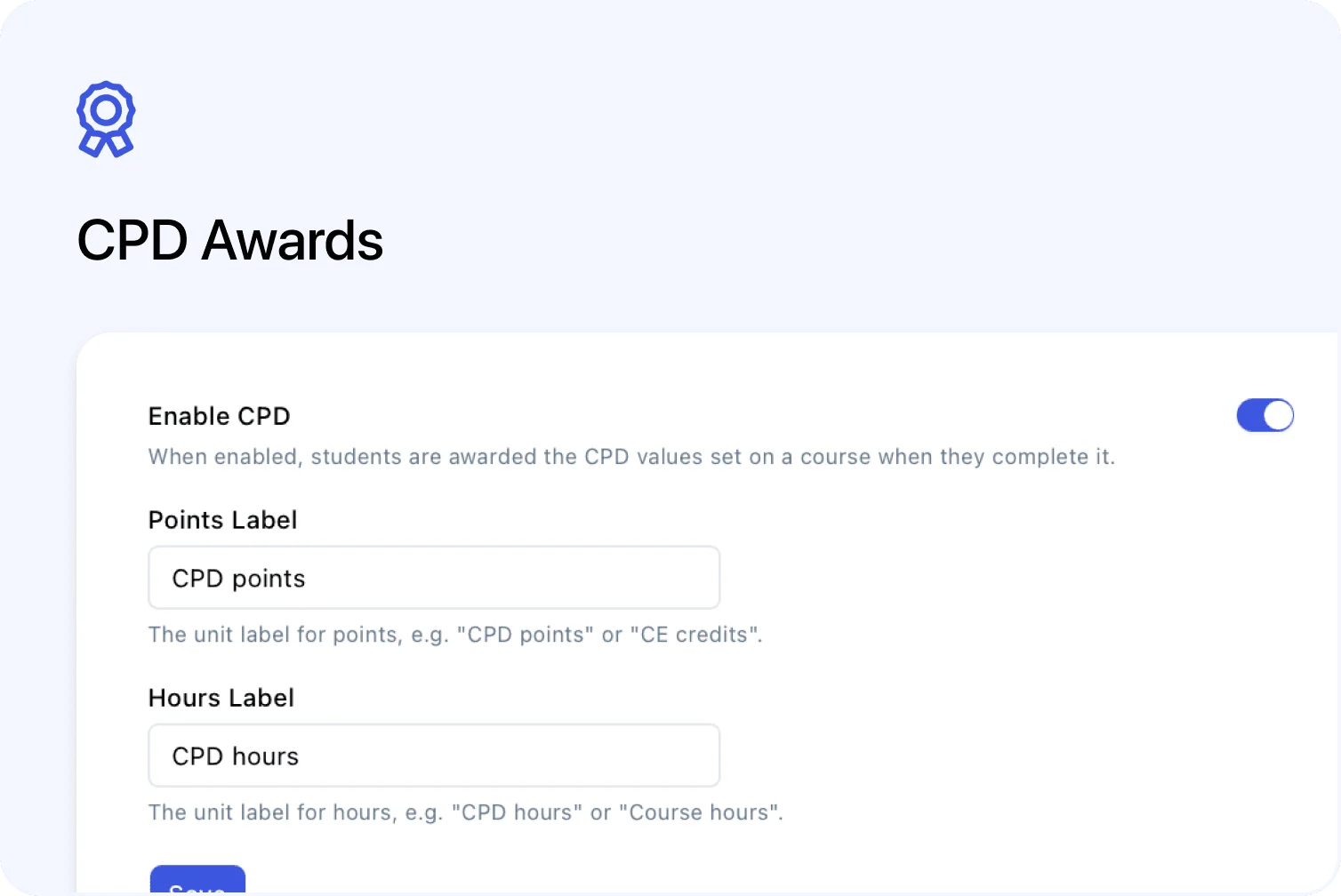
Open Settings → CPD, switch on Enable CPD, and choose the two unit labels you want to use.
The default labels are:
- CPD points
- CPD hours
You can rename them. For example, you could use CE credits and Course hours. The labels you save are used consistently in the course editor, public course pages, Registration records, contact activity, certificate variables and exports.
CPD is available on Pro, Teams and Custom plans.
Add CPD values to a course

After enabling CPD for the account, open a course and go to Settings → Certificates & CPD.
Switch on Award CPD, then enter the points, hours or both that a learner should receive. At least one value is required. Values must be greater than zero and can have up to one decimal place, such as 4 CPD points or 1.5 CPD hours.
CPD and certificates are independent. A course can award:
- CPD only
- a certificate only
- both CPD and a certificate
- neither
Awards are recorded when a learner completes
Cademy awards the values saved on the course when the learner's Registration reaches Completed.
The completion rule depends on the course type:
- On-demand courses: the learner completes all required lesson content.
- Classroom and live online courses: the learner completes the required attendance.
- Blended courses: the learner completes both the required attendance and lesson content.
Each participant with their own Registration can receive an award, including guest participants who were not the person placing the order. If the same learner takes the course again through a new Registration, the new completion can receive its own award.
The awarded values are saved at the time of completion. If you later change the values on the course, existing awards keep their original values while future awards use the new ones.
Show CPD to learners and course visitors
When CPD is enabled for a course, its values appear in the highlights section on the public course page. This lets visitors see the CPD available before they book.

After an award is made, admins can see it in two places:
-
the learner's Certificate & CPD section on their Registration
-
the learner's contact activity, with the course, award date and a link to the Registration

This first release records each award separately. It does not add an accumulated CPD total or a learner-facing CPD record.
Include CPD in exports and certificates
When CPD is enabled, the Registrations export column picker includes columns for points and hours. The headings use your chosen unit labels, and each row shows the values awarded to that Registration.

Certificate templates also include four CPD variables:
- CPD points
- CPD hours
- CPD points label
- CPD hours label
Use these variables when you want a certificate to show the awarded value, the name of the unit, or both.

Good to know
- Awards are not removed automatically: if attendance or lesson progress is corrected after completion, the Registration's completion status can change but an existing CPD award remains. An admin can revoke the CPD award manually from the Registration actions menu when required.
- Previous completions are not automatically backfilled: enabling CPD does not create awards for every learner who completed the course in the past.
- Changing a course does not change past awards: each award keeps the values that applied when it was made.
- Turning CPD off keeps your data: new awards stop and CPD controls, public values, certificate variables and export columns are hidden. Existing settings, course values and award records are kept and return when CPD is enabled again.
- There are no accumulated totals yet: CPD is recorded per Registration in this release.
Where to find it
To enable CPD and customise the labels:
Admin dashboard → Settings → CPD
To set the values for a course:
Courses → open a course → Settings → Certificates & CPD
To view an award:
Registrations → open a Registration → Certificate & CPD
You can also open a learner's contact and check their All Activity or CPD activity.
For complete setup and award instructions, see Set Up and Award CPD Points and Hours in the Cademy Help Centre.
Frequently asked questions
Can I award points without hours, or hours without points?Yes. Enter either value or use both. At least one value is required when Award CPD is enabled for the course.
Can I use a name other than CPD points?Yes. Change the Points Label and Hours Label in Settings → CPD. Your labels are then used wherever the values appear.
Does CPD depend on certificates being enabled?No. CPD and certificates can be switched on independently for each course.
When does a learner receive the award?When their Registration reaches Completed. The exact completion rule depends on whether the course is on-demand, scheduled or blended.
Do guest participants receive CPD?Yes, when the guest has their own Registration and completes the course. A person without their own Registration does not receive a separate award.
What happens if I change the course's CPD value later?Existing awards keep the value originally awarded. New awards use the course's current value.
Does correcting attendance remove an award automatically?No. A completion-status change does not automatically remove a CPD award. Use the Registration actions menu to revoke it when necessary.
Will CPD be added to learners who completed before I enabled it?No, not automatically. This update does not backfill all previous course completions.
Can learners see a total of all their CPD awards?Not in this first release. Admins can view the individual awards on Registrations and in contact activity.