➕ Add Registrations Manually
Put someone on a course in seconds - no order, invoice, or payment needed.
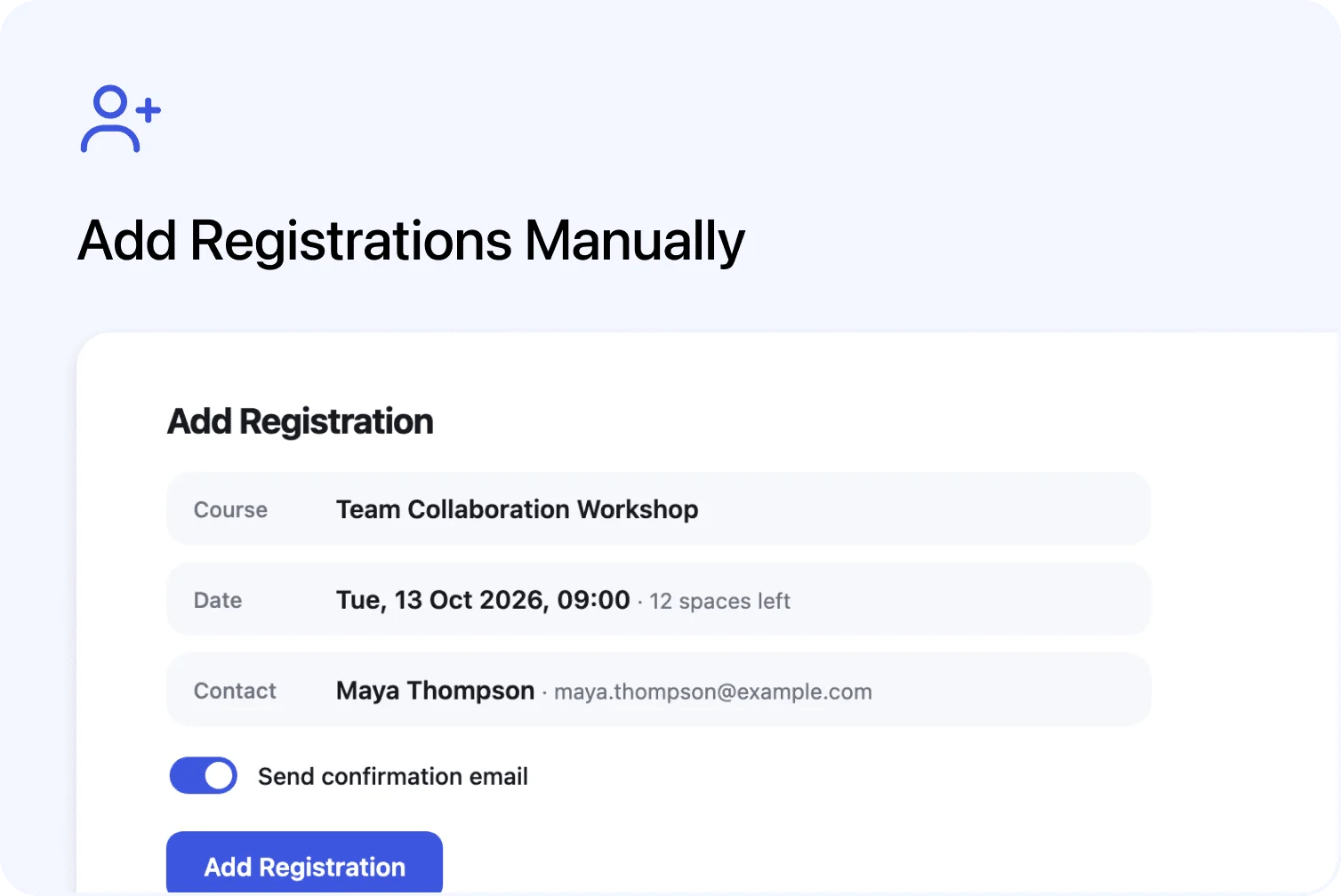
You can now put someone on a course in seconds, without creating an order first. The new New Registration button adds one person directly to any course and date - no invoice, no payment, no billing paperwork attached. It is live now for every Cademy account, and everyone from System Admins to Facilitators can use it.
Until now, getting someone registered meant one of two things: creating an order with them as a participant, or bulk-importing a spreadsheet from Settings. Both are the right tool for what they do - but neither fits the moment a colleague says "can you pop me on Tuesday's session?", a trainer needs to sit in on a course, or a place was agreed over the phone and the money is being handled entirely outside Cademy. That gap is what this closes.
One button, one sheet, done
The New Registration button lives in two places: the Registrations page, and every course's Registrants tab - where the course and the date you are looking at come preselected.

Click it, and a sheet walks you through the three things that matter:
- The course - every course type works. Courses with dates ask for a date; on-demand courses do not.
- The date - pick an upcoming date, show past dates to register someone onto a session that already ran (handy for recording attendance or issuing a certificate after the fact), or create a brand-new date right there in the dropdown.
- The person - search your contacts or create a new one on the spot. When you create a new contact, the course's registration questions appear in the sheet, so their details are complete from the start.
A Send confirmation email switch (on by default) sends the participant the standard registration confirmation with their course details - or switch it off and add them silently.
Thoughtful where it counts
Full dates warn you, but never block you. If the date has no spaces left, Cademy tells you the registration will take it over capacity - and lets you decide. Admins can always overbook deliberately; customers on your public booking page still cannot book a full date.
No accidental duplicates. If the person already has an active registration for that course and date, an Already Registered dialog stops you before a duplicate slips in - and if the duplicate is intentional (it happens), one click creates it anyway.
Everything just works. A manually added registration behaves like any other: attendance, certificates, registration fields, notes, tasks, and lesson access on on-demand and blended courses. The registration itself shows who added it, so there is never a mystery row in your list.
When to use what
- New Registration - one person, no billing. Nothing appears in your billing area.
- New Order - whenever money is involved: invoices, payment links, card payments. (Creating orders manually)
- Imports - many people at once, or historic records that need their original created dates. (Imports in Cademy)
The full guide is in the help centre: Adding a Registration Manually.
FAQ
Does the participant get an invoice or payment request? No. New Registration never creates billing records. If you need to collect payment, create an order instead.
Can I add someone to a date that already happened? Yes - show past dates in the date dropdown and pick the one you need. Useful for recording attendance or issuing certificates after the fact.
Can I add several people at once? New Registration adds one person at a time. For groups, create an order with multiple participants or use an import.
Who can use it? System Admins, Course Owners, and Facilitators. Facilitators add registrations from the Registrants tab of the courses and dates they are assigned to - and they can now search and create contacts while doing it.
What email does the participant receive? The standard registration confirmation with their course details - or nothing at all, if you switch the confirmation off.
Can I attach an order to the registration later? Not currently. If you realise you need to charge for the place, cancel the registration and create an order instead.
Which plans include this? All of them. New Registration is available on every Cademy plan.