
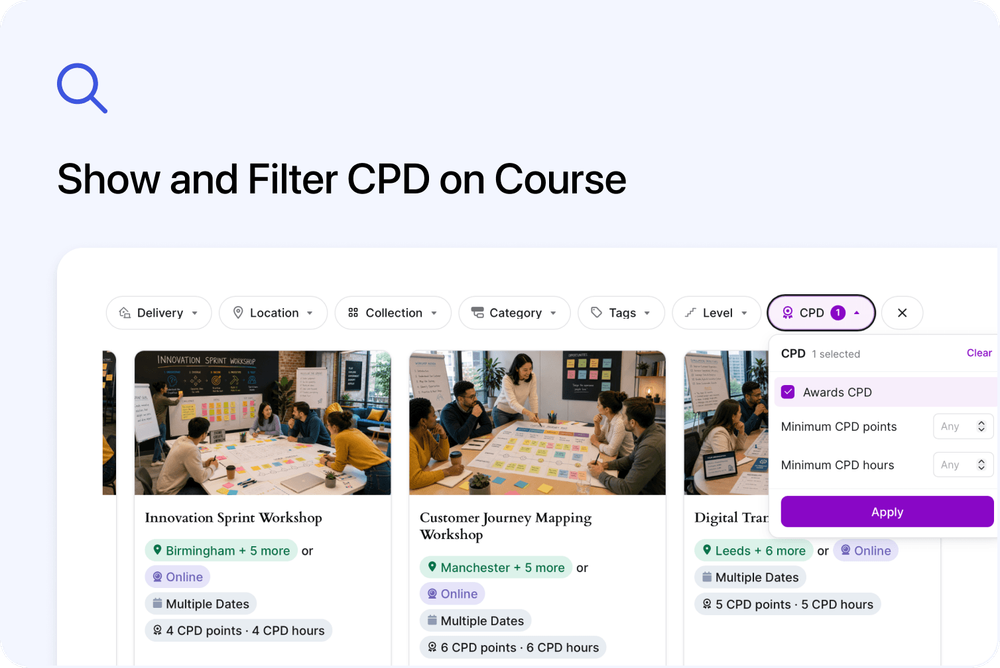
Visitors can now see Continuing Professional Development (CPD) information while browsing your courses and filter a listing by the points or hours they need.
You can show CPD on Standard Website Embed and Cademy for WordPress course cards. Visitors can also use a dedicated CPD filter on your Cademy mini-site and website listings.
This makes it easier to identify a suitable course before booking.
What's new
🔎 Filter listings by CPD
The new CPD filter lets visitors select Awards CPD to hide courses that do not award CPD.
They can also enter:
- Minimum CPD points
- Minimum CPD hours
Visitors can use either minimum or combine both. Decimal values such as 0.5 are supported.
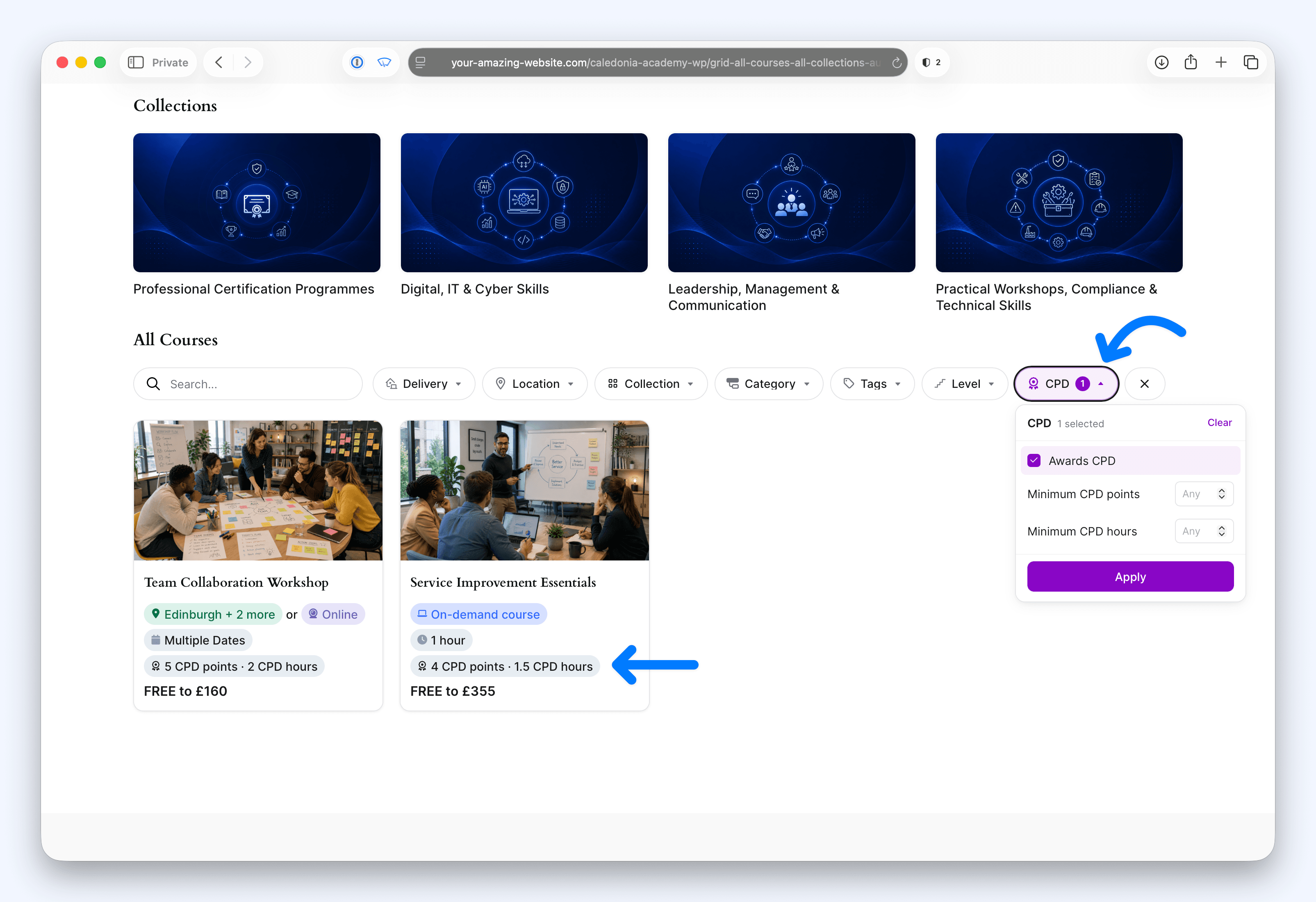
The filter is available on:
- your Cademy mini-site course listing
- a Standard Website Embed
- a Cademy for WordPress course listing
The page address updates when the filter is applied. Visitors can copy the complete address to share the same filtered course list.
🏅 Show CPD on website course cards
You can now select CPD under Card Details for a Standard Website Embed or Cademy for WordPress course listing.
A course card can show points, hours or both, such as:
6 CPD points · 4 CPD hours
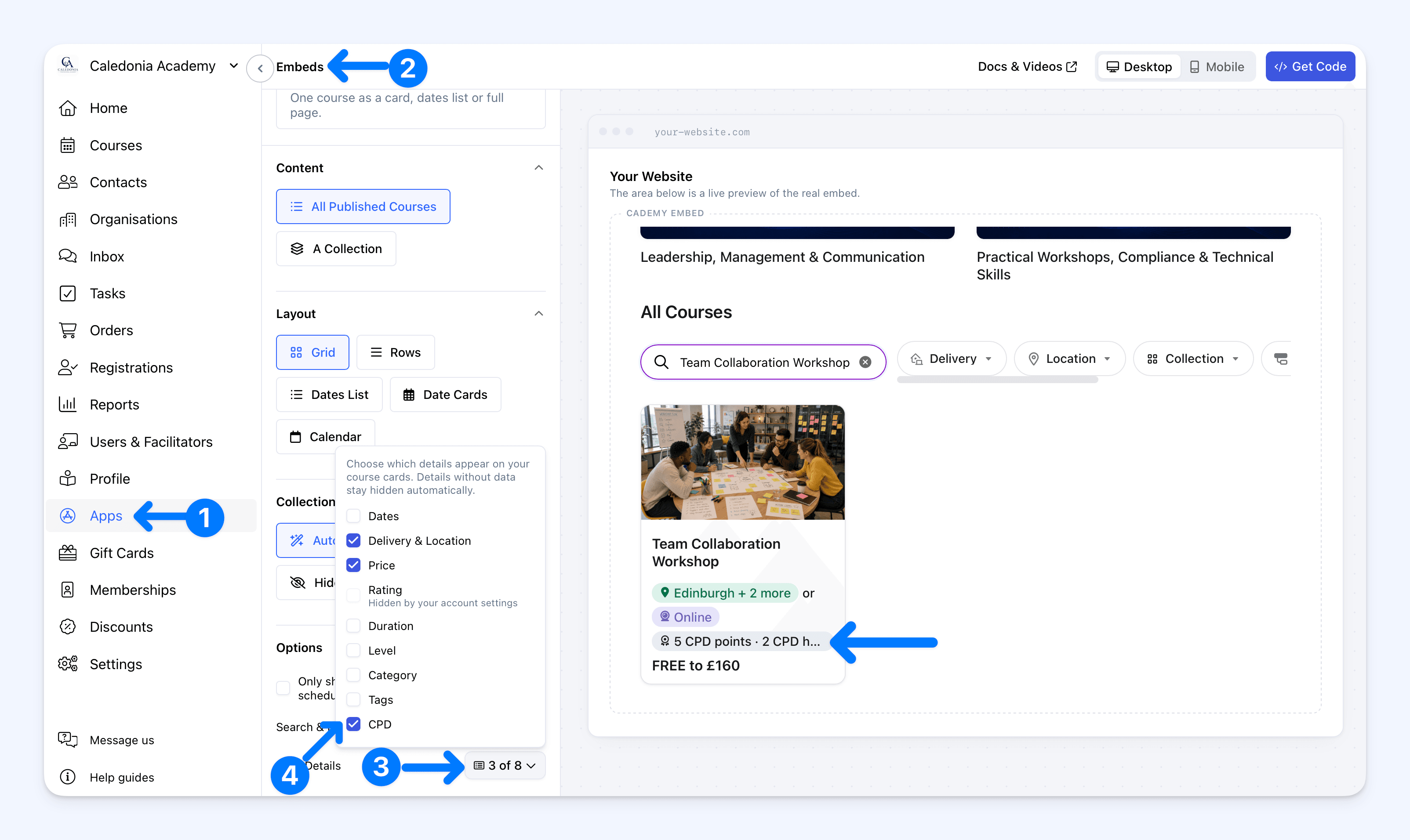
In WordPress, select the Cademy Courses block, open Card Details in the Block settings and select CPD.
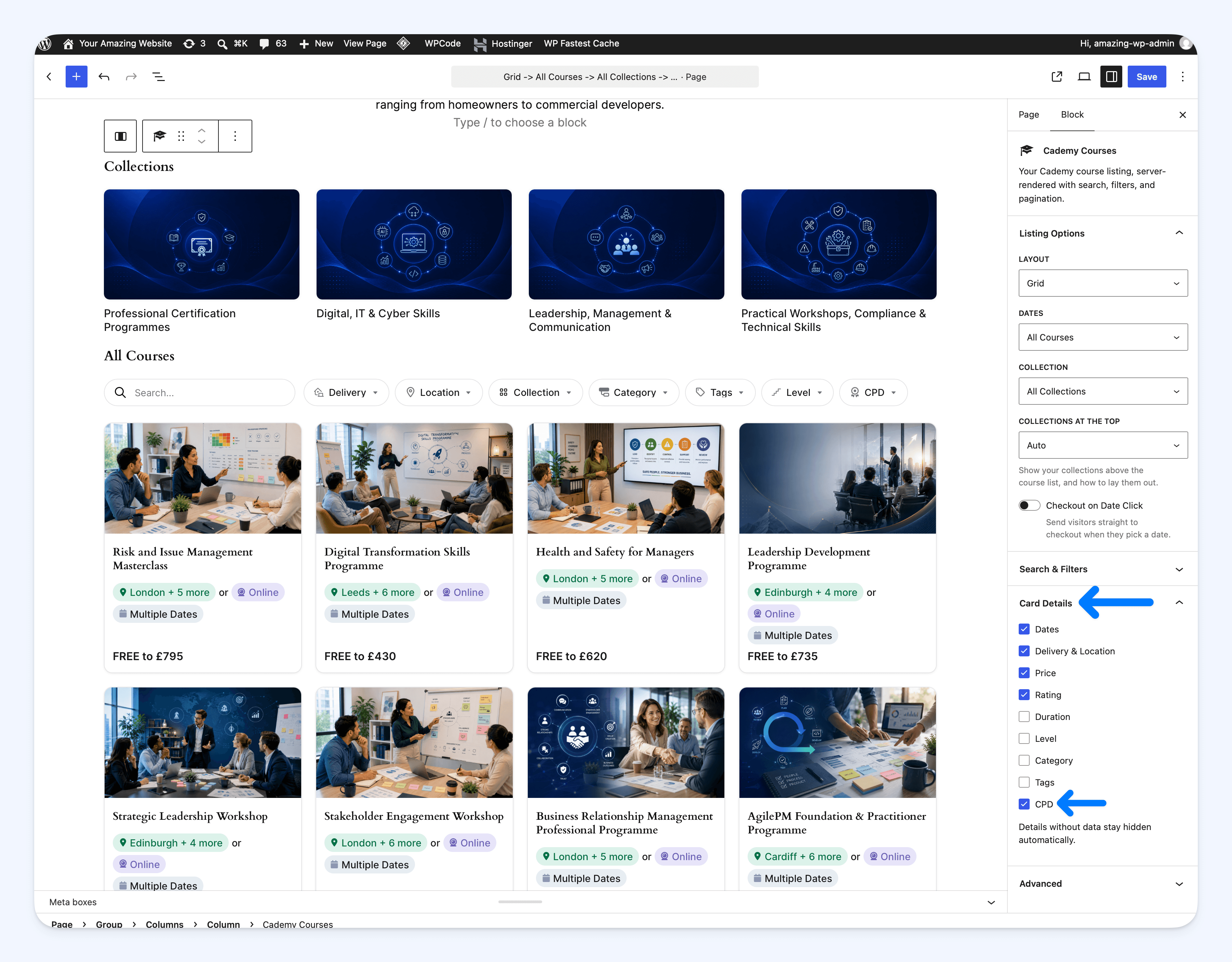
The badge appears only when that course awards CPD. Courses without CPD keep their normal card and do not show an empty badge.
The CPD card detail is off by default, so existing Standard Website Embeds and WordPress listings do not change until you select it.
✍️ Keep CPD visible with custom Highlights
CPD values continue to appear in the Highlights section on the public course page when you write your own Highlights manually.
Your custom Highlight chips appear first, followed automatically by the course's CPD chip.
The course editor preview includes the CPD chip in both automatic and manual modes, so you can check the wording and order before saving.
🏷️ Use your own CPD terminology
The new listing options use the CPD labels saved for your account.
For example, if you use RCN points and RCN hours, the public Highlights, course-card badges and minimum-value fields use those labels. The filter button can use the shared scheme name, such as RCN.
Why this matters
Visitors can now:
- recognise CPD before opening every course
- remove courses that do not meet their requirements
- narrow results by points or hours
- share a filtered course list with a colleague or team
Course providers can make CPD easier to discover while choosing whether it appears on Standard Website Embed and WordPress course cards.
Good to know
- CPD availability: These options are available on Pro, Teams and Custom accounts with CPD enabled under Settings → CPD.
- Course requirements: A course appears in CPD-filtered results only when Award CPD is enabled and it has points, hours or both.
- Card details are optional: Select CPD under Card Details when the values should appear on course cards.
- Existing listings do not change automatically: Update the Standard Website Embed code when required, or save the WordPress page after selecting CPD.
- Mini-site cards do not show the badge: Visitors can use the CPD filter on a mini-site, but CPD does not currently appear on its course cards.
- Shortcodes are supported: In Cademy for WordPress, add
cpdto thefiltersorcard_detailsshortcode option when you use a selected list. Omitfiltersto use the default filter set. - Filters can return no courses: Clear the filter or reduce the minimum values when no published course meets every selected requirement.
Where to find it
To show CPD on Standard Website Embed cards:
Admin dashboard → Apps → Embeds → Multiple Courses → choose a layout → Options → Card Details → CPD
To include the CPD filter in a Standard Website Embed:
Admin dashboard → Apps → Embeds → Multiple Courses → choose any layout except Calendar → Options → Search & Filters → CPD
To show CPD on Cademy for WordPress cards:
WordPress Dashboard → Pages → edit the page → select the Cademy Courses block → Block settings → Card Details → CPD → Save
To include the CPD filter in Cademy for WordPress:
WordPress Dashboard → Pages → edit the page → select the Cademy Courses block → Block settings → Search & Filters → CPD → Save
Visitors use the filter above the course listing:
CPD → Awards CPD → enter optional minimum values → Apply
For the complete CPD setup and award process, read CPD Points & Hours for Courses and Set Up and Award CPD Points and Hours.
Frequently asked questions
Will my existing website course cards change?
No. The CPD card detail is off by default. Select CPD, then update the Standard Website Embed or save the WordPress page when you want it to appear.
Can visitors filter by both points and hours?
Yes. They can set a minimum for either unit or combine both. A course must meet every selected requirement to remain in the results.
Can I share a CPD-filtered course listing?
Yes. Apply the filter, then copy the complete page address. Opening that address reproduces the same CPD filter and minimum values.
Why does a course disappear after I enter a minimum?
Its CPD value is below the minimum, it does not award that unit, or it does not award CPD. Reduce or clear the minimum to include more courses.
Why is CPD missing from a course card?
On a Standard Website Embed or Cademy for WordPress listing, select CPD under Card Details. Also check that the course has Award CPD enabled with points, hours or both. Mini-site course cards do not currently show the badge.
Does the filter use our custom CPD labels?
Yes. The points and hours fields use your saved labels. When both labels share the same opening scheme name, the filter button can use that name.
Where do I set the points or hours for a course?
Open the course and go to Settings → Certificates & CPD. Turn on Award CPD, then enter points, hours or both.