💱 Set a Currency for Each Course Date
Price dates in pounds, euros or another currency on the same course.
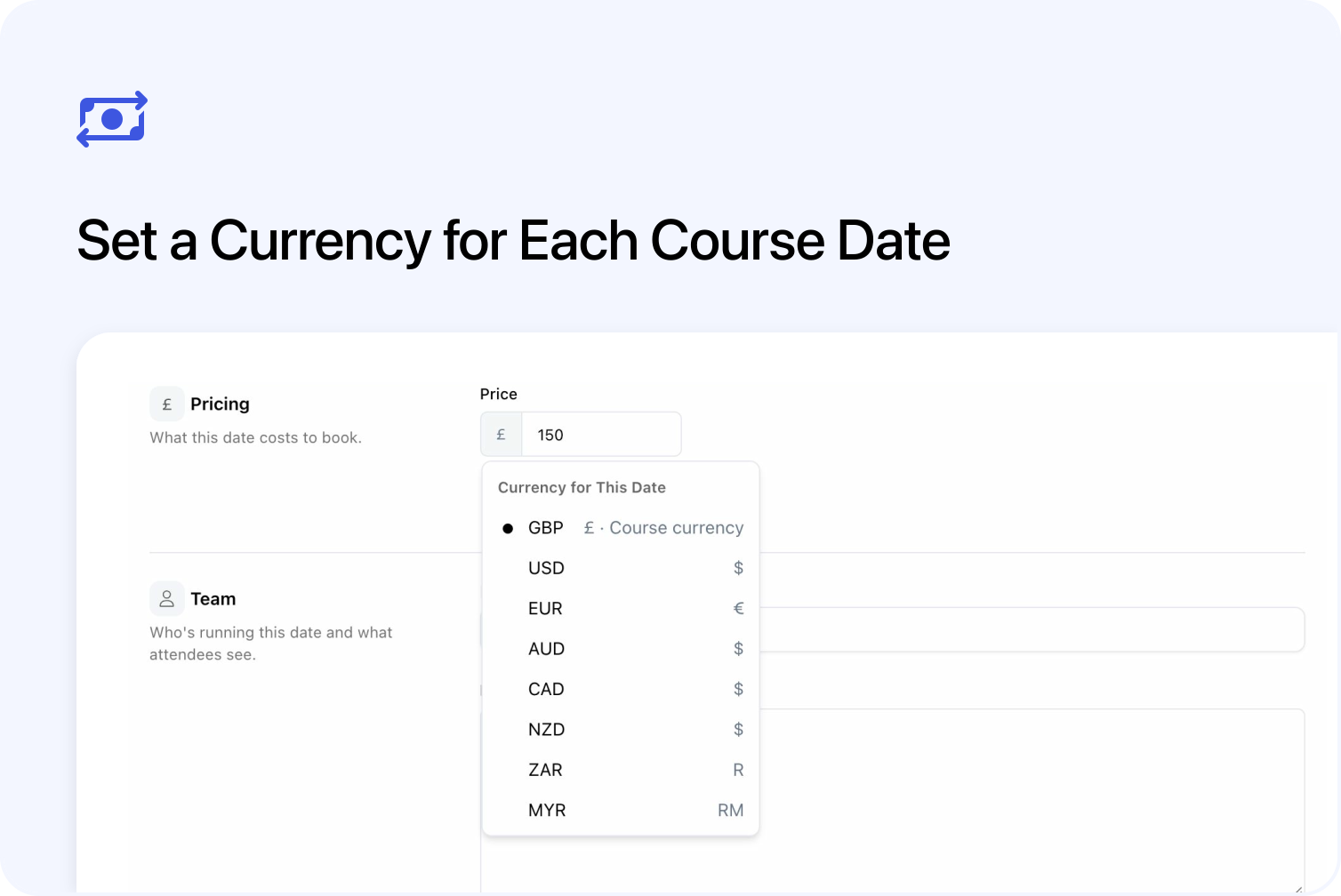
You can now price different dates of the same course in different currencies. For example, offer a training course in Belfast in pounds and in Dublin in euros, keeping both dates together on one course page.
The course currency is the default for its dates. You can give an individual date a different currency to suit the location or audience. Customers see prices in the chosen date's currency when selecting and booking it. If the course has dates in several currencies, its booking panel shows a separate price range for each.
The choice is available in Pricing when editing an individual saved course date. Follow the guide to choosing course and date currencies for the setup steps.
Set each date's prices in its chosen currency
All ticket prices and optional extras on a date use the same currency. You can choose British pounds (GBP), US dollars (USD), euros (EUR), Australian dollars (AUD), Canadian dollars (CAD), New Zealand dollars (NZD), South African rand (ZAR) or Malaysian ringgit (MYR).
Changing currency does not convert prices. Switching a £150 date to EUR makes the price €150. Check the price and any add-ons before saving, and enter the amounts you want to charge.
Choosing a different currency also gives the date its own saved prices for tickets and extras, called offers and add-ons in Cademy. You can then change your course's default prices without replacing that date's prices. See course prices and date overrides for the details.
If you group several sessions into a block, choose the currency on the block; every session in it uses that currency. Duplicating a date also keeps its currency.
Existing bookings can lock a date's currency
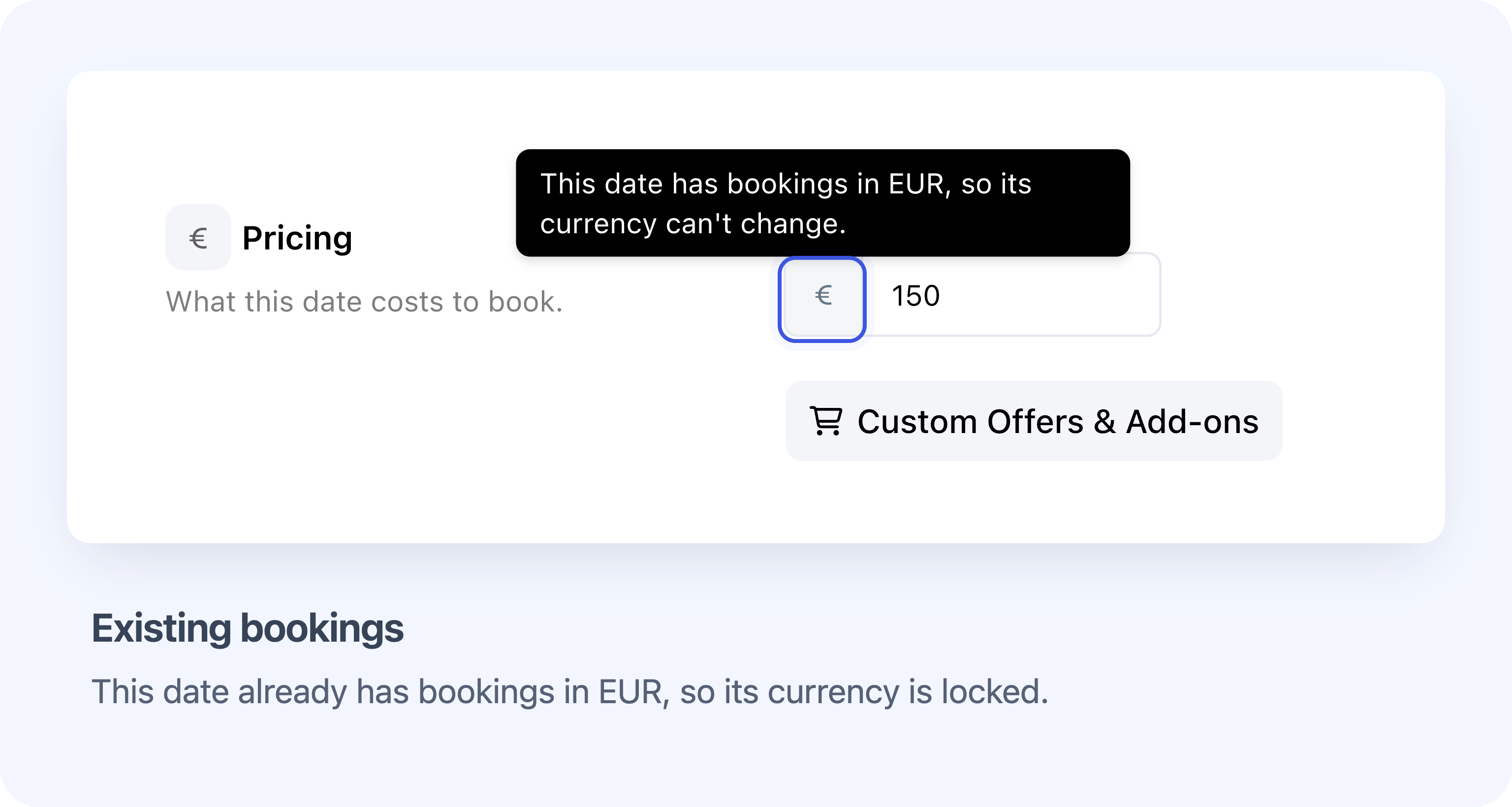
Existing bookings can prevent a date's currency from changing.
Once a date has active bookings, its currency is normally locked to protect those bookings. Existing orders retain their saved currency; editing a date does not convert earlier orders or payments. Bookings on dates that still use the course currency can also prevent you changing the course's default currency.
Use separate orders for dates in different currencies
Each basket and order uses one currency. Customers booking dates in different currencies need separate orders. A booking attached to an order can only move to a date that matches the order's currency, even when both dates belong to the same course.
Available on all plans for scheduled and blended courses
System Admins and Course Owners with permission to edit the course can use this feature on every plan. It applies to On set dates courses, which run on scheduled dates, and Blended courses, which combine scheduled sessions with online learning.
Check payment, gift-card and accounting limits
- Payment and tax settings: The date uses the course's existing payment connections, tax and invoice settings. Available payment methods depend on the chosen currency.
- Gift cards and discounts: Gift-card checks still use the course currency. Check with support before relying on gift cards for a date in another currency. Fixed-amount discounts are not exchange-rate converted.
- Xero: Cademy does not send the order's currency code to Xero. Check the Xero currency limitations before using different-currency dates with accounting sync.
- Booking applications: The request notification and acceptance window can still show the course currency. Verify the selected date's currency before accepting an application; the requests and applications guide explains what to check.
Frequently asked questions
Can customers choose which currency to pay in?
The date determines the booking currency. Customers choose a date; there is no separate currency switcher or automatic conversion based on their location.
What happens if I switch a date back to the course currency?
The date follows the course currency again, but keeps its saved offers and add-ons. Switching back does not restore the course's default price lists.
Why might a booked date still let me change its currency?
If all its active bookings already use the same different currency, Cademy can let you correct the date to match them. This can help with historical imports. It does not convert the bookings or allow a choice of unrelated currencies.
Can I change currency for several dates at once?
Use the individual date or block editor. The shared date editor and course-date import spreadsheet do not provide a currency selector or currency column.