
"Can you move me to next month's date?" is one of the most common requests a course provider gets - and it used to be one of the most awkward to handle. Not any more. You can now move a registrant to a different date or course in seconds, keeping their attendance history, notes, and certificates, without cancelling anything and without touching a penny of what they paid. And when the situation is different - the whole group is moving, or a different person is coming instead - there is a purpose-built option for that too.
Move one person: Move Registration
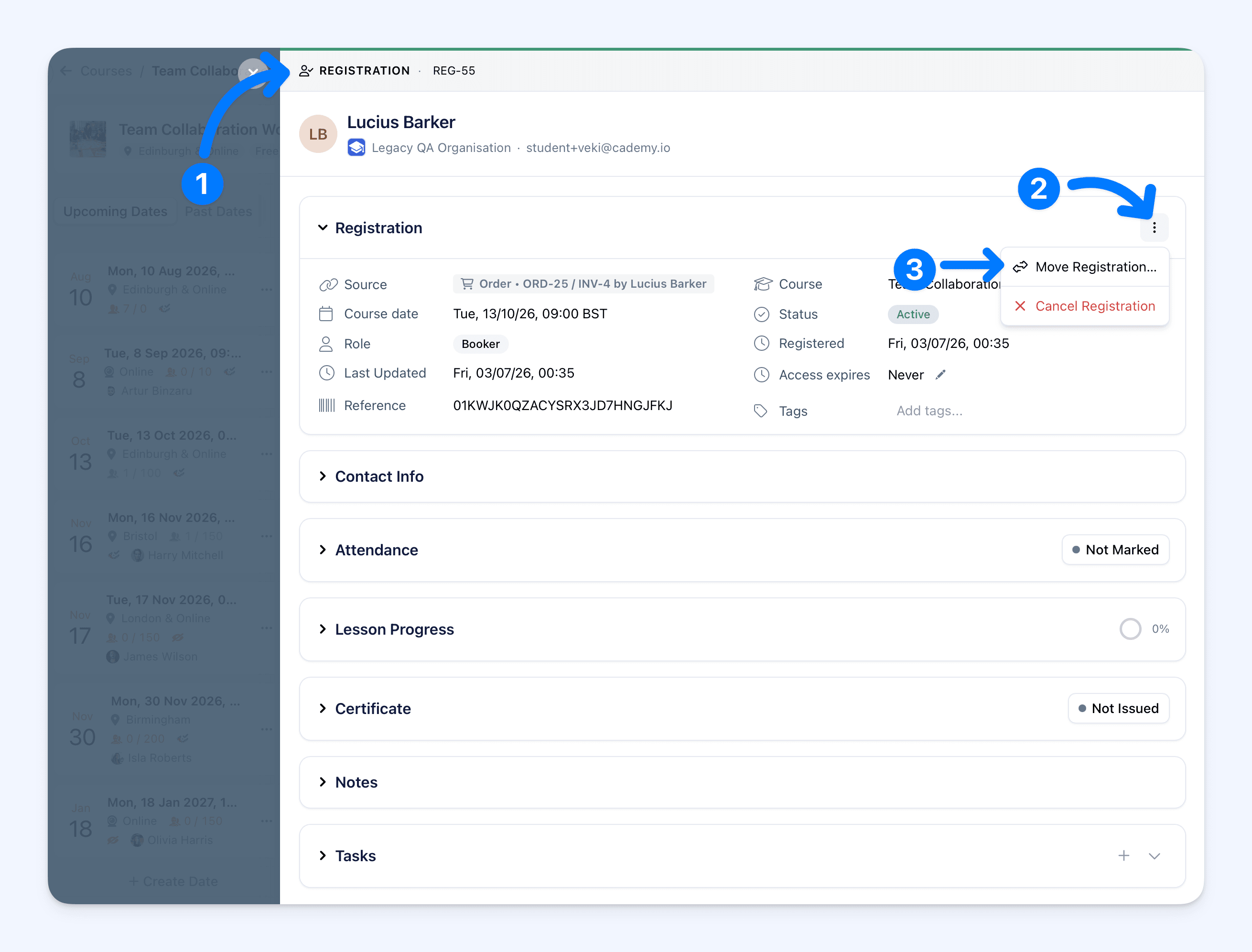
Open any registration (or find the participant on their order), click the ⋯ menu, and choose Move Registration…
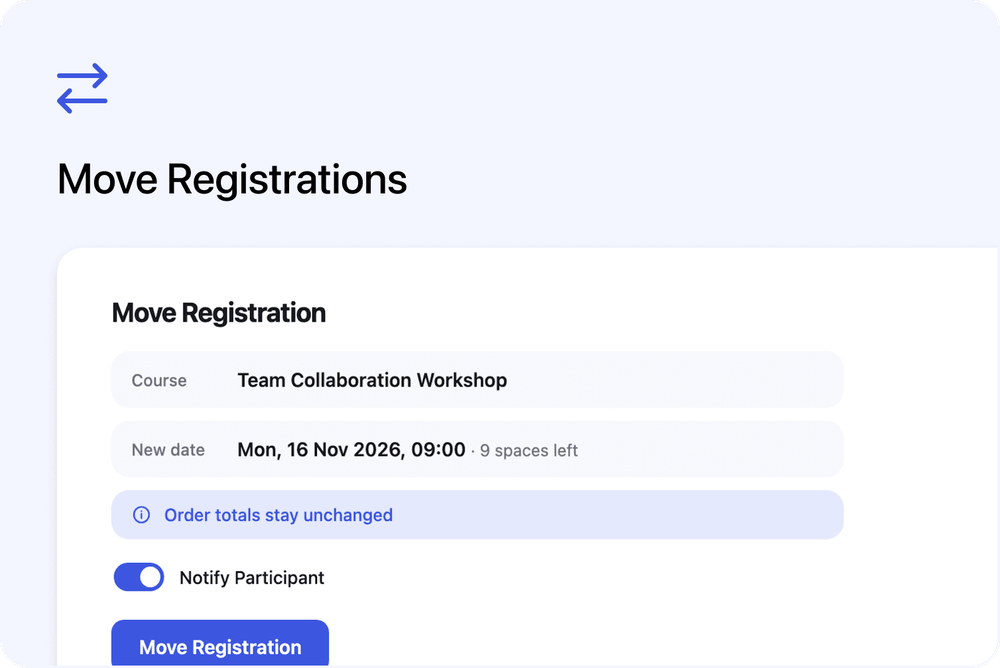
The participant's current course and date come preselected, so a reschedule is a single change - pick the new date and confirm. Transfers work the same way: change the course too, to anything you run, including on-demand courses. The dialog shows how many spaces the destination has left, and a full date warns you without blocking you - admins can always overbook deliberately.
What makes this properly useful:
- It is the same registration before and after. Attendance history, notes, tasks, lesson progress, certificates, and registration answers all stay attached. Nothing is cancelled and re-created, so no cancellation emails go out.
- Money never moves. The participant's price travels with them; order totals, invoices, and payments stay exactly as they were - whatever the new course costs. If the price should genuinely change, you adjust it afterwards with the usual tools.
- The participant can be told automatically. A Notify Participant switch (on by default) sends them an email showing where they moved from and their new course and date - or switch it off and move them silently.
It works for every kind of registration: ones on an order, and ones that were imported or added manually.
Move the whole booking: Change Course or Date
When everyone on a booking is moving together - a rearranged date, a venue change - you do not need to move people one by one. On the order, click the ⋯ menu next to the course title and choose Change Course or Date… Every participant on that course moves at once, with an optional email to the booker and guests.
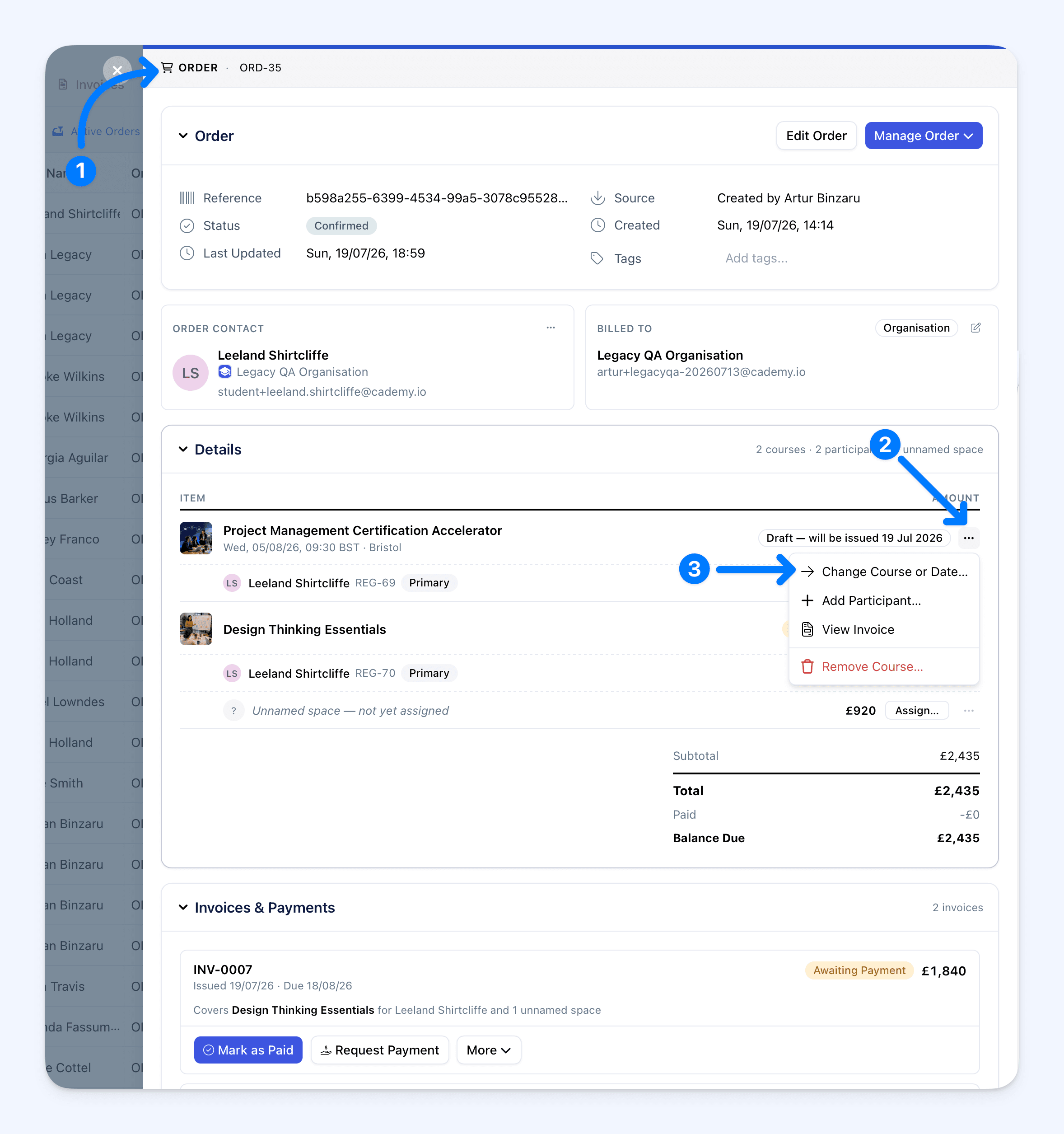
The money rules here are deliberately careful. If the order has not been paid yet, it is re-priced to the new course's current prices, and the amount due updates. If it has been paid (fully or partly), Cademy only allows a destination with the same price - so a paid bill can never silently drift from what the customer approved. Need to move a paid group to a differently-priced course? Move them individually with Move Registration and settle any difference afterwards.
Swap the person: Replace Participant
"Sarah can't make it - John's coming instead." On the order, open the ⋯ menu on Sarah's row and choose Replace Participant… - pick (or create) John, confirm, and he takes over the space at the same price. Nothing changes on the bill.
Where to start
Open any registration or order and look in the ⋯ menus - the options are already there. The help centre has the full guide, including which option fits which situation and every money rule spelled out: Changing or Moving a Registrant: Reschedule, Transfer, or Replace.
FAQ
Will the customer be charged again when I move them? No. Move Registration never touches money. Change Course or Date only re-prices orders that have not been paid yet - it never charges anyone automatically.
Do certificates and attendance survive a move? Yes. The registration is updated in place, so everything attached to it - attendance, notes, tasks, lesson progress, certificates, registration answers - stays with the participant.
I moved someone by mistake. Can I undo it? Move them back the same way. Money was never touched, so there is nothing else to fix.
Can I move someone onto a full date? Yes - you will see a warning, but you decide. Customers on your public booking page still cannot book a full date.
What if only some of a group are moving? Use Move Registration once per person. The rest of the group stays put and nothing changes for them.
Can customers reschedule themselves? No - moving is an admin action. When a customer asks, it takes you seconds.
Who can use these options? Move Registration (from the registration) is available to System Admins, Course Owners, and Facilitators. The order-side options - Change Course or Date and Replace Participant - are for System Admins, since they live on the order.
Which plans include this? All of them.