
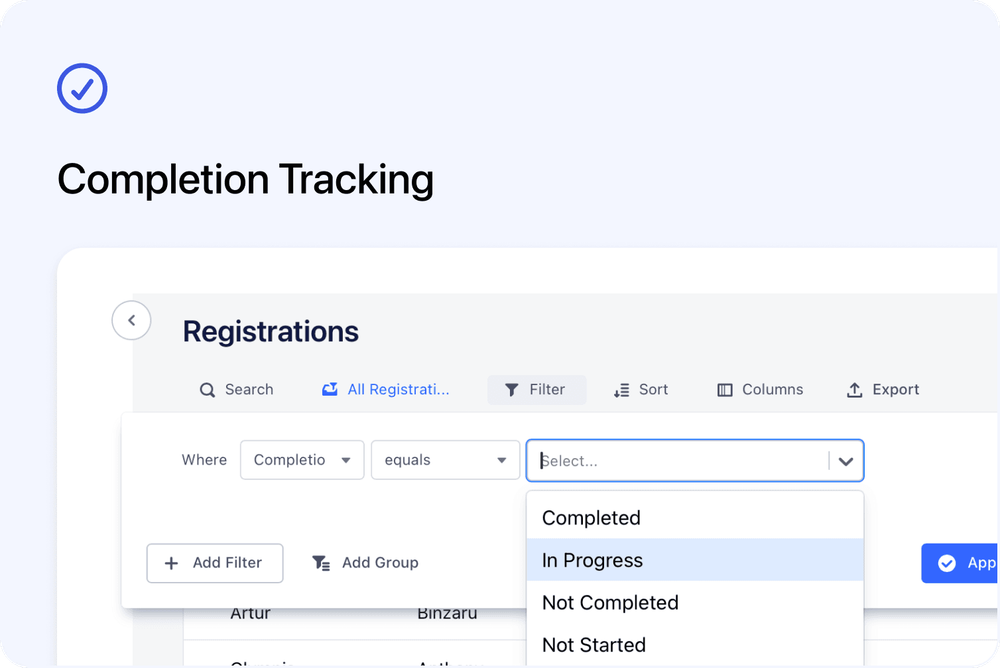
Every Registration in Cademy now has a clear Completion status. This lets you see whether a participant has not started, is making progress, did not complete, or has completed the course.
Cademy calculates the status automatically from the attendance and completed lesson information that applies to the course. You can see it in the Registrations table, filter by it and include it in exports.
See the current outcome at a glance
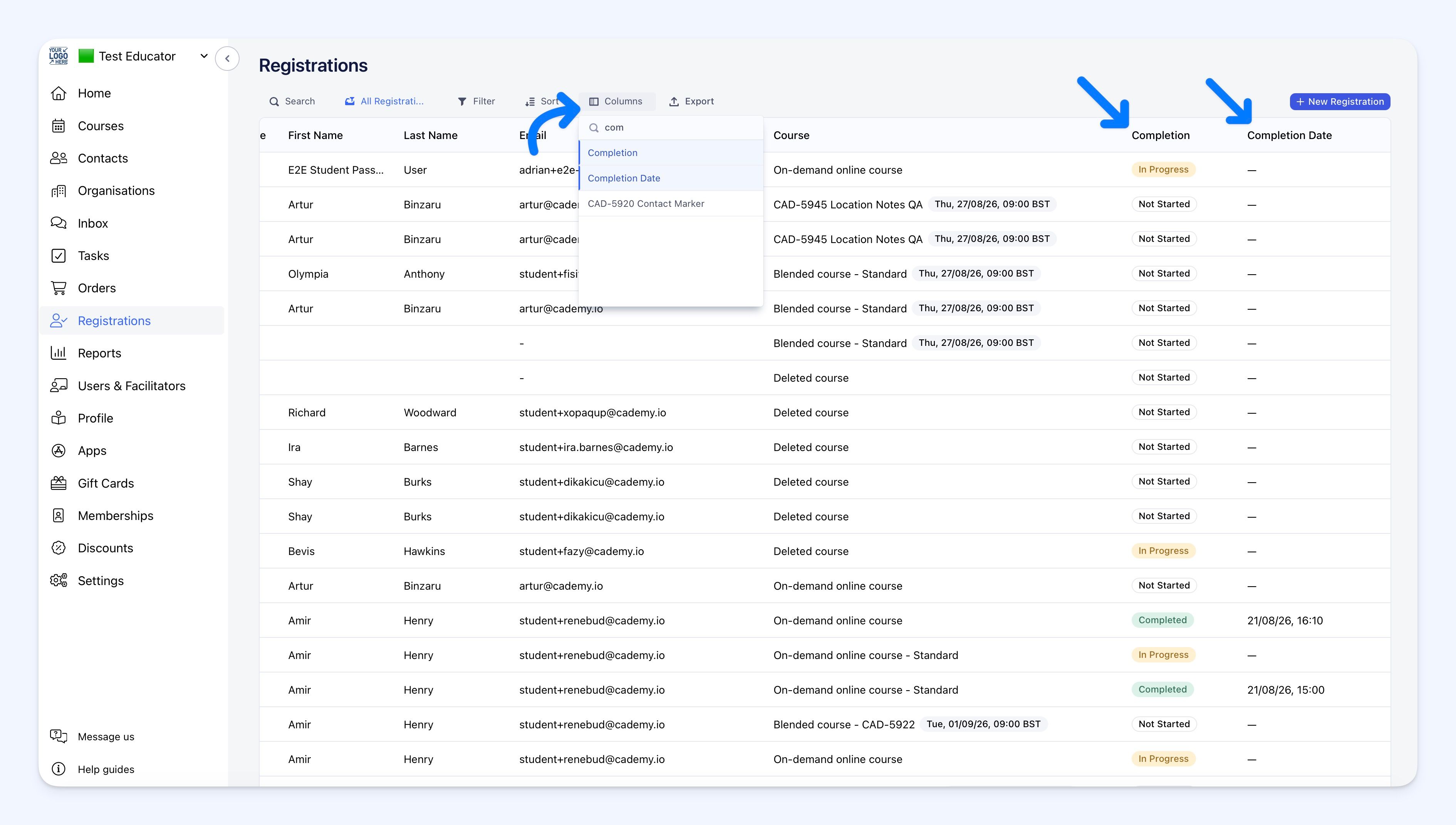 The new Completion column appears by default on the main Registrations page and on each course's Registrants tab.
Every Registration uses one of four statuses:
- Not Started: no attendance or completed online lesson currently counts towards completion
- In Progress: some requirements are complete, but not all of them
- Not Completed: an attendance outcome has been recorded, but none of the required sessions currently count as attended
- Completed: every attendance and online lesson requirement for the course has been met
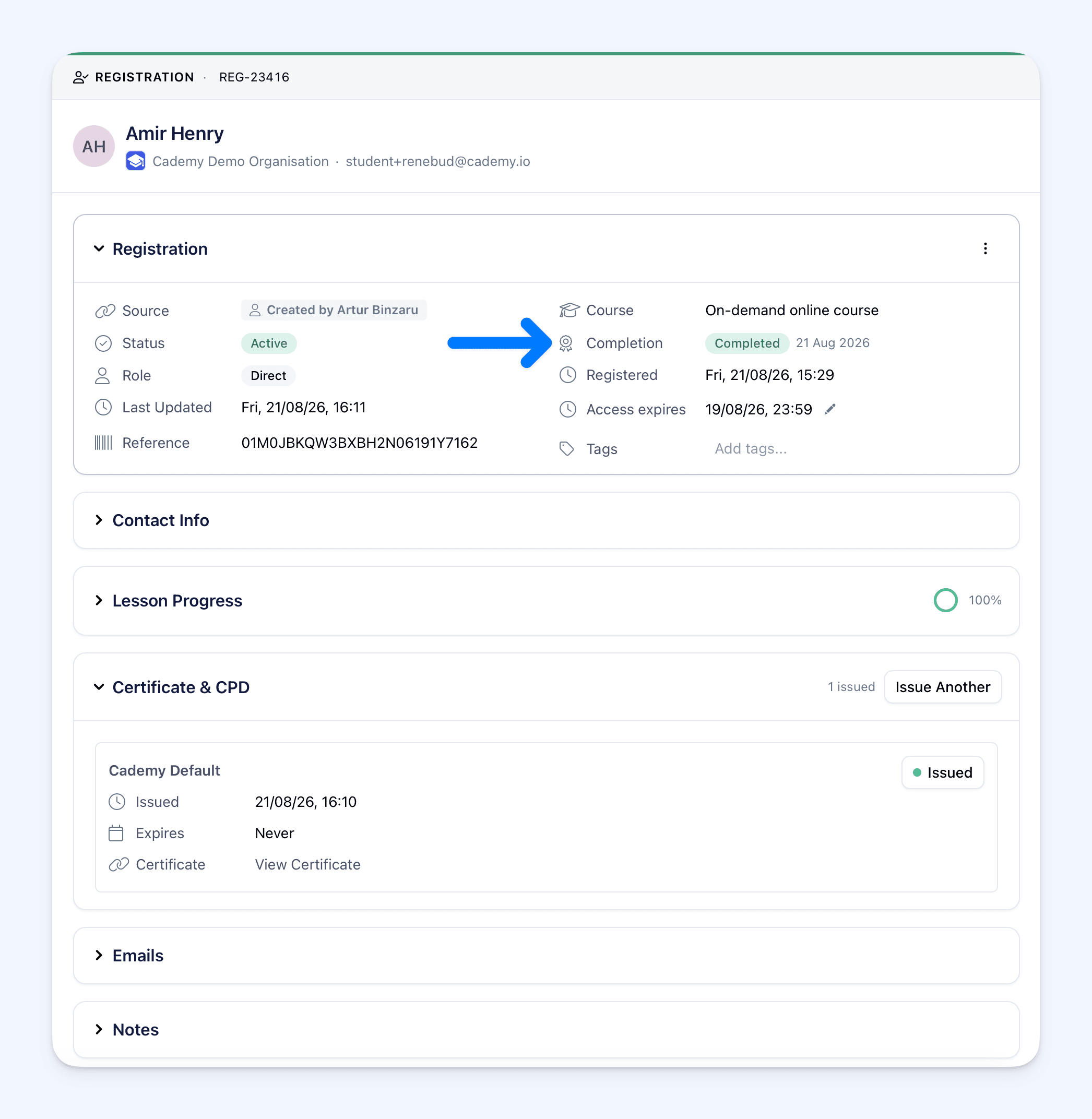
Select a Registration to see the same status at the top of its side sheet. You can also add Completion Date to the table when you need to see when the participant first completed.
How it works
Completion uses the information that makes sense for each course type:
- Single-session classroom or live online course: Not Started before attendance is recorded, Completed when marked Attended, and Not Completed when marked Absent
- Multi-session course: In Progress after at least one required session is attended, and Completed only when every required session is attended
- On-demand course: Not Started until a published lesson is completed, In Progress after some lessons are completed, and Completed at 100% lesson progress
- Blended course: Completed only after every required session is attended and every published lesson is completed
- On-request course: submitting a request does not complete the course; attendance controls Completion after the participant has a Registration for the arranged date
Simply opening an online lesson does not change Completion. The lesson must be completed before it counts.
Completion can move in both directions
If attendance or lesson progress is corrected, the Completion status is recalculated. A Registration can move from Completed back to In Progress or Not Completed when the recorded information no longer adds up to completion.
Completion Date keeps the first date the Registration became Completed. It does not change if the participant completes again, and it remains available if the current status later moves down. The Registration side sheet shows this as First completed when the participant is no longer currently Completed.
Certificates and CPD awards are not automatically taken away when Completion changes. If an award should be removed, an admin can revoke it separately from the Registration actions menu. If the Registration completes again while the original award is still active, Cademy does not issue the same active award twice.
Filter and export Completion
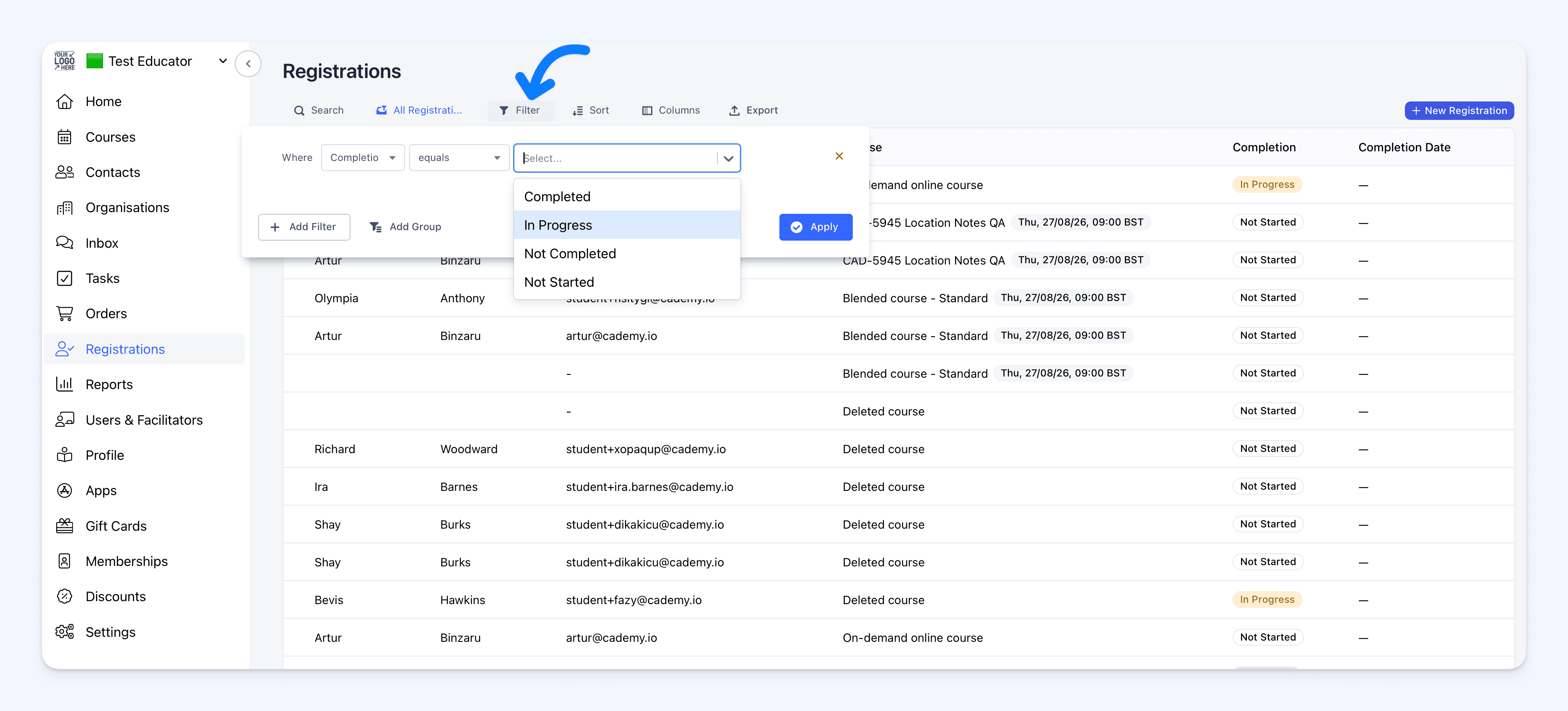 Use the new Completion filter to find the exact group you need. For example, you can create a list of participants who have not started, people still in progress, or everyone who completed within a particular period.
Go to:
Admin dashboard → Registrations → Filter → Add Filter → Registration → Completion
Choose Not Started, In Progress, Not Completed or Completed, then select Apply. Completion Date is also available as a separate date filter, and the filtered view can be saved for reuse.
Registration exports now include:
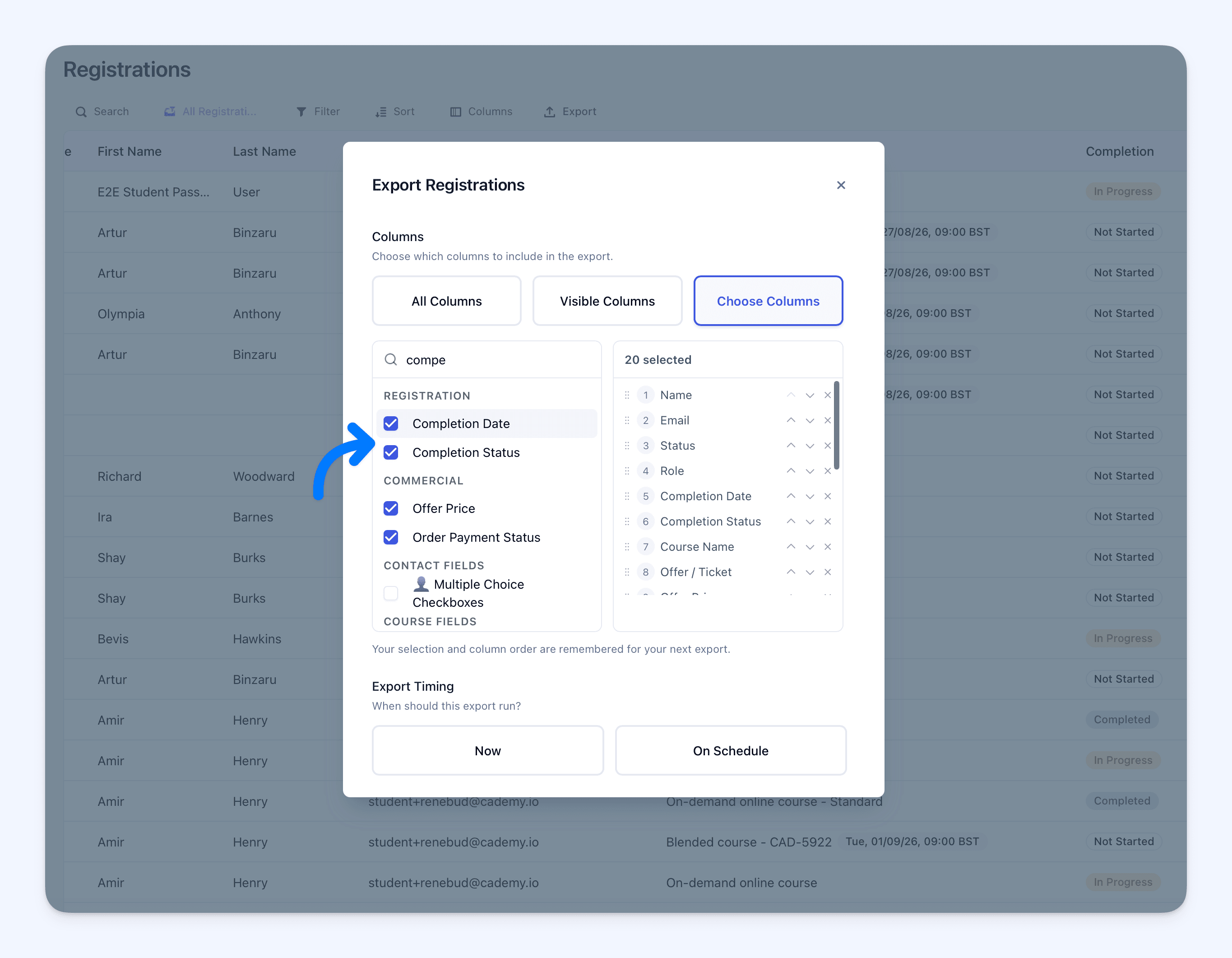
- Completion Status
- Completion Date
Open Export → Choose Columns and add either or both fields. The exported Completion Status uses the same four labels shown in Cademy.
Why this matters
Attendance, online lesson progress and the administrative Registration Status answer different questions. Completion brings the course outcome together in one consistent field.
This makes it easier to:
- identify participants who still need attention
- distinguish someone who has not started from someone recorded as not completing
- check progress across scheduled, online and blended courses
- build saved views for follow-up work
- produce clearer completion reports and exports
Good to know
- Completion is separate from Status: Status records whether a Registration is Active, Pending, Cancelled or in another administrative state. Completion records course progress or outcome.
- Completion cannot be edited directly: correct the attendance or completed lesson progress that controls it.
- An on-demand course does not use Not Completed: it moves between Not Started, In Progress and Completed because it has no attendance outcome.
- An on-demand course needs a published lesson: without at least one published lesson, its Registrations remain Not Started.
- Existing awards remain: changing Completion does not automatically revoke an issued certificate or CPD award.
- Historical completions are preserved: imported or older Registrations can keep a recorded completion even when Cademy does not hold the original attendance or lesson evidence.
Where to find it
Open:
Admin dashboard → Registrations
You can also open a course and select Registrants to see Completion for that course.
For the full status rules, correction guidance and export steps, see Understand Registration Completion Statuses in the Cademy Help Centre.
Frequently asked questions
Can I change a Registration's Completion manually?
No. Correct the attendance or completed lesson progress that controls it, and Cademy recalculates the status.
What is the difference between Registration Status and Completion?
Registration Status is the administrative state, such as Active, Pending or Cancelled. Completion describes the participant's course progress or outcome.
Why did opening a lesson not change the Registration to In Progress?
Opening a lesson does not count towards Completion. At least one published lesson must be completed.
Can an on-demand Registration become Not Completed?
No. On-demand courses use Not Started, In Progress and Completed because Completion is based on finished lesson progress rather than attendance.
Why is a blended Registration still In Progress after the participant attended?
The participant must attend every required session and complete every published lesson. Attendance alone is not enough.
Why is there a Completion Date when the current status is not Completed?
Completion Date records the first completion and remains if later attendance or lesson progress moves the current status down.
Will correcting Completion remove a certificate or CPD award?
No. Existing awards remain until an admin revokes them separately.
Will a second certificate be issued if the Registration becomes Completed again?
Not when the original certificate is still active. Cademy does not issue the same active award twice.