
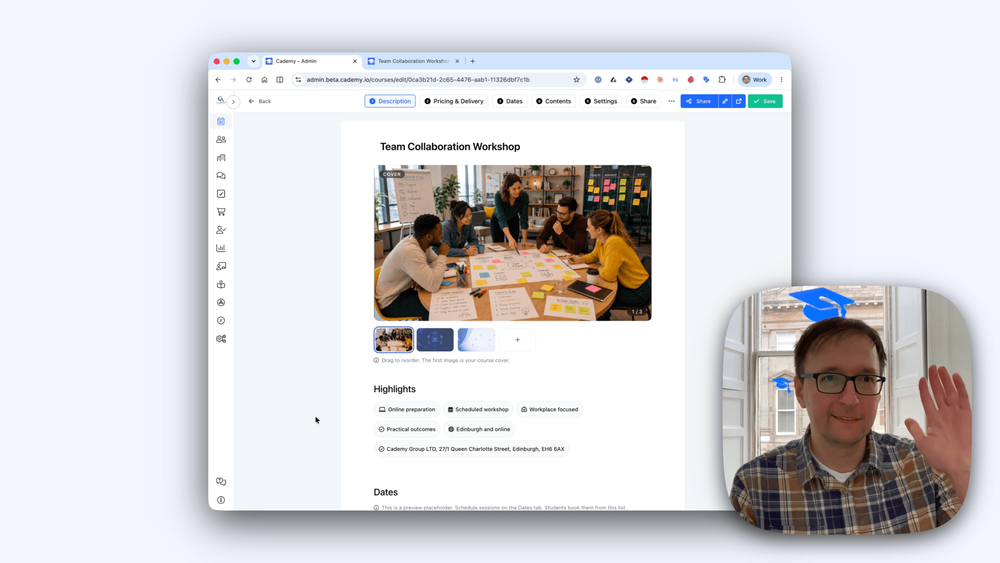
This is one of the biggest updates we’ve made to Cademy since launch.
Until now, the course editor mainly let you edit the course description, while the rest of the public course page followed a fixed structure.
That has now changed.
The course editor has been rebuilt into a modern visual editor. This brings Cademy closer to the editing experience people are used to in tools like Notion, website builders, and modern content editors: clearer blocks, easier formatting, and more control over the page.
You can now choose which built-in sections appear, hide the ones you do not need, reorder them, and use a much more powerful editor for rich text, media, and layouts.
Available to all users.
🎨 A New Way to Build Course Pages
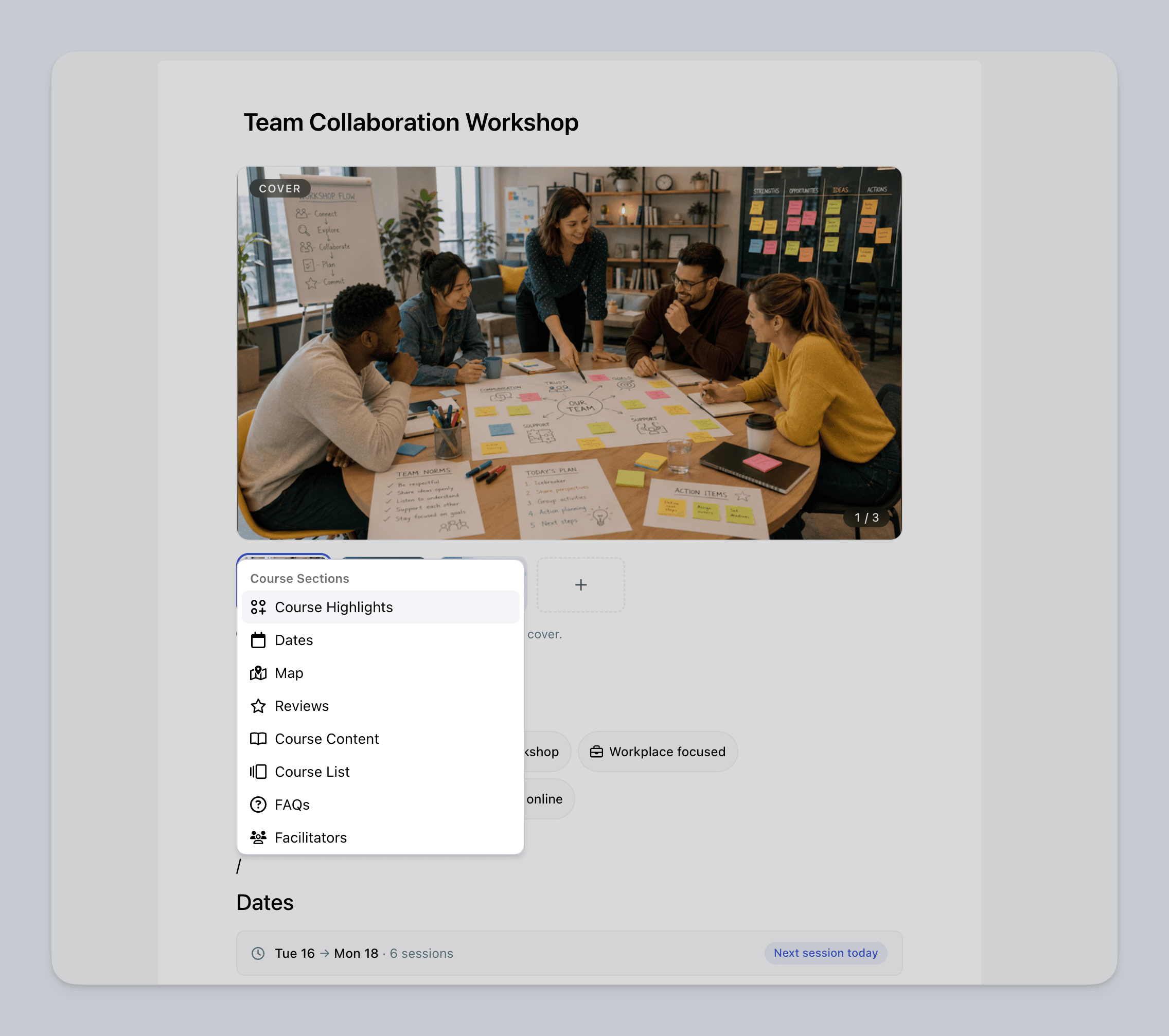
You now have much more control over the structure of your public course pages.
Built-in sections such as Course Highlights, Dates, Map, Reviews, Course List, Facilitators, Programme, Course Content, FAQs, and Profile Bio can now be managed inside the editor.
You can decide what appears on the page and move sections into the order that makes the most sense for each course.
✨ Custom Course Highlights
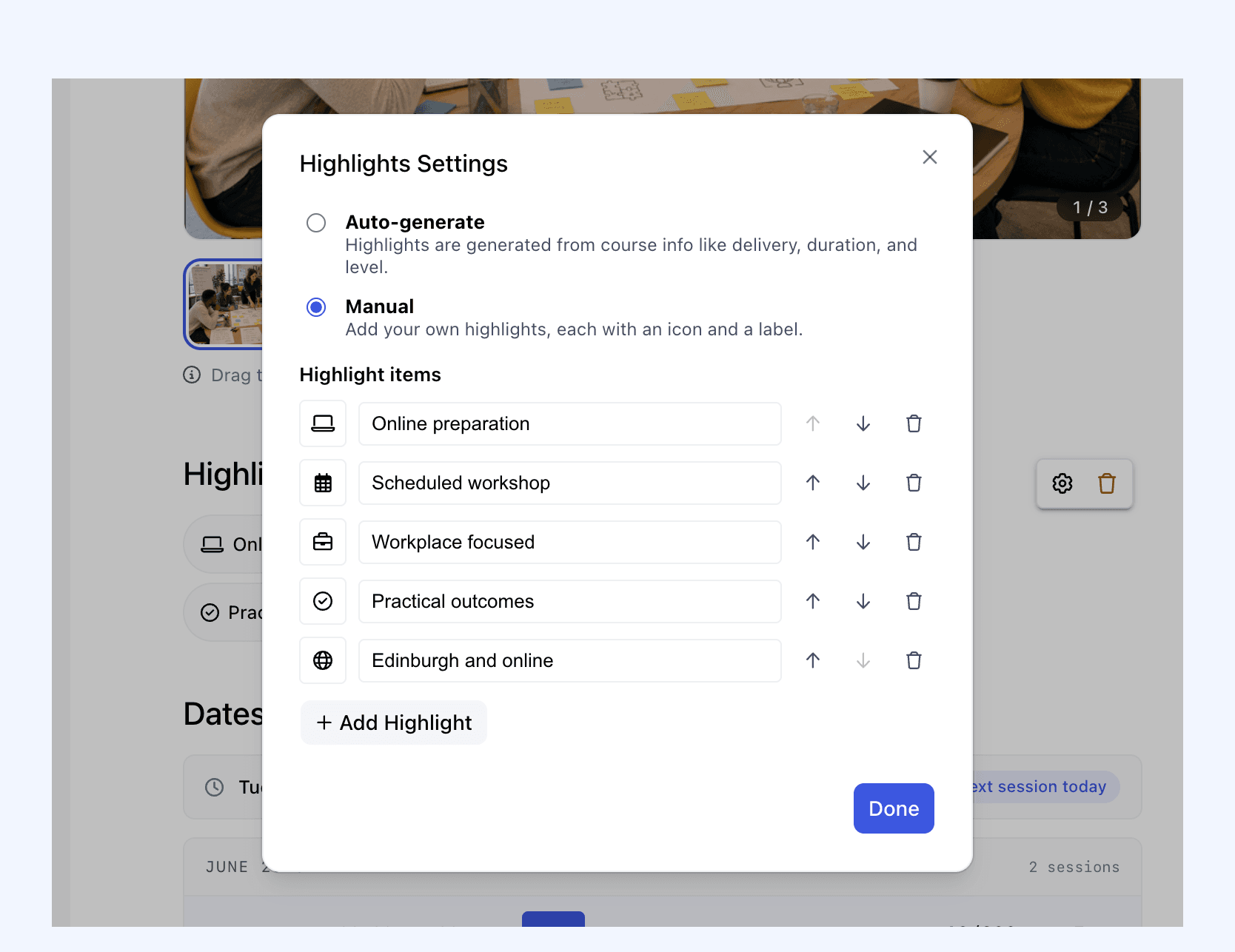
Course Highlights are now fully customisable.
Previously, highlights were automatically generated from course details, with no real control over what appeared.
Now you can keep highlights auto-generated, or switch to manual mode and create your own.
You can choose icons, edit the text, remove items, and reorder highlights so the most important information appears first.
📅 Dates and Map Sections
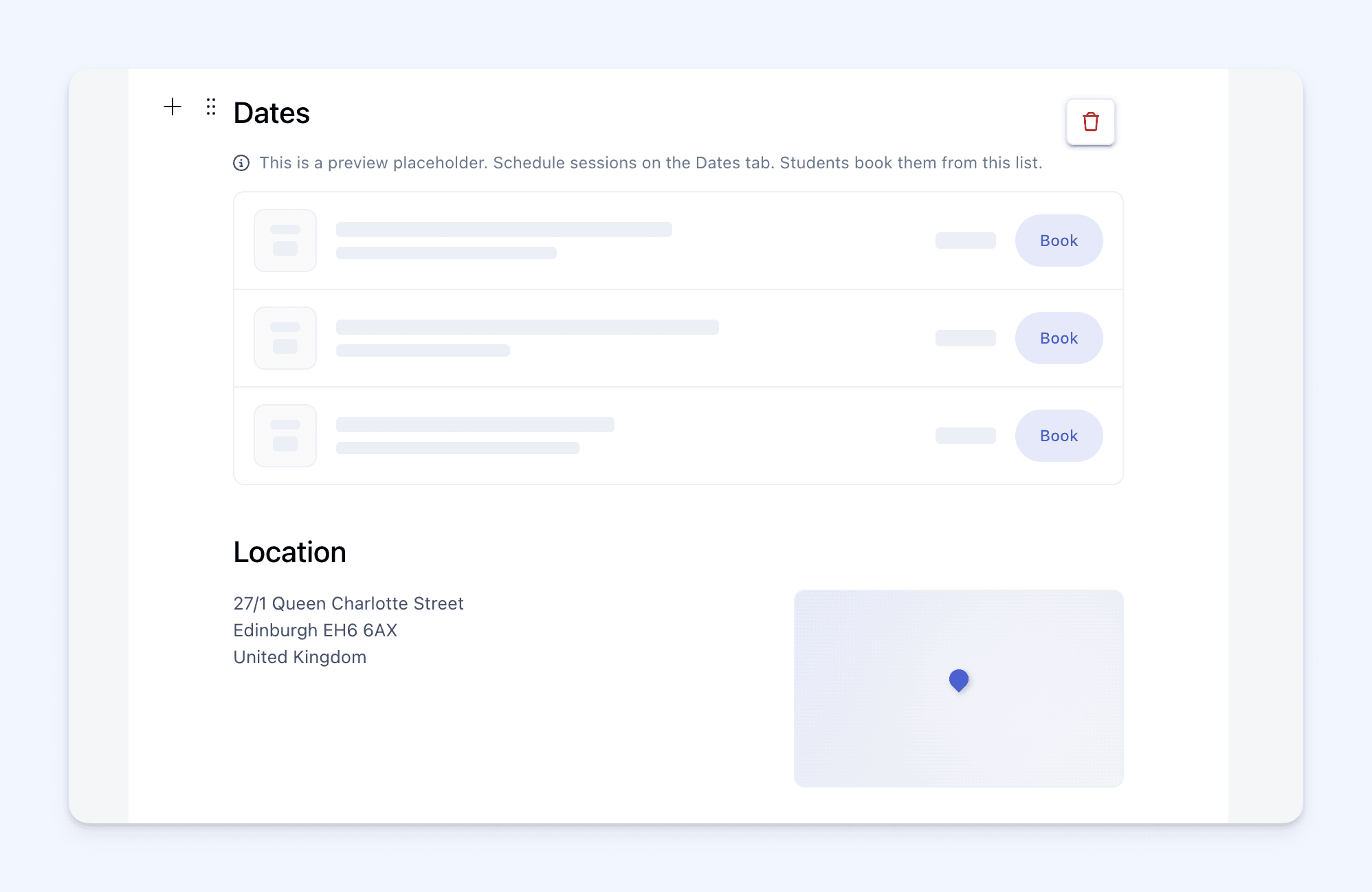
You now have more control over how course dates and location information appear on the public course page.
The Dates section can be placed where it makes most sense for the course, instead of being locked into a fixed page structure.
The Map section has also been improved. If a course has dates running across multiple locations, the map can now show all of those locations.
Location public notes are also shown, so you can include helpful details such as written directions, parking instructions, or where visitors should go when they arrive.
⭐ Reviews Section
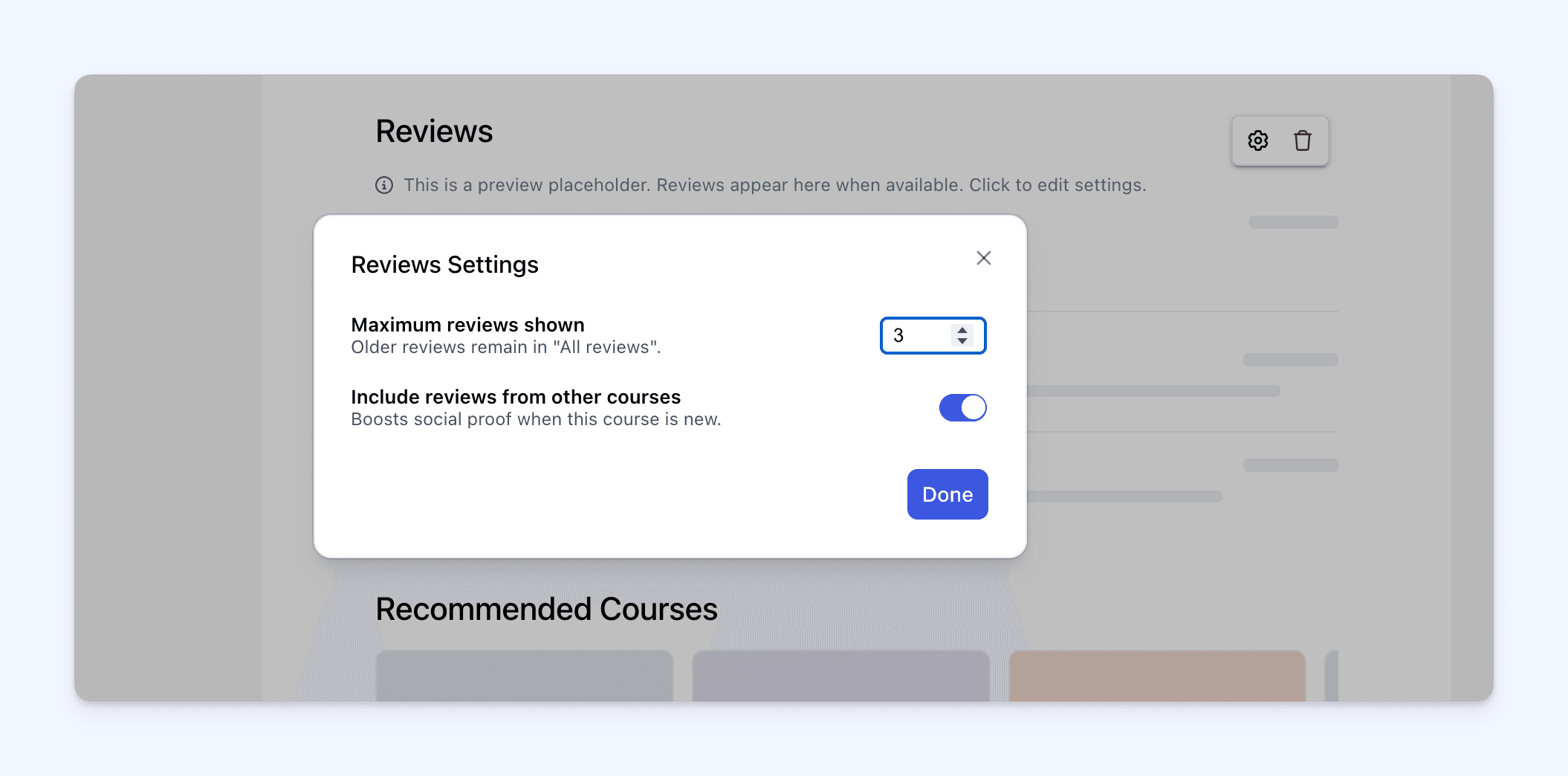
You can now choose whether the Reviews section appears on the public course page.
When reviews are shown, you can decide how many appear and whether to include reviews from other courses.
This gives you a simple way to either show social proof on the page or hide reviews completely when they are not needed.
📌 Course List Section
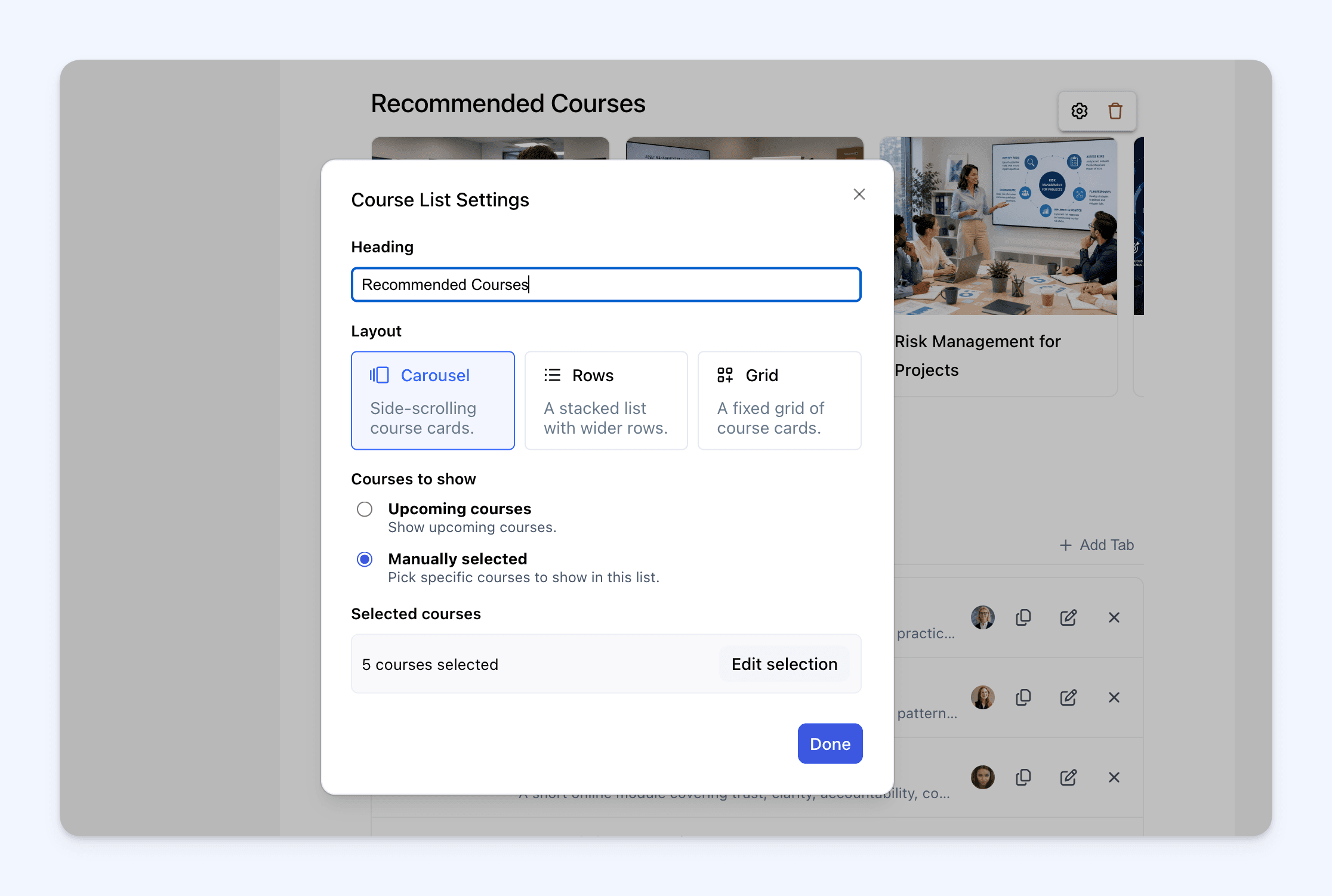
You can now showcase other courses on a specific course page.
The new Course List section can automatically show upcoming courses, or you can manually choose which courses to feature.
You can also choose how the list appears, with carousel, rows, and grid layout options.
🧑🏫 Facilitators and Profile Bio
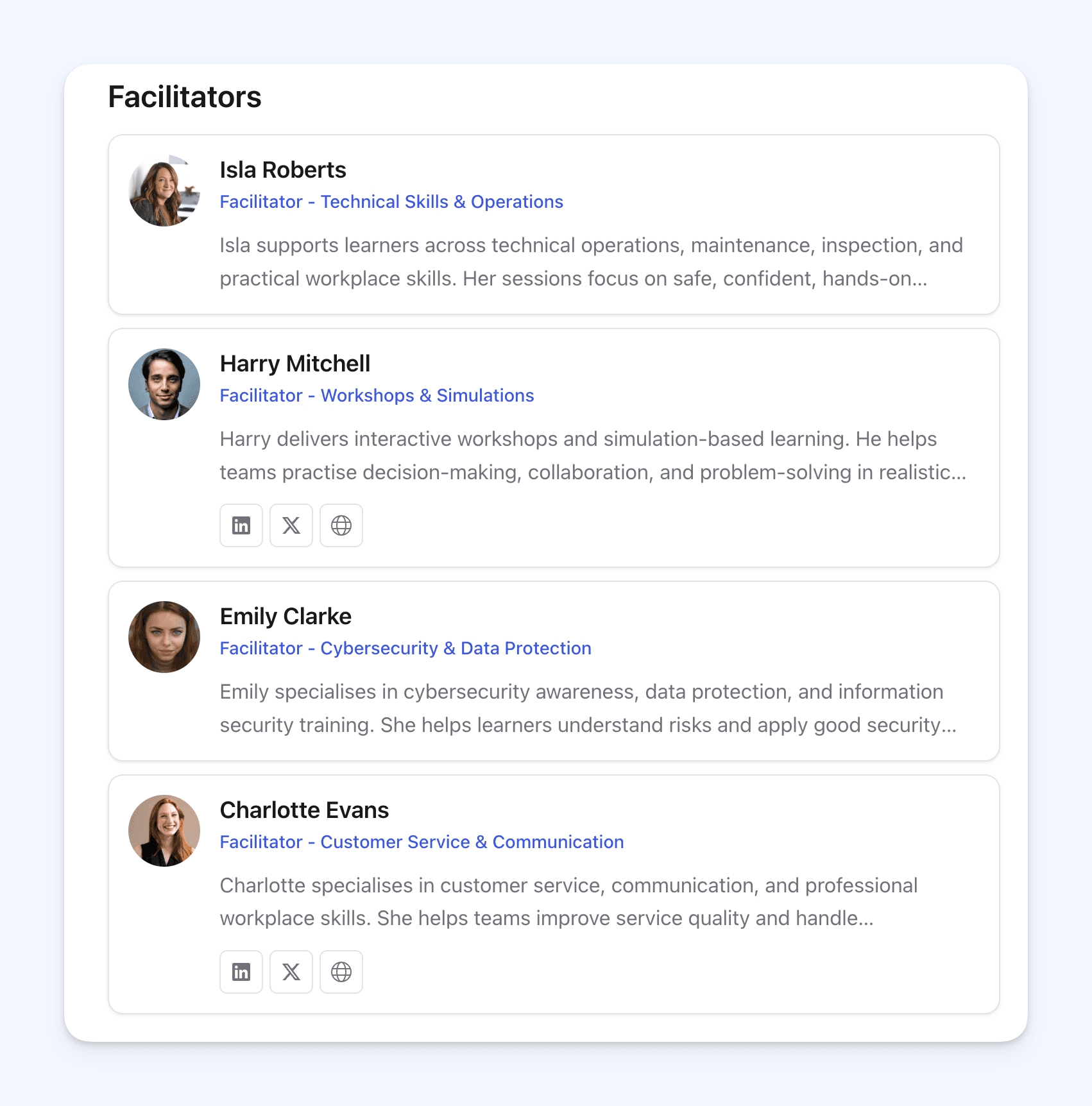
You can now add a Facilitators section to show who is delivering the course.
Cademy can show facilitators automatically based on who is assigned to upcoming public sessions, or you can manually choose who appears.
You can also add a Profile Bio section so visitors can learn more about who is offering the course.
🗓️ Programme Section
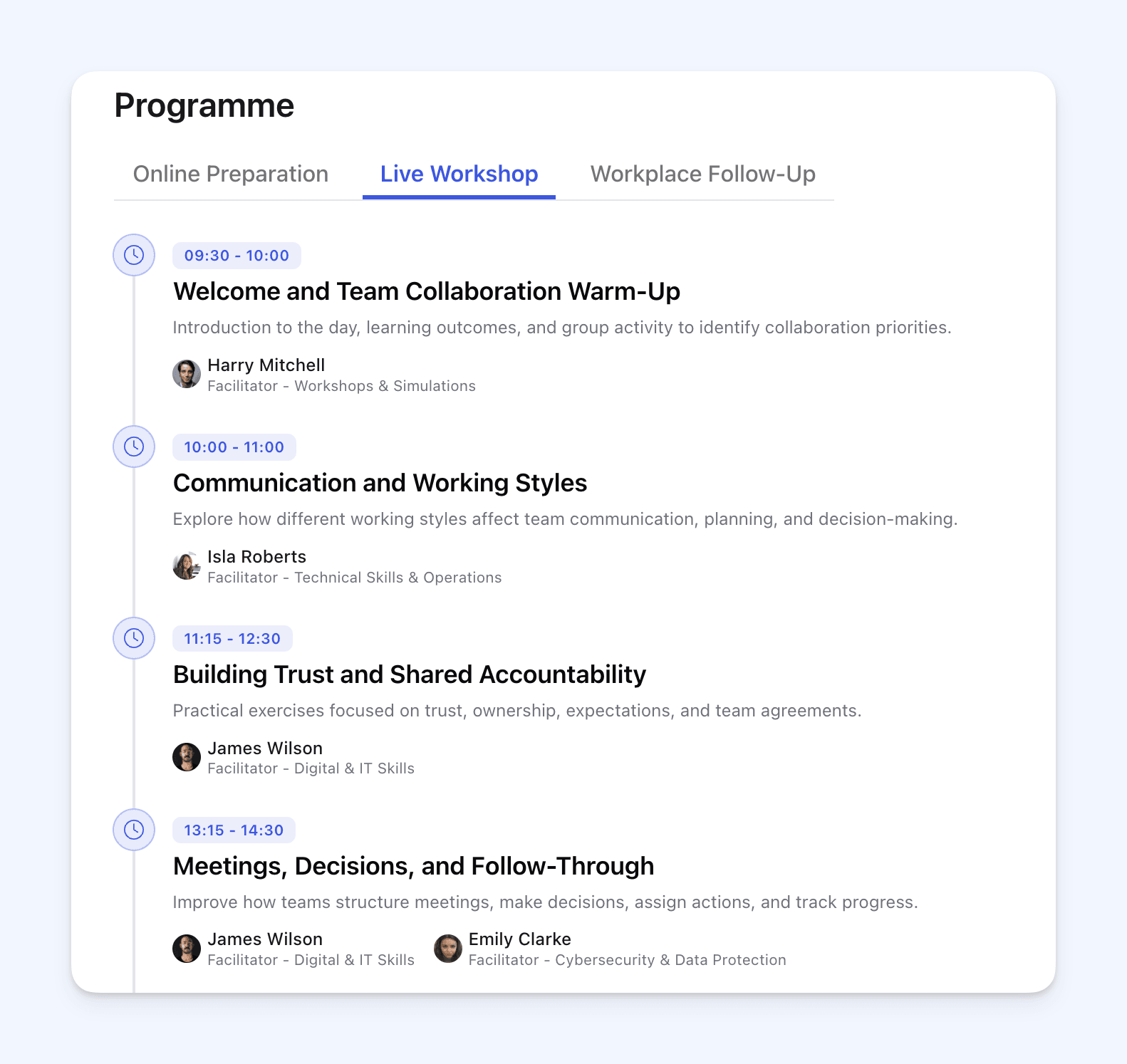
There is now a new Programme section for course pages.
You can use it to create a public preview of what happens during the day, across multiple days, or across different parts of a course.
Programme items can include times, titles, descriptions, and presenters. You can also use tabs for multi-day or multi-part programmes.
📚 Course Content Preview
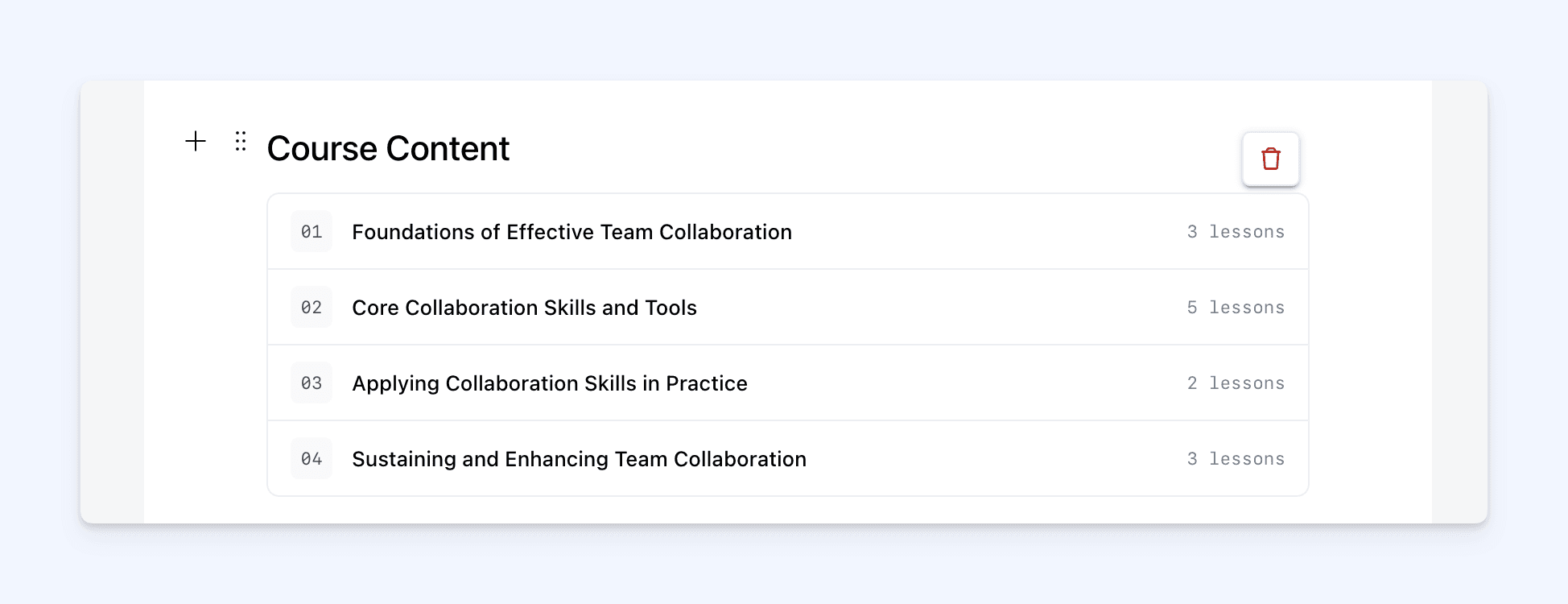
For on-demand and blended courses, you can choose whether lesson titles from your course content appear on the public course page.
This gives you control over whether visitors see a preview of the learning content before they book or enrol.
It is useful when you want to show the course structure publicly, while still keeping the option to hide it for courses where that is not needed.
❓ FAQ Display Options
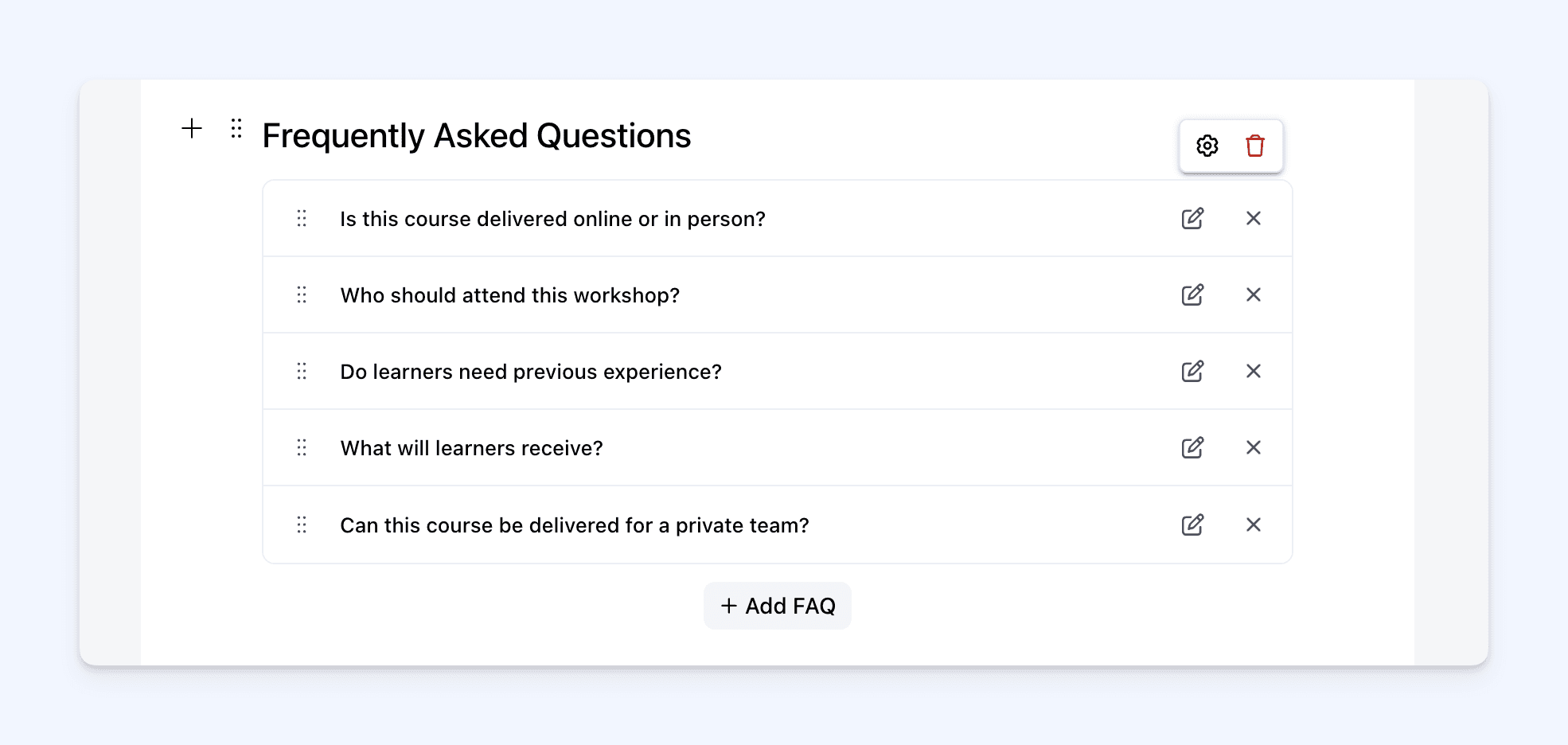
FAQs now have clearer display settings.
You can choose whether answers are collapsed by default, so visitors open the questions they need, or expanded by default, so all answers are visible straight away.
This gives you more control over how much information is shown when someone first lands on the course page.
✍️ Refreshed Rich Text and Layout Tools
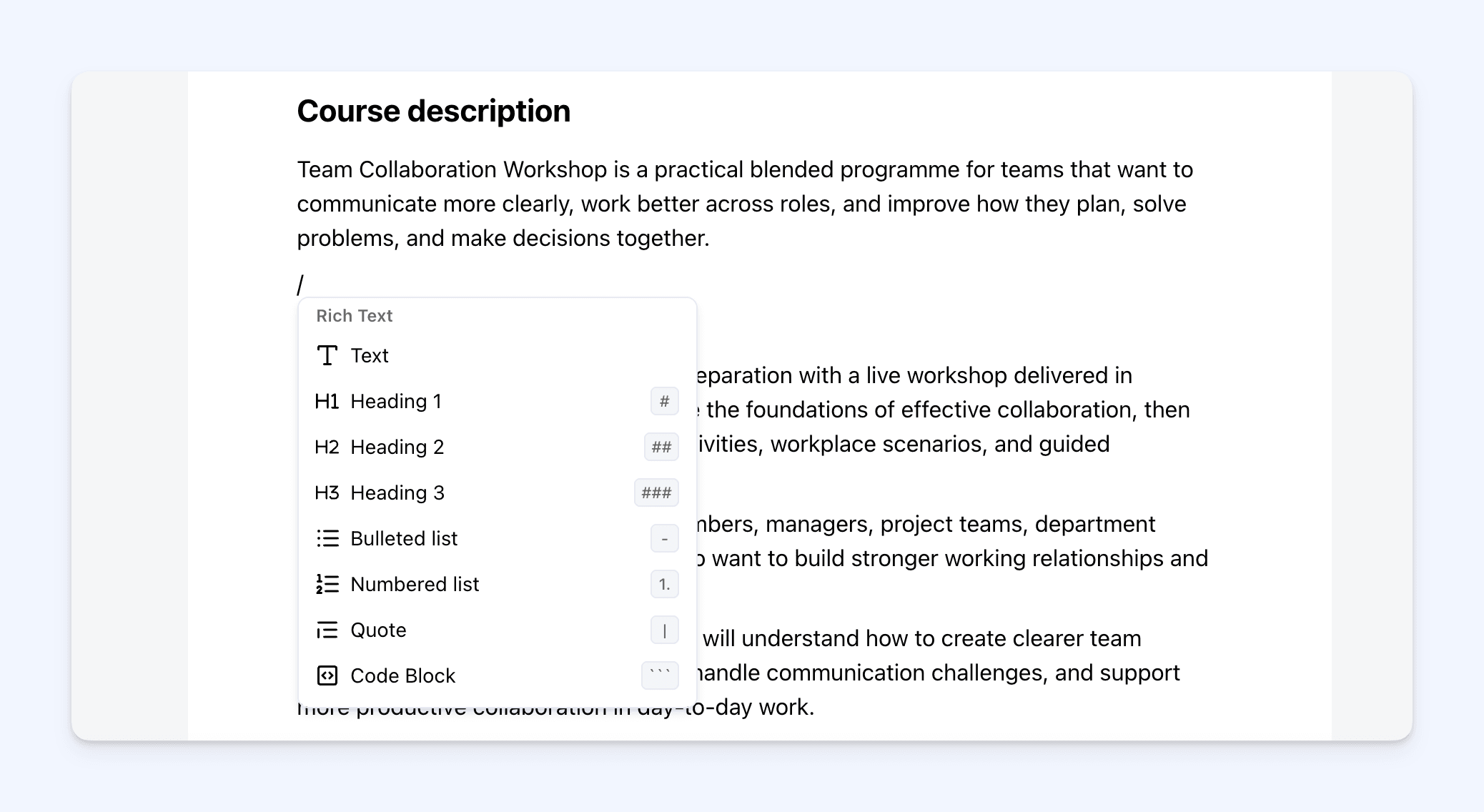
The editor now works more like a modern writing tool.
You can type normally, use / to choose a block, or click the + button to add content.
You can add headings, lists, quotes, toggles, callouts, dividers, buttons, tables, and code blocks.
You can also format text with bold, italic, underline, strikethrough, code, links, text colour, highlight colour, and font size.
For layout, you can use 2-column and 3-column sections to create more structured course pages.
🖼️ Refreshed Media Blocks
Media options have also been refreshed and brought into the new editor experience.
You can add images, media-and-text sections, videos, audio, files, and embeds directly into the page.
This makes it easier to build course pages that are more useful, more visual, and more complete.
🚀 This Is Just the Start
This update is a major foundation for the future of course pages in Cademy.
It gives us a much stronger structure to build on, and opens the door for more course page sections, display options, layouts, and design controls over time.
We’ll keep improving this area so you have more control over how your courses are presented.