
✅ Tasks
You can now create and manage Tasks directly inside your Admin dashboard — giving you a simple way to keep track of to-dos alongside your bookings, contacts, organisations, courses, and course dates.
Tasks are designed to help you manage administrative work in context. Instead of switching between Cademy and an external to-do tool, you can now keep track of follow-ups, reminders, and actions directly within the records you’re already working on.
Keep tasks connected to the right records
Tasks can be linked to:
- Contacts
- Organisations
- Courses
- Course dates
- Bookings
- Orders
When a task is linked to a record, it appears there as well — making it much easier to see what still needs doing when viewing a booking, course, or customer record.
This is what makes Tasks especially useful in Cademy: your admin work stays connected to the relevant context.
List view and Kanban view
Tasks can be managed from a dedicated Tasks page in your Admin dashboard.
You can choose between:
- List view for a clear, structured overview
- Board view (Kanban) for a more visual way to organise work by status
You can also group tasks by status, priority, or assignee, and move tasks between statuses with drag and drop.
Built for fast, practical admin work
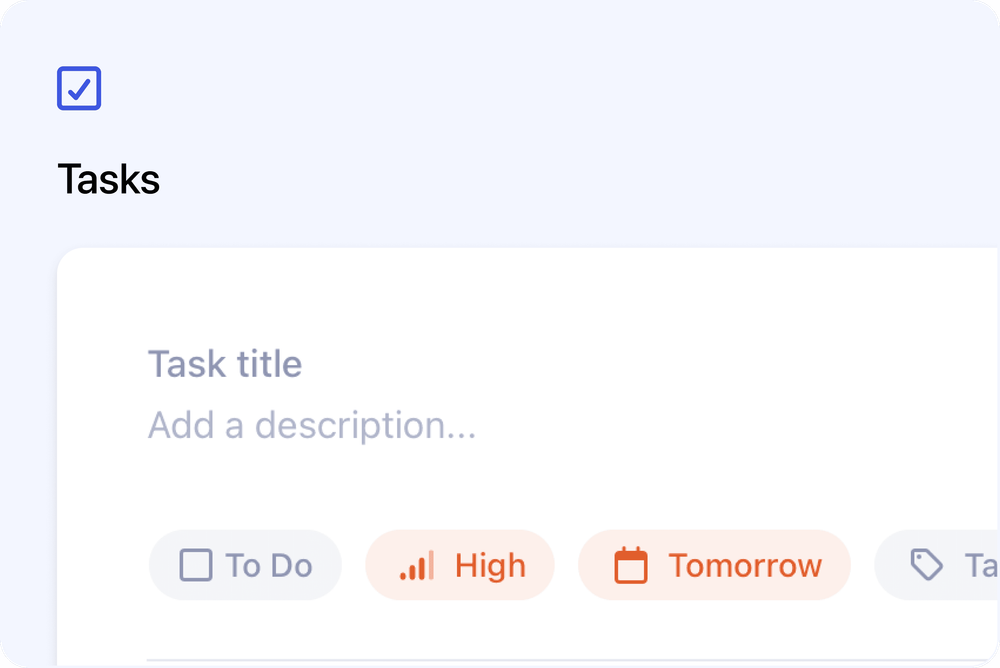
Tasks are quick to create and flexible to manage.
You can add:
- priorities
- deadlines
- tags
- subtasks
- notes
- attachments
The description field also supports rich formatting, making it easy to add structure and keep supporting information directly inside the task.
Deadlines can be entered using natural language such as “tomorrow” or “next week”, helping you move faster when creating tasks.
Custom statuses and team workflows
By default, tasks include the standard statuses:
- To Do
- In Progress
- Done
- Cancelled
You can also add extra statuses in Settings → Tasks if your workflow needs more detail.
Tasks can be assigned to individual users or teams, helping distribute responsibility across your organisation.
This is the first version of Tasks, and we already have more improvements planned — especially around making task management even more seamless across courses and course dates.
📖 Read the full help article:
https://help.cademy.io/en/articles/14115657-tasks