
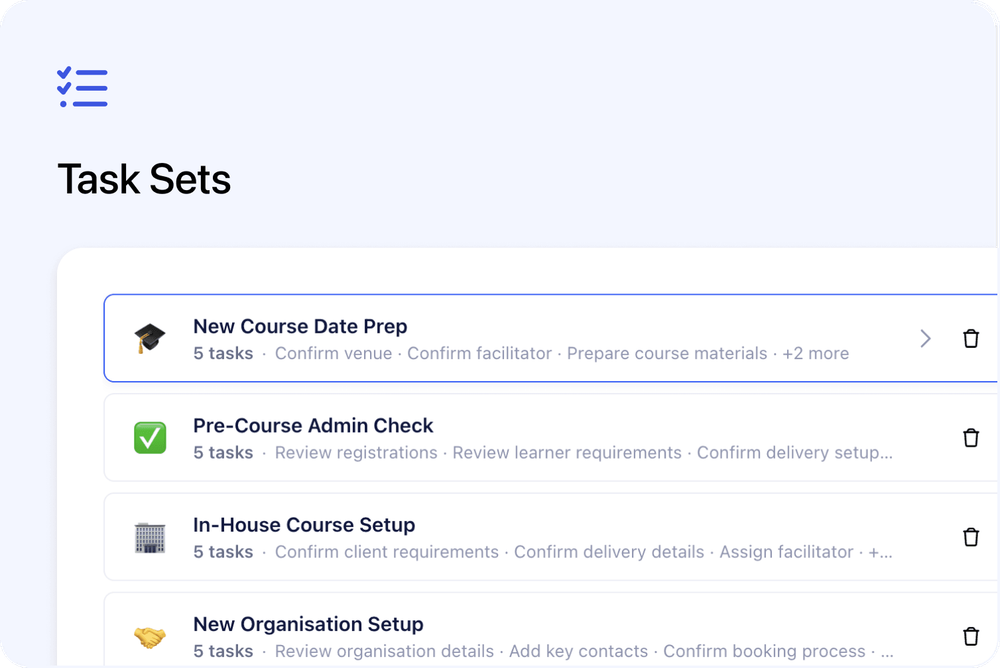
You can now create reusable Task Sets in Cademy.
A Task Set is a saved list of tasks that you can apply to a record in one go. This is useful for repeat workflows, such as preparing a course date, onboarding a new contact, processing a registration, or following up with a sales lead.
Instead of creating the same tasks one by one each time, you can build the checklist once and reuse it whenever you need it.
What’s new
📝 Create reusable task lists
You can now create Task Sets from:
Settings → Tasks
Each Task Set can include:
- A name
- An optional emoji
- Multiple task items
The emoji helps you recognise different sets quickly, especially if you have several saved checklists.
✅ Add detailed task items
Each task inside a Task Set can include the same details you use when creating normal tasks.
This includes:
- Task title
- Rich-text description
- Attachments
- Subtasks
- Priority
- Tags
- Assignees
This means your saved checklist can include all the details your team needs, not just a task title.
↕️ Reorder, edit, and manage sets
From Settings → Tasks, you can manage your Task Sets at any time.
You can:
- Create new sets
- Edit existing sets
- Delete sets you no longer need
This makes it easy to keep your reusable checklists up to date as your workflow changes.
➕ Apply a Task Set from any task list
Wherever the task list appears, the Add Task button now includes a dropdown.
From there, you can choose one of your saved Task Sets and apply it to the record you are working on.
Task Sets can be applied to records such as:
- Course dates
- Contacts
- Registrations
- Organisations
- Bookings
- Orders
The tasks are created and linked to that record automatically.
👀 Preview before adding tasks
Before the tasks are added, you’ll see a confirmation dialog with the full list of items.
All tasks are selected by default, but you can untick anything you do not need for that specific record.
Once confirmed, Cademy creates the selected tasks in one batch.
Why this matters
Task Sets help reduce repeated admin work.
They are useful for any workflow where your team creates the same tasks again and again, such as:
- Preparing a new course date
- Following up with a new contact
- Processing a registration
- Managing an in-house course
- Running a sales follow-up process
This helps your team save time and reduces the chance of forgetting a step.
Good to know
Tasks created from a set are normal tasks
Tasks created from a Task Set work like any other task in Cademy.
They use the same task system, statuses, filters, assignees, and task views.
Due dates are not stored in Task Sets
Task Sets do not currently include due dates.
When a set is applied, the tasks are created without due dates. You can then add dates to the tasks if needed.
Where to find it
Go to:
Settings → Tasks
Create your first Task Set, then use the dropdown next to Add Task wherever tasks are available.