
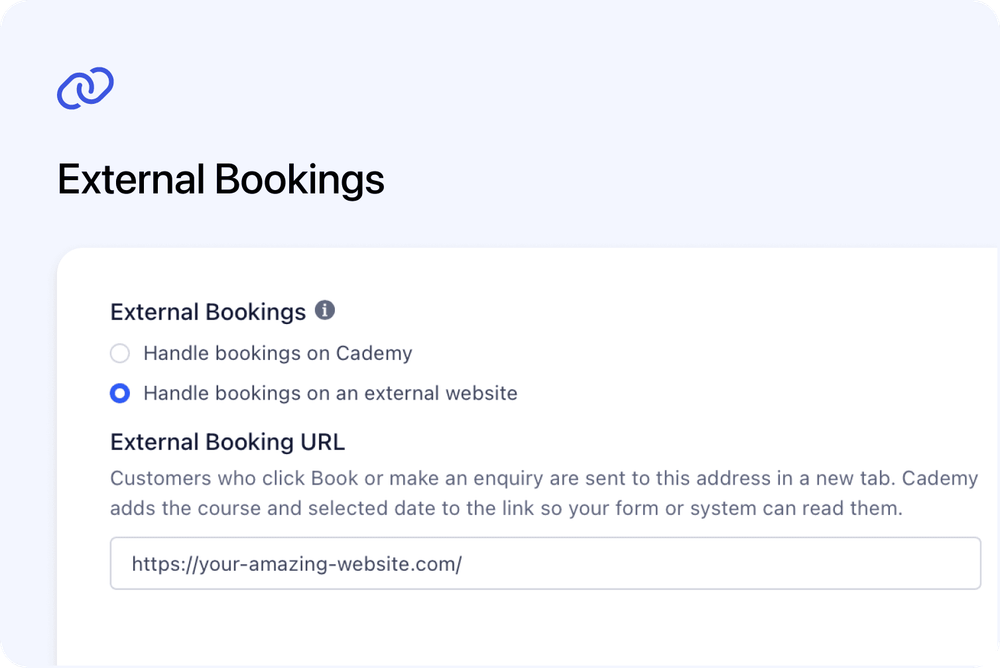
You can now keep a course listed in Cademy while sending customers to your own booking page, registration form or external booking system.
With External Bookings, customers can discover the course through Cademy, your website embeds or Cademy for WordPress. When they choose a supported booking action, the external website opens in a new tab so they can complete the process there.
This is useful when Cademy is part of your course catalogue and marketing journey, but another system manages registrations, payments or customer records.
What’s new
Each course now has two External Bookings choices:
- Handle bookings on Cademy keeps the normal Cademy checkout and booking journey
- Handle bookings on an external website opens the secure web address you provide
The external option is available on Pro plans and higher. Course Owners and System Admins can change it from the course settings.
How it works
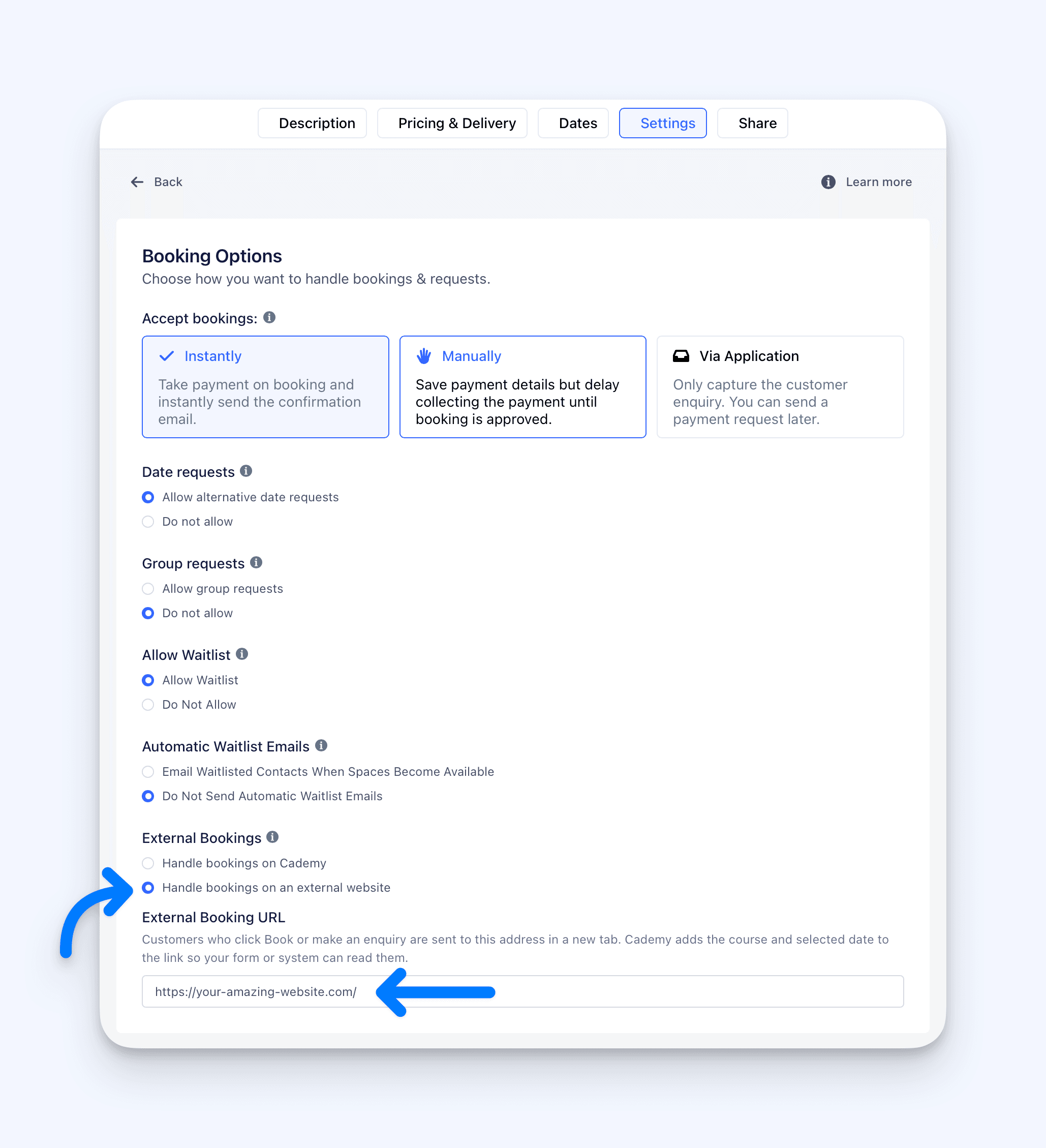 Open the course, select Edit Course, then go to:
Settings → Booking Options → External Bookings
Choose Handle bookings on an external website, enter the complete address beginning with https://, and save the course.
Supported customer actions then open that address in a new tab. Depending on the course and its settings, this can include actions such as Book, Buy, Enrol, Apply, Request a Date, Request Group Booking, or selecting a specific course date.
Use the course information in your external system
Cademy adds useful course information to the external address automatically. This can identify:
- your Cademy course-provider account
- the course the customer selected
- the selected occurrence, when the action relates to a specific date
- the course start time, when available
Your external form or booking system can use this information to preselect the correct course or date. If it does not use the information, the page can still open normally.
Works across course listings and embeds
External Bookings are supported across the main customer journeys, including:
- Cademy course pages and course cards
- course listings on your Cademy profile
- Standard Website Embeds
- course listings and pages created by Cademy for WordPress
- dated embeds where Open checkout when a customer clicks a date is enabled
Why this matters
You can keep using Cademy to publish and promote your courses without forcing every provider into the same registration process.
Customers still see the course information where they expect it, while your organisation can keep using the booking or application system that fits its existing workflow.
This is particularly useful when your team already has:
- a central registration form
- an organisation-wide booking system
- a separate application process
- an external payment journey
- a website that needs to remain the final booking destination
Good to know
The external system manages the booking
Completing the external form does not automatically create an Order, Registration, request or application in Cademy.
Cademy also does not automatically collect the payment, reduce the spaces shown for the course date, send booking confirmations or reminders, record attendance, issue a certificate, or include the booking in Cademy reports.
Manage those parts of the journey in the external system. If the resulting booking also needs to appear in Cademy, add or import it separately.
Contact Us and waitlists stay in Cademy
Contact Us continues to open Cademy’s Send a message form.
When a date is full and waitlists are enabled, Join Waitlist also continues to use the Cademy waitlist. External Bookings do not replace these two journeys.
Existing availability and access rules are checked before an external action is shown. For example, a sold-out date without a waitlist does not show an external booking link, and a membership-restricted on-demand course stays unavailable until the membership requirement is met.
Some listings may take a short time to refresh
The main course page updates as soon as the setting is saved. Search-based course cards, course lists and some embeds can keep their previous destination briefly while the course search index refreshes.
Where to find it
Go to:
Admin dashboard → Courses → select a course → Edit Course → Settings → Booking Options → External Bookings
Choose Handle bookings on an external website, add the complete secure web address, then select Save.
For complete setup instructions and troubleshooting, read Send Course Bookings to an External Website in the Cademy Help Centre.
Frequently asked questions
Will an external booking appear in Cademy automatically?
No. The external website manages the booking. Add or import the Order or Registration separately if it also needs to appear in Cademy.
Does Cademy collect the payment or reduce course capacity?
No. Payments and capacity for externally completed bookings must be managed in the external system.
Can the external system tell which course or date the customer selected?
Yes. Cademy adds the course-provider, course and relevant date information to the external address. Your external system can use it to preselect the correct option.
Do Contact Us and Join Waitlist redirect externally?
No. Contact Us continues to open Cademy’s message form, and Join Waitlist continues to use the Cademy waitlist.
Can I use External Bookings with embeds or WordPress?
Yes. Supported booking actions can redirect from Standard Website Embeds and Cademy for WordPress course listings and pages.
Which plans include External Bookings?
External Bookings are available on Pro plans and higher.
Who can change the setting?
Course Owners and System Admins can edit it. Facilitators can view courses but cannot change this setting.