
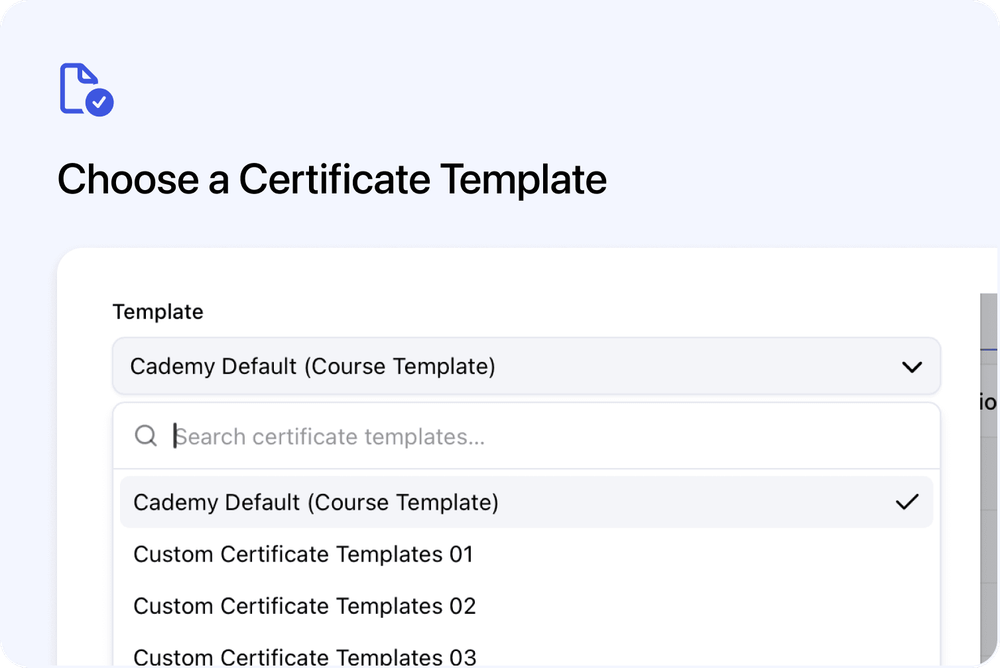
Before issuing a certificate, you can choose which certificate template to use from an individual Registration or from a course’s Registrants tab.
The course template is selected by default, but you can choose Cademy Default or another active custom template without changing the course settings. This works when issuing to one Registration or to several Registrations at once.
Choose the template before issuing
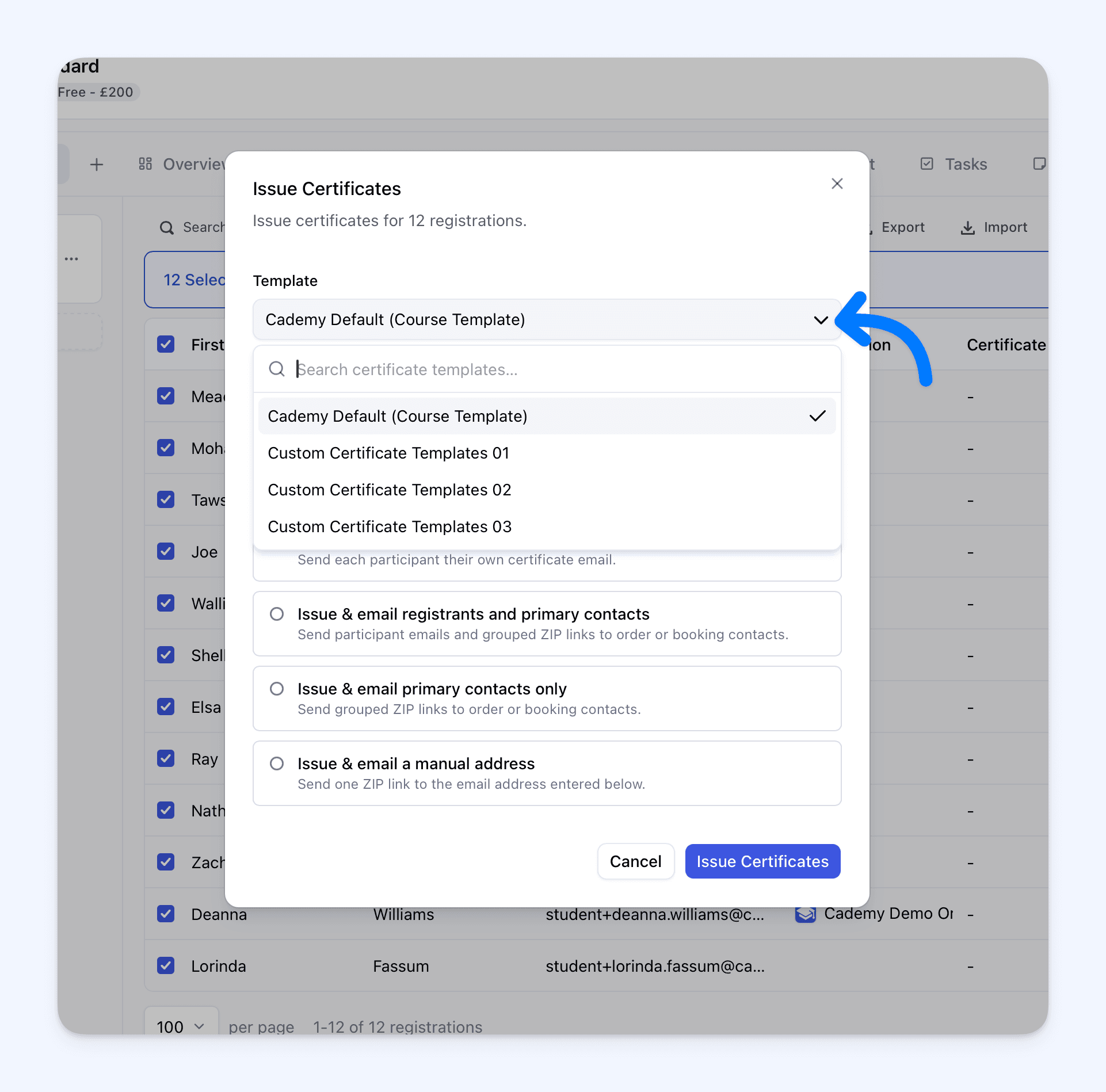
Open a course, select Registrants, then select one or more Registrations and choose Issue Certificates.
The Template picker shows:
- the course’s current template, marked Course Template
- Cademy Default
- your other active custom templates
You can search the list to find a template. If you selected several Registrations, the same template is used for all of them.
Next, choose the Delivery option and issue the certificates.
Issue certificates to one or multiple Registrations
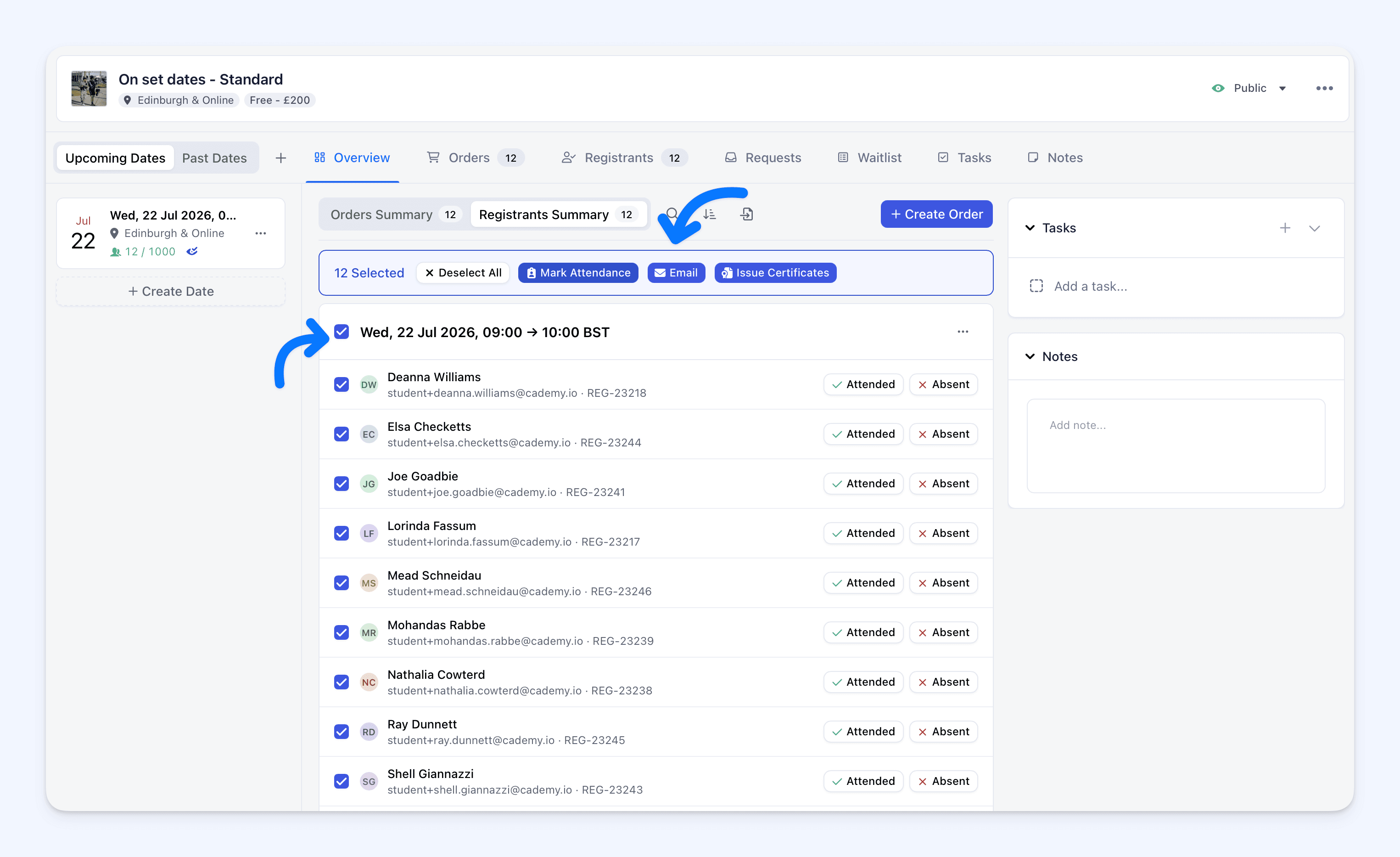
Select one Registration when you need to choose a template for one learner. Select several Registrations when you need to issue the same certificate in bulk.
You choose the template and delivery option once, and Cademy applies them to every selected Registration.
You can also choose a template directly from an individual Registration. Expand Certificate and select Issue Certificate, or Issue Another when an active certificate already exists.
The window lets you choose the template and whether to email the certificate to the participant. A template already used for an active certificate is marked Already issued and cannot be selected. A revoked certificate is marked Revoked — re-issue and can be selected to restore that certificate.
Issue different certificates to the same learner
Selecting a different template creates another certificate for the Registration. It does not replace the learner’s existing certificate.
For example, the same learner could receive:
- an attendance certificate
- an accredited certificate
- a custom award and a Cademy Default certificate
Each certificate is stored and shown separately.
From the Registration side sheet, select Issue Another and choose a different template to issue an additional certificate.
Issue in bulk without creating duplicates
If a Registration already has an active certificate using the selected template, Cademy skips it. No duplicate certificate or second email is created.
If the matching certificate was revoked, issuing it again restores that certificate instead of creating another copy.
When issuing finishes, the results show separate totals for:
- Issued
- Skipped
- Failed
Each certificate keeps its selected template
Changing the template assigned to the course does not change certificates already issued with another template.
However, editing a certificate template can change certificates already issued with that template.
Manage each certificate separately
The Registration side sheet lists each certificate with its template name, issue date, expiry date and status.
The Certificate section shows Issue Certificate before an active certificate exists and Issue Another when one has already been issued.
You can view, copy, revoke or reissue one certificate without changing the learner’s other certificates.
A certificate email opens the specific certificate that was just issued. Existing certificate links continue to work. The learner dashboard opens the most recently issued active certificate for the Registration.
How to select a certificate template
- Open a course and select Registrants.
- Select one or more Registrations.
- Select Issue Certificates.
- Select the Template.
- Choose the Delivery option.
- Select Issue Certificates.
For an individual Registration, expand Certificate, select Issue Certificate or Issue Another, choose the template and whether to email it, then select Issue Certificate.
For all certificate settings and delivery options, see Certificates.
For help finding and selecting Registrations, see Managing Registrations: Search, Filter, and Export.
Frequently asked questions
Can I select a template when issuing to one Registration?
Yes. Open the Registration, expand Certificate, and select Issue Certificate or Issue Another. Choose the template in the Issue Certificate window. You can also select one Registration from the course’s Registrants tab and use Issue Certificates.
Why was a Registration skipped?
It already has an active certificate using the selected template.
Will a skipped Registration receive another email?
No. Cademy does not create or email a duplicate certificate.
Can one learner have certificates using different templates?
Yes. Select a different template to issue another certificate.
What happens if I change the course template later?
Certificates already issued keep the template selected when they were issued.
Can I select an archived template?
No. The picker only shows active templates. Certificates already issued with an archived template remain available.
Who can select a certificate template?
The template picker is available on Pro and Teams plans with Custom Certificates. Other plans continue using the course template or Cademy Default.
Has automatic certificate issuing changed?
No. Automatic issuing continues to use the course template.