
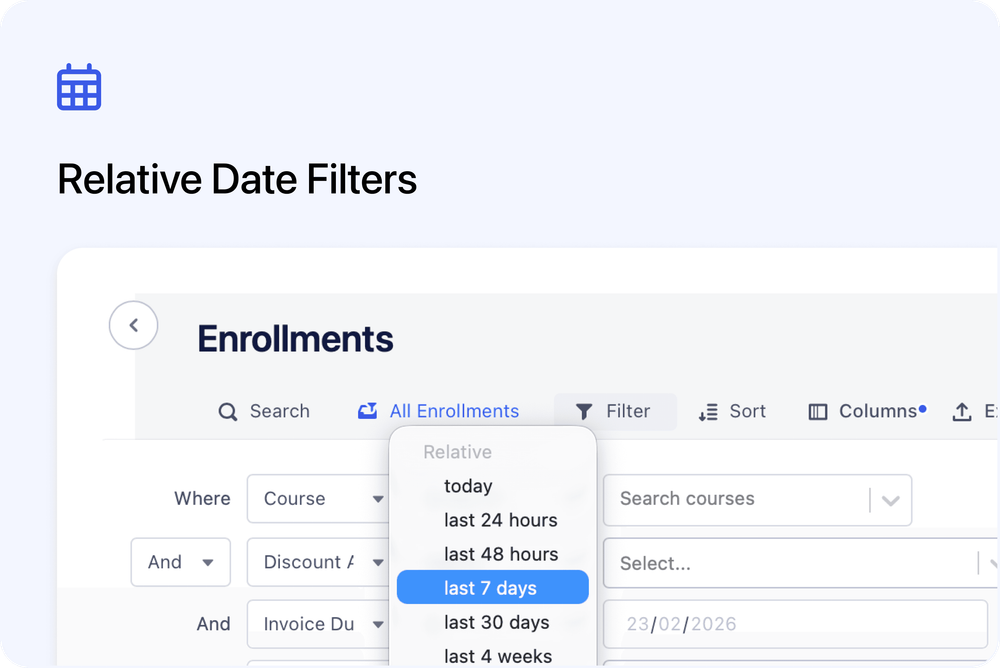
You can now use Relative date filters when filtering data across your Admin dashboard - making it much easier to create dynamic views and automated reports.
Instead of setting fixed dates, you can choose options like “last 7 days” or “month to date”, and the system will automatically recalculate the date range each time you view it.
Where this works
Relative date filtering is now available on:
/Courses
- Course: Date Archived
- Course: Date Created
/Organisations
- Created Date
- Updated Date
/Enrollments
- Course Start Date
- Course End Date
- Date Created
- Invoice Due Date
- Certificate Issued Date
- Certificate Expiry Date
Works with manual & scheduled exports
Relative date filters also work when exporting data.
- Manual exports respect your selected relative range.
- Scheduled exports dynamically recalculate at the moment the export runs - meaning “Last 7 days” will always reflect the previous 7 days automatically.
This makes it much easier to automate recurring reports without needing to update filters manually.