
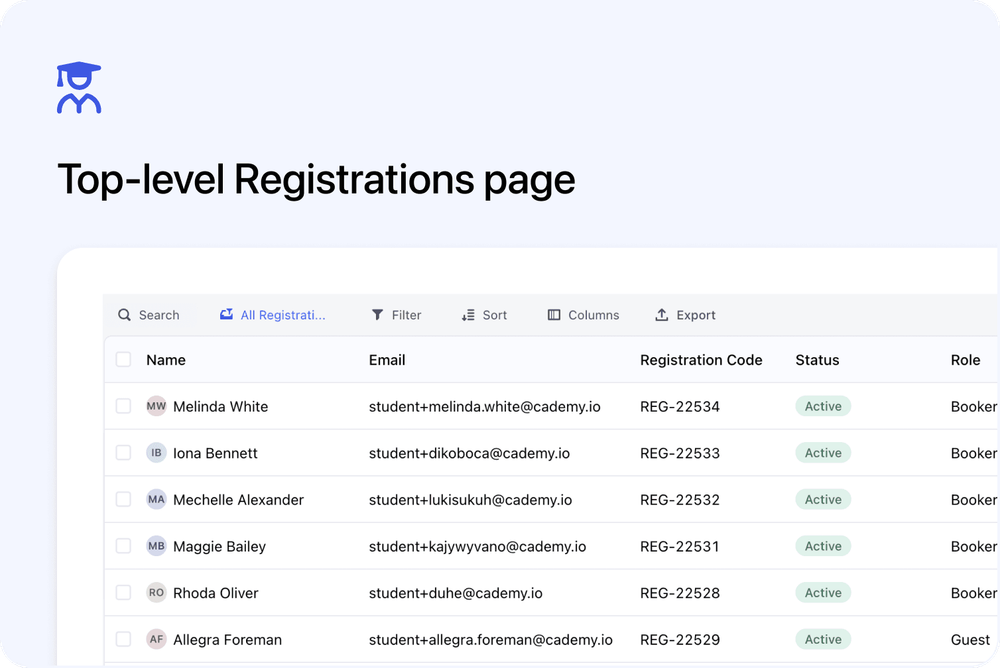
You can now view Registrations from a dedicated top-level page in Cademy.
This gives admins a clearer place to review the people registered onto courses and course dates, without needing to open each course first.
We’ve also added a Registrations tab to Organisation pages, so you can see course registrations linked to a specific Organisation.
What’s new
🧑🎓 New top-level Registrations page
A new Registrations page is available from the main Admin dashboard navigation.
This page gives you a central place to view and manage Registrations across your account.
Use it when you want to review who is registered onto courses or course dates from one place.
🔎 Review Registrations across courses
The Registrations page helps you work with registration records without starting from a specific course.
This is useful when you need to check registrants across multiple courses, dates, or orders.
You can open a Registration to review details such as the registrant, course, course date, attendance, lesson progress, certificates, notes, and tasks.
🏢 Registrations tab on Organisations
Organisation pages now include a Registrations tab.
This shows Registrations linked to that Organisation, giving you a clearer view of the people connected to an Organisation’s course activity.
Use this when you want to review which people from an Organisation are registered onto courses or course dates.
Why this matters
Registrations now have clearer places in the Admin dashboard.
The top-level Registrations page helps you review registrants across your account.
The Organisation Registrations tab helps you review course participation from one Organisation record.
This makes it easier to find the right Registration without moving through individual course pages first.
Good to know
Registrations are different from Orders
Orders are about the purchase side of a booking.
Registrations are about each person’s place on a course or course date.
Use the Registrations page when you want to review course participation, attendance, certificates, progress, notes, or tasks for individual registrants.
Where to find it
Open the top-level page from:
Admin dashboard → Registrations
To view Registrations for an Organisation, open:
Organisation → Registrations