
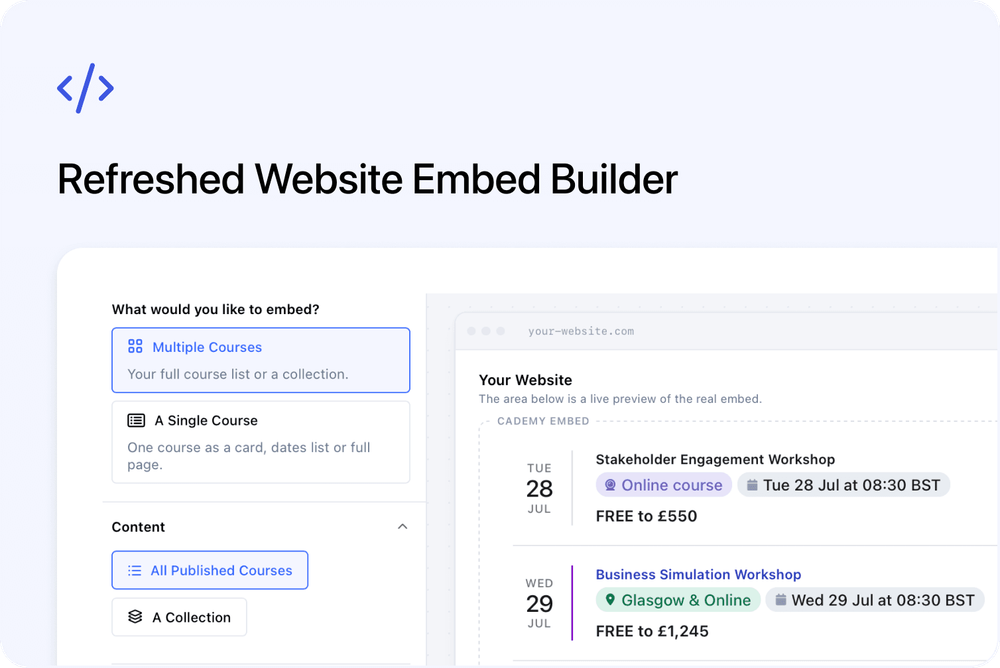
Once it looks right at desktop and mobile widths, Get Code gives you the setup steps for your website platform in one place.
Choose what you want to show
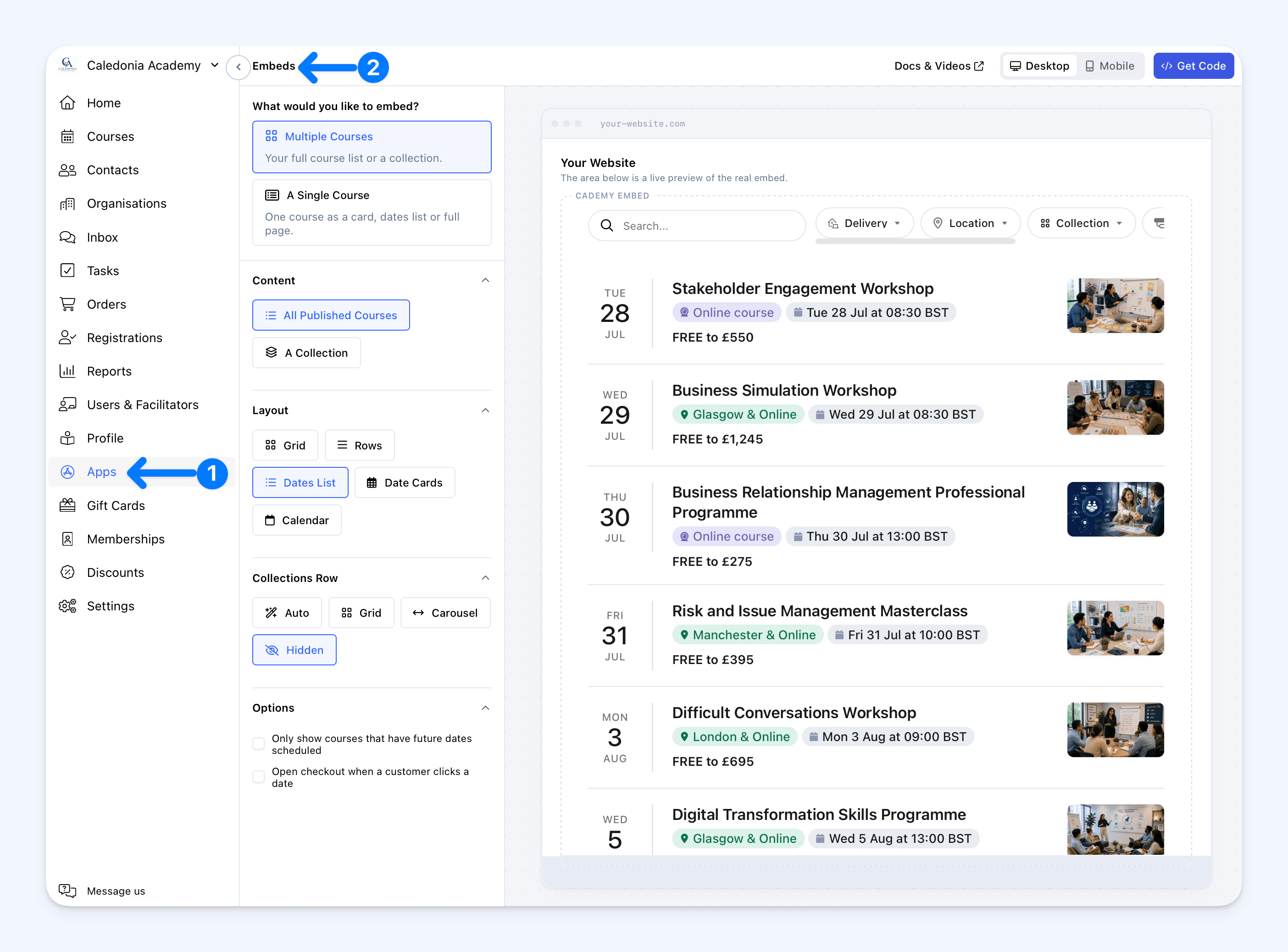
Open Apps → Embeds and start under What would you like to embed?
Choose:
- Multiple Courses for your full course list or one collection
- A Single Course for one course as a card, dates list or full page
The builder then shows only the settings that apply to your choice, with the live preview alongside them.
Choose the content and layout
For Multiple Courses, choose All Published Courses or A Collection.
You can then display the courses as:
- Grid
- Rows
- Dates List
- Date Cards
- Calendar
When All Published Courses is selected, Collections Row lets you show collections using Auto, Grid or Carousel, or remove the row with Hidden. This setting is not shown with Calendar.
The available Options include:
- Only show courses that have future dates scheduled
- Open checkout when a customer clicks a date
The checkout option appears with Dates List and Date Cards. The options are hidden when Calendar is selected.
For A Single Course, select the course and choose from:
- Date Rows
- Date Cards
- Dates Table
- Dates Carousel
- Date Ticket Cards
- Full Course Page
- Feature Card
- Price Card
Date layouts are not shown for on-demand or on-request courses because those courses do not have scheduled dates.
Preview before copying the code
The live preview uses the real embed, so it updates as you change the content, layout or options.
Use Desktop and Mobile to check how it will look at different widths. You can compare layouts and adjust the settings before making any changes to your website.
Follow the steps for your website
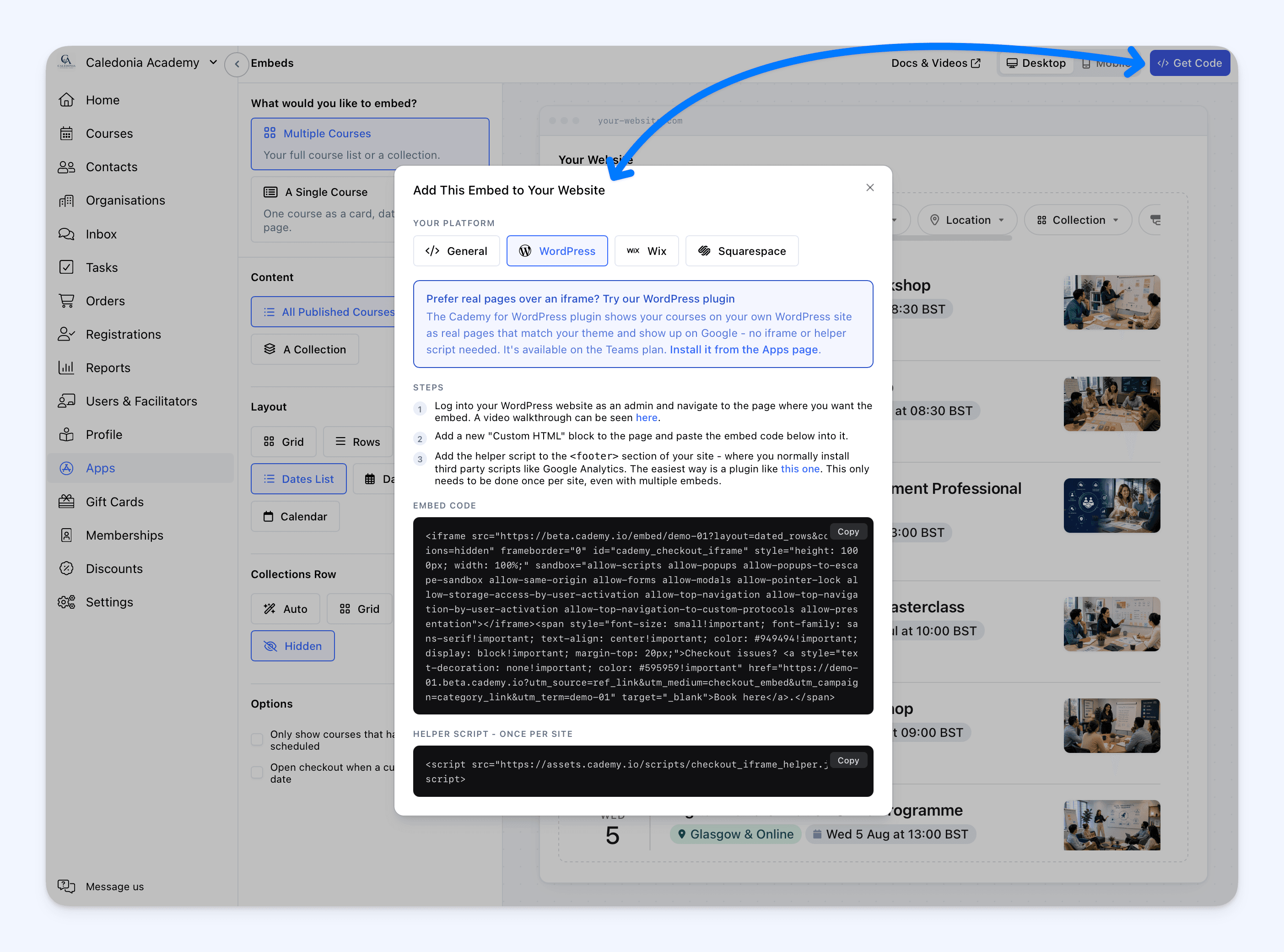
Select Get Code when you are happy with the preview. Under Your Platform, choose:
- General
- WordPress
- Wix
- Squarespace
The dialog shows the Steps for the selected platform together with the Embed Code, or the Embed Address used by Wix.
It also includes Helper Script - Once Per Site. Add this once to each website, even if the website contains several Cademy embeds. It makes embeds resize automatically and keeps checkout working correctly.
Good to know
- The Standard Website Embed is free and works with WordPress, Wix, Squarespace and most websites that accept custom embed code.
- Existing Standard Website Embeds continue to work. You do not need to replace code already added to your website.
- Course information updates automatically when you make changes in Cademy.
- Customers can browse courses and complete checkout through the embed on your website.
- Calendar is available when embedding Multiple Courses.
- You only need one copy of Helper Script - Once Per Site on each website.
Where to start
Go to Apps → Embeds in the Admin dashboard. If the Embeds app has not been installed yet, open it and select Install first.
To embed a particular course, you can also open the course's Share tab and select Embed This Course. The builder opens with that course already selected.
For complete setup instructions for each website platform, see Embed Cademy Courses on Your Website.
Frequently asked questions
Do I need to replace an embed already on my website?
No. The refreshed builder produces the same embed code for the same choices, so existing embeds continue to work.
Can I use the Standard Website Embed on WordPress?
Yes. Select WordPress under Your Platform to see the setup steps. The Standard Website Embed also works with Wix, Squarespace and other websites that accept custom embed code.
Can I add more than one embed to the same website?
Yes. Add as many embeds as you need, but add Helper Script - Once Per Site only once.
Why can I not see Collections Row?
It is shown when All Published Courses is selected and the layout is not Calendar.
Why can I not see Open checkout when a customer clicks a date?
It is available with Dates List and Date Cards.
Why are the date layouts missing for a single course?
Date layouts are not shown for on-demand or on-request courses because they do not have scheduled dates.
Will course changes appear automatically?
Yes. Changes to course information in Cademy appear in the embed automatically.
Which plans include the Standard Website Embed?
It is free to use.