
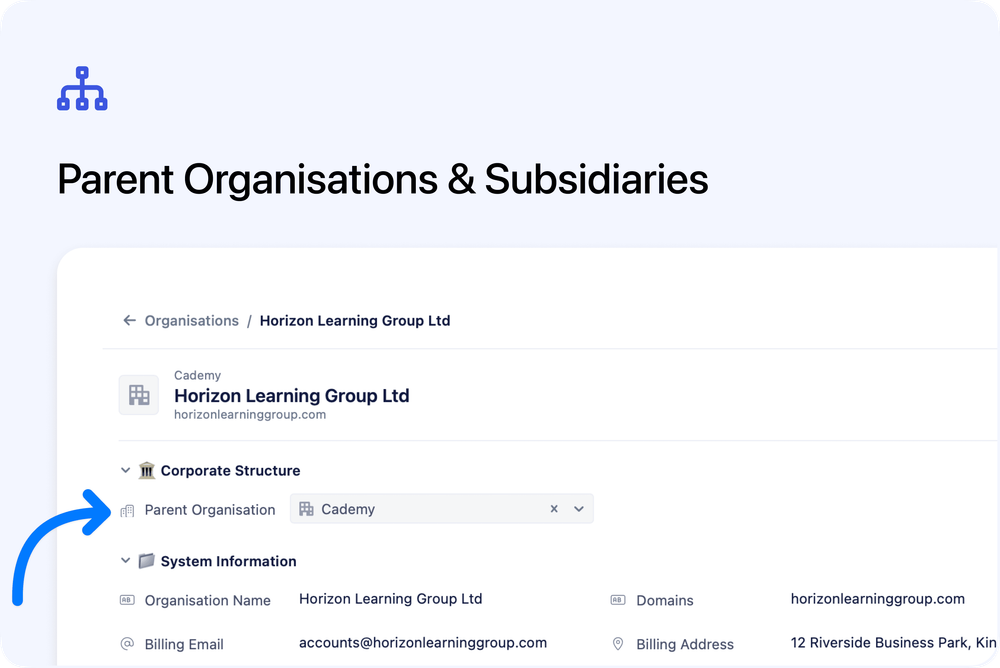
You can now link organisations together using parent–child relationships. This makes it easy to represent corporate groups, franchise structures, or multi-branch companies directly within your organisation records.
What’s new
🏷️ Parent Organisation field
Each organisation now includes an optional Parent Organisation field. Use the organisation search to select a parent, or clear the field at any time to remove the relationship.
🔗 Quick navigation to parent
When a parent is set, the parent’s name appears as a clickable link above the organisation name. This allows you to move up the hierarchy in one click.
🏢 Subsidiaries section
If an organisation has child organisations, a Subsidiaries (N) section appears automatically on the organisation page.
- Lists all linked subsidiaries
- Sorted alphabetically
- Click any subsidiary to navigate directly to it
- Collapsible to keep the page tidy
- Hidden completely when there are no subsidiaries
How it works
Relationships are defined from the child organisation. Open an organisation, set its parent, and it will automatically appear under the parent’s Subsidiaries section.
There is no limit to the number of subsidiaries a parent organisation can have.
Getting started
Open any organisation and use the Parent Organisation field to begin linking your records.