
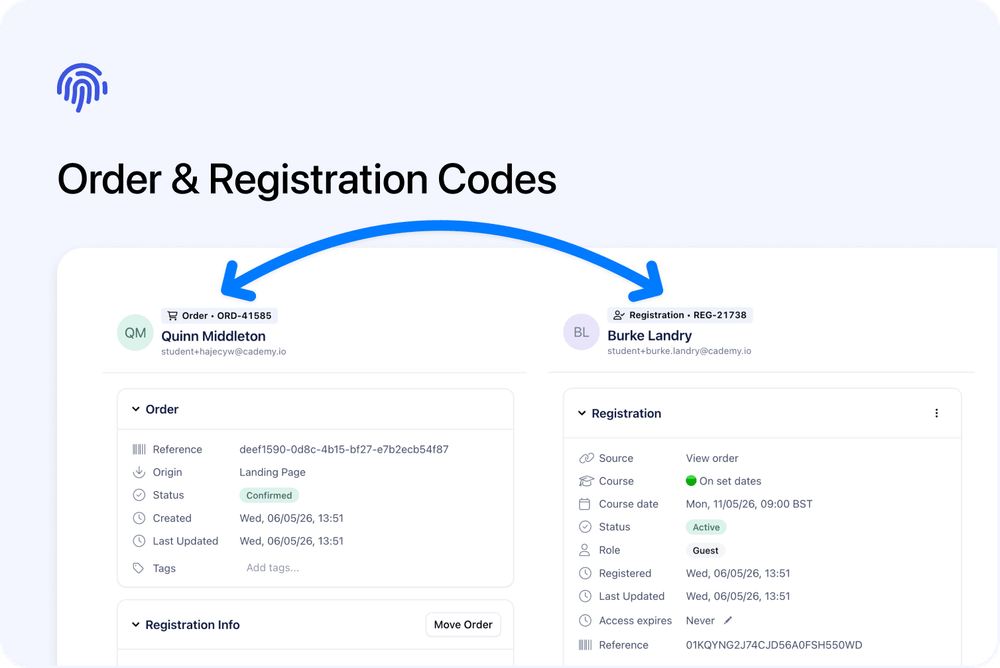
Orders and Registrations now have their own clear codes.
These codes make it easier to identify, search for, and reference the right record inside the Admin dashboard.
What’s changed
🧾 Order codes
Each Order now has its own Order code.
Use the Order code when you are talking about the purchase side of the record, such as:
- What was ordered
- Who placed the order
- Payment status
- Billing details
- Invoice or payment questions
- Related Registrations
Order codes help you find the correct purchase record more quickly.
🧑🎓 Registration codes
Each Registration now has its own Registration code.
Use the Registration code when you are talking about one registrant’s place on a course or course date, such as:
- Who is registered
- Which course or date they are registered onto
- Attendance
- Lesson progress
- Certificate status
- Registration-level information
Registration codes help you find the correct registrant record more quickly.
🔍 Easier to reference across your team
Order and Registration codes make it easier for your team to refer to the right record.
Use:
- Order code when discussing the purchase, payment, invoice, or billing details
- Registration code when discussing one registrant’s place on a course or date
This is useful when several admins, coordinators, facilitators, or finance team members are working from the same records.
Why this matters
Codes make Orders and Registrations easier to identify.
They are especially helpful when working with similar names, repeated course dates, or multiple registrants connected to the same Order.
Good to know
Order and Registration codes are mainly for admin use.
They are there to help your team identify records more clearly inside Cademy.