
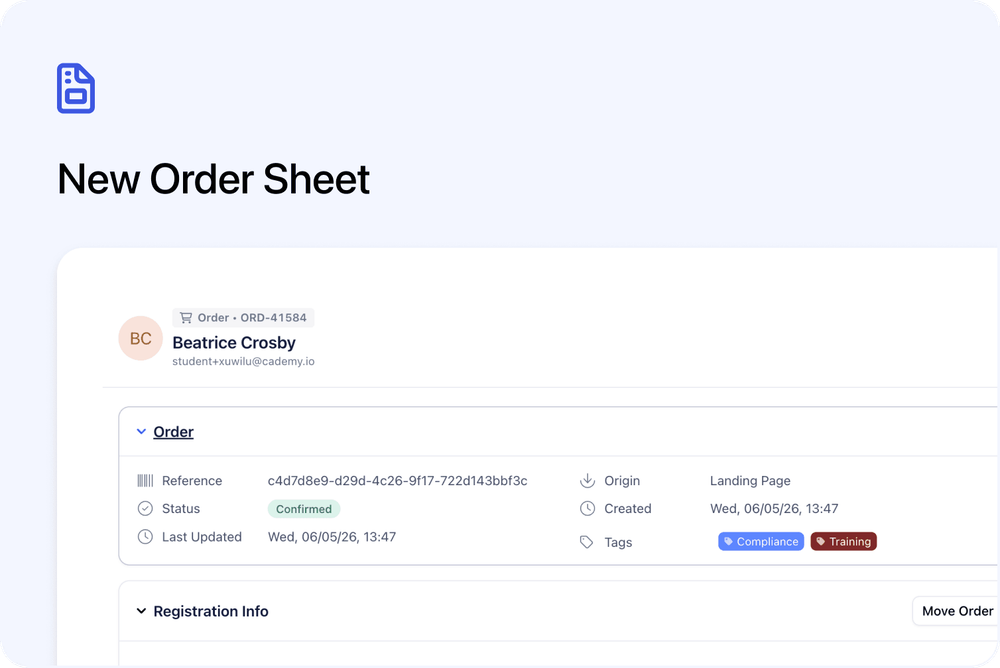
Orders now open in a refreshed Order sheet in the Admin dashboard.
The Order sheet gives you one place to review the commercial side of an order, including the order details, related Registrations, payment information, notes, and tasks.
This update is part of the wider move to Orders and Registrations, where Orders focus on the purchase and Registrations focus on the people registered onto a course or course date.
What’s changed
📦 Clearer Order details
The top section of the Order sheet shows key order information in a simple layout.
This includes details such as:
- Order code
- Reference
- Origin
- Status
- Created date
- Last updated date
- Tags
This makes it easier to quickly identify the Order and understand its current status.
👥 Registration information shown inside the Order
The Order sheet includes a Registration Info section.
Here you can see the course or course date linked to the Order, along with the registrants placed on that Order.
This helps you understand who is connected to the Order while keeping each Registration as its own record.
From this section, you can also add another participant where supported.
🔁 Move Order action
The Order sheet includes a Move Order action in the Registration Info section.
This gives admins a clear place to move an Order when that action is needed.
💳 Payment section
Payment details are now shown in their own section.
From here, you can review information such as:
- Total paid
- Payment status
- Price offer or line item
- Amount due
- Billing details
This keeps payment and billing information attached to the Order.
📝 Notes
Orders now include a clear Notes section.
Use this to add internal notes connected to the Order.
✅ Tasks
The Order sheet also includes a Tasks section.
This lets you create or review tasks linked to the Order, so follow-ups and internal admin actions stay connected to the right record.
Why this matters
The new Order sheet makes Orders easier to scan and manage.
It gives admins a clearer place to review:
- The order status
- The related course or course date
- The registrants connected to the Order
- Payment and billing details
- Notes and tasks
This keeps the purchase side of the record organised separately from the Registration record.
Good to know
Customers are not affected
This is an Admin dashboard update.
Customers can continue to book courses as normal. The public course page and checkout experience have not changed as part of this update.
Use Orders for purchase details
Use the Order sheet when you want to review purchase, payment, billing, notes, or tasks linked to an Order.
Use the Registration sheet when you want to review one registrant’s place on a course or course date.