
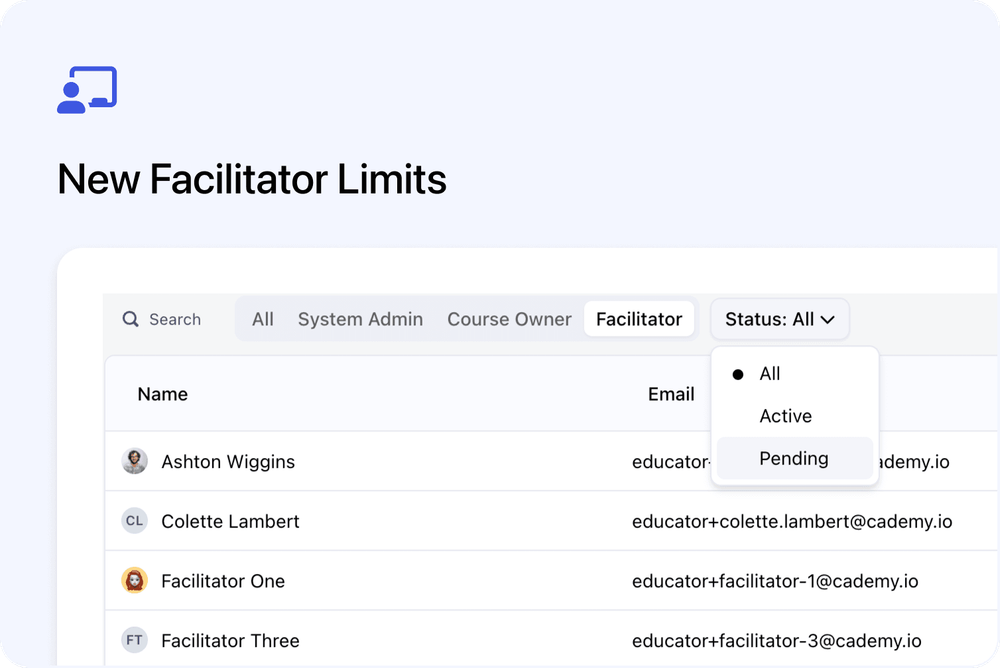
We’ve updated how Facilitator limits work across Cademy plans.
Facilitators now have their own separate seat limits. This makes it clearer how many Facilitators are included in your plan, and how they are counted separately from admin seats.
What’s changed
🧑🏫 Facilitators now have their own limits
Each plan now includes a specific number of Facilitator seats.
Facilitator limits are:
- Free: 2 Facilitators
- Pro: 10 Facilitators
- Teams: 50 Facilitators
This makes it clearer how many Facilitators you can invite to help deliver your courses.
👤 Admin seats are counted separately
Facilitators do not use admin seats.
System Admins and Course Owners use admin seats.
Facilitators use Facilitator seats.
This means inviting a Facilitator does not reduce the number of admin seats available on your plan.
📋 User limits by plan
| Plan | Admin seats | Facilitators |
|---|---|---|
| Free | 1 | 2 |
| Pro | 1 | 10 |
| Teams | 5 | 50 |
Admin seats can be used by System Admins or Course Owners.
Facilitator seats are separate and are used only by Facilitators.
Why this matters
This update makes Facilitator access easier to understand.
If you work with trainers, presenters, instructors, or delivery team members, you can now see exactly how many Facilitators are included in your plan.
It also makes it clearer that Facilitators are separate from admin users when your plan limits are calculated.
Good to know
Facilitators have separate access
Facilitators have more limited access than admin users.
They are designed for people who help deliver courses, rather than manage the full account.
Course Owners count as admin seats
Course Owners count towards the same admin seat limit as System Admins.
Facilitators do not.
Learn more about user roles
For more information about user roles, permissions, and how seats are counted, read:
User Management: Admins, Course Owners, and Facilitators Explained
Where to manage Facilitators
You can invite and manage Facilitators from the Users & Facilitators page in your Admin dashboard.
From there, you can invite new users, choose the Facilitator role, and see whether each invite is active or still pending.