
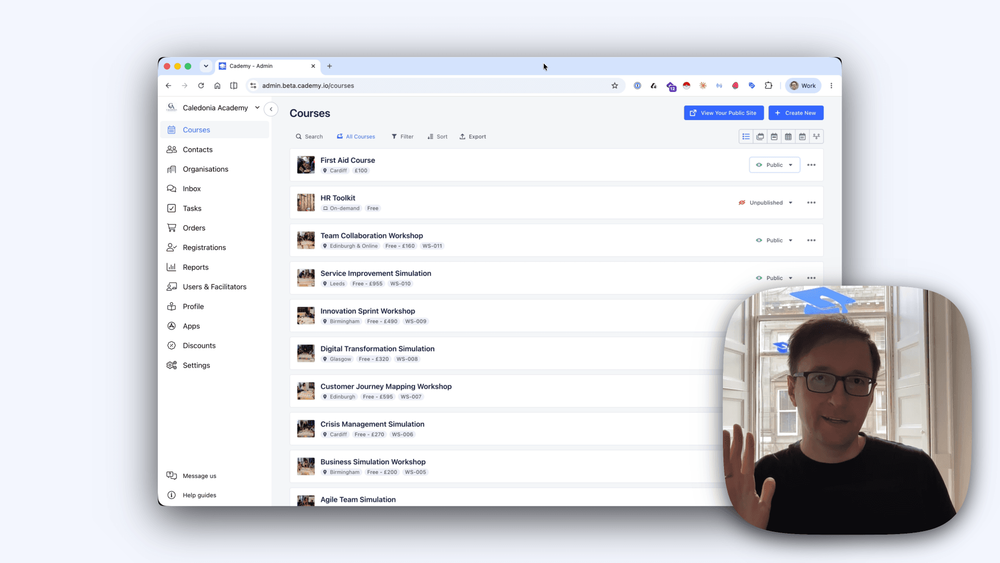
We’ve added multi-course checkout to Cademy, giving customers a smoother way to book more than one course at a time and giving admins more flexibility when creating orders.
Until now, checkout was focused on one course or course date at a time. If someone wanted to book several courses, they had to complete separate checkout sessions.
That has now changed.
When multi-course checkout is enabled, customers can add multiple courses or course dates to one basket and complete everything in a single checkout session.
This is a major update to how checkout and order creation work in Cademy. It also includes a refreshed checkout experience, updated admin order creation, improved invoices, and updates to notifications, reports, exports, and Xero syncing so they work properly with multi-course orders.
Add Multiple Courses to One Basket
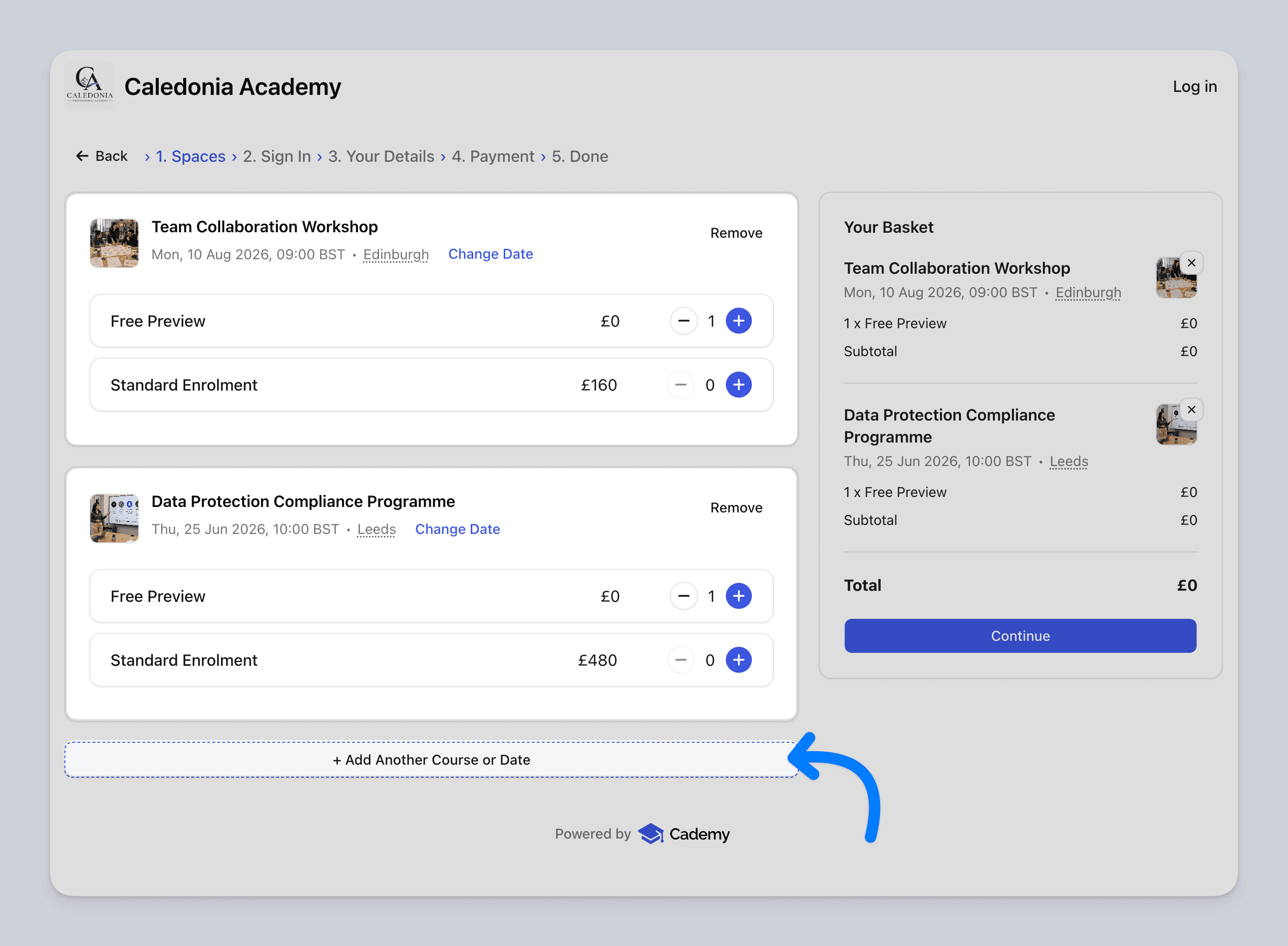 Customers can now add more than one course to the same basket.
When they are in the checkout flow, they can choose to add another course. If they started checkout from your Cademy-hosted site, they will be taken back there to continue browsing. If they started from an embedded course list on your own website, they will be taken back to your website instead.
When they choose another course or course date, it is added to the same checkout session.
Customers can continue adding courses, review everything in the basket summary, and remove courses before completing checkout.
A Refreshed Checkout Flow
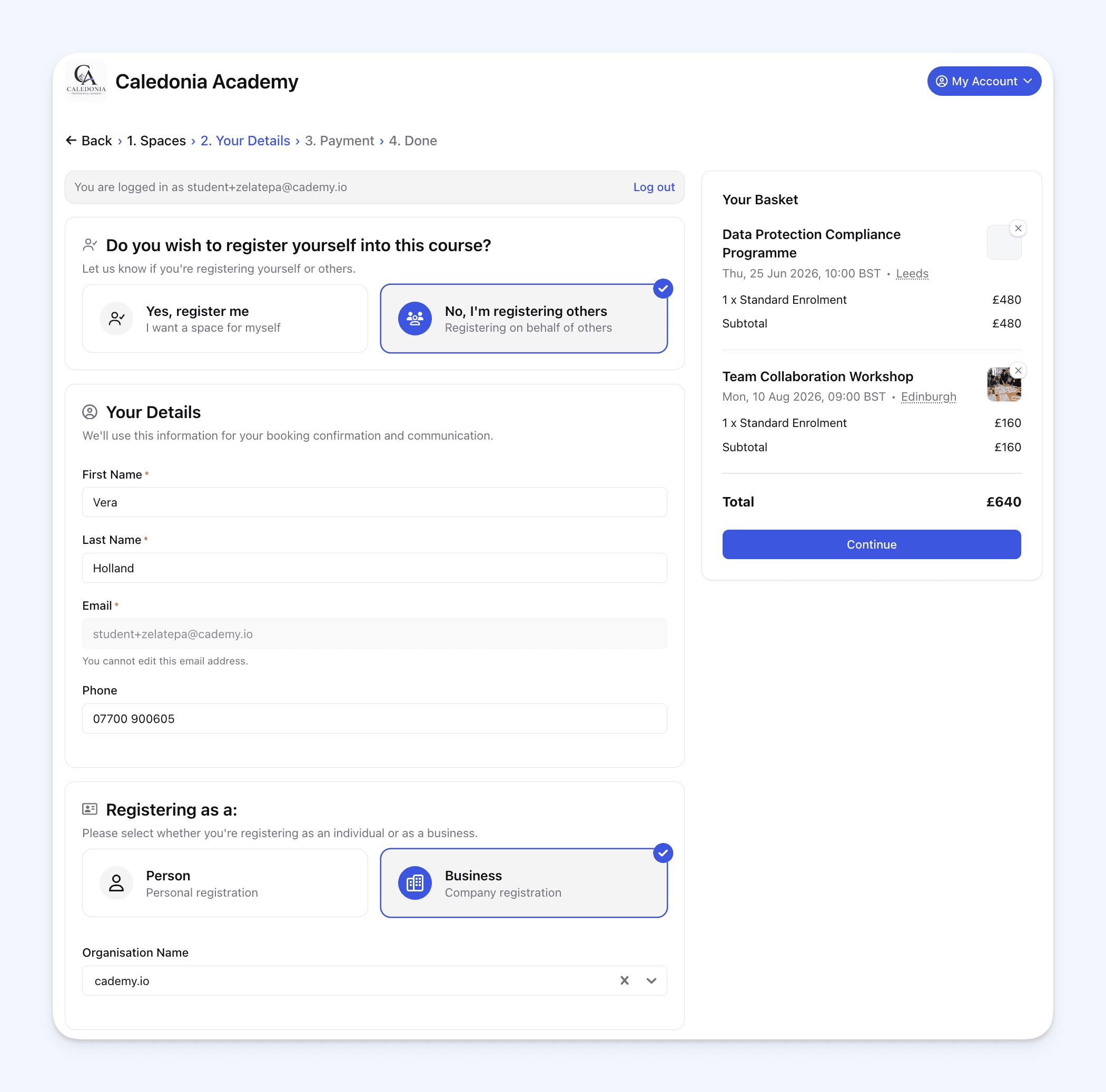 We’ve also polished the checkout flow to make it clearer and easier to use.
Customers can still choose whether they are booking for themselves or for other people. The checkout now supports a basket with multiple courses, while keeping the booking process familiar.
The confirmation screen has also been refreshed, with a cleaner layout after checkout is complete.
Registration Forms for Different Courses
Multi-course checkout works with course-specific registration forms.
If different courses have different registration forms, Cademy will show the relevant fields for each course during checkout.
This means customers can book several courses in one order, while still providing the right information for each course.
Reuse Participant Details During Checkout
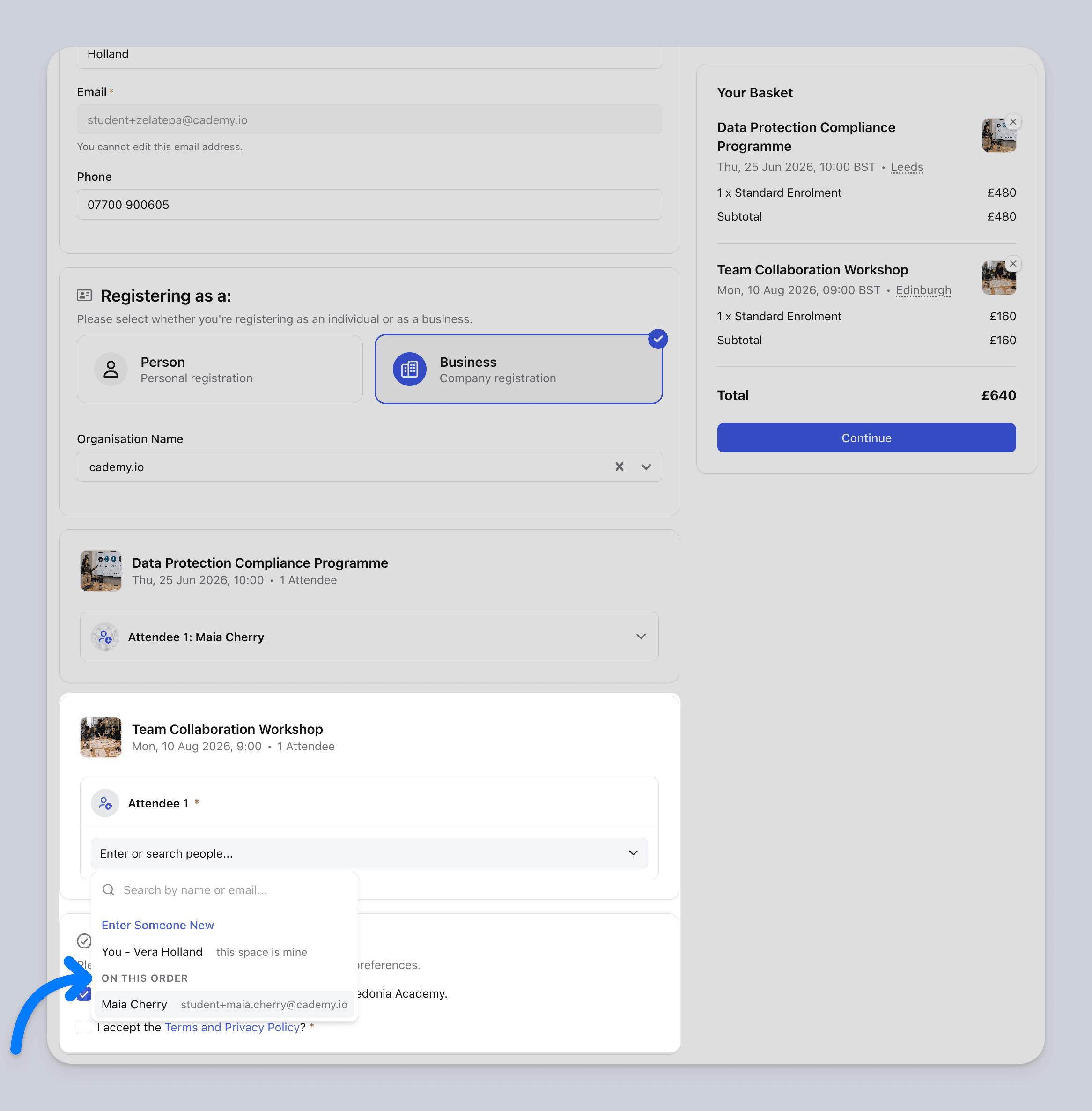 Customers do not need to enter the same attendee details again and again.
If a participant has already been entered earlier in checkout, the customer can select that person again for another course. Cademy will autofill the information already provided.
If the next course asks for extra details, only the missing fields are shown for the customer to complete.
This keeps checkout flexible without making the form-filling process repetitive.
Multi-Course Orders in the Admin Dashboard
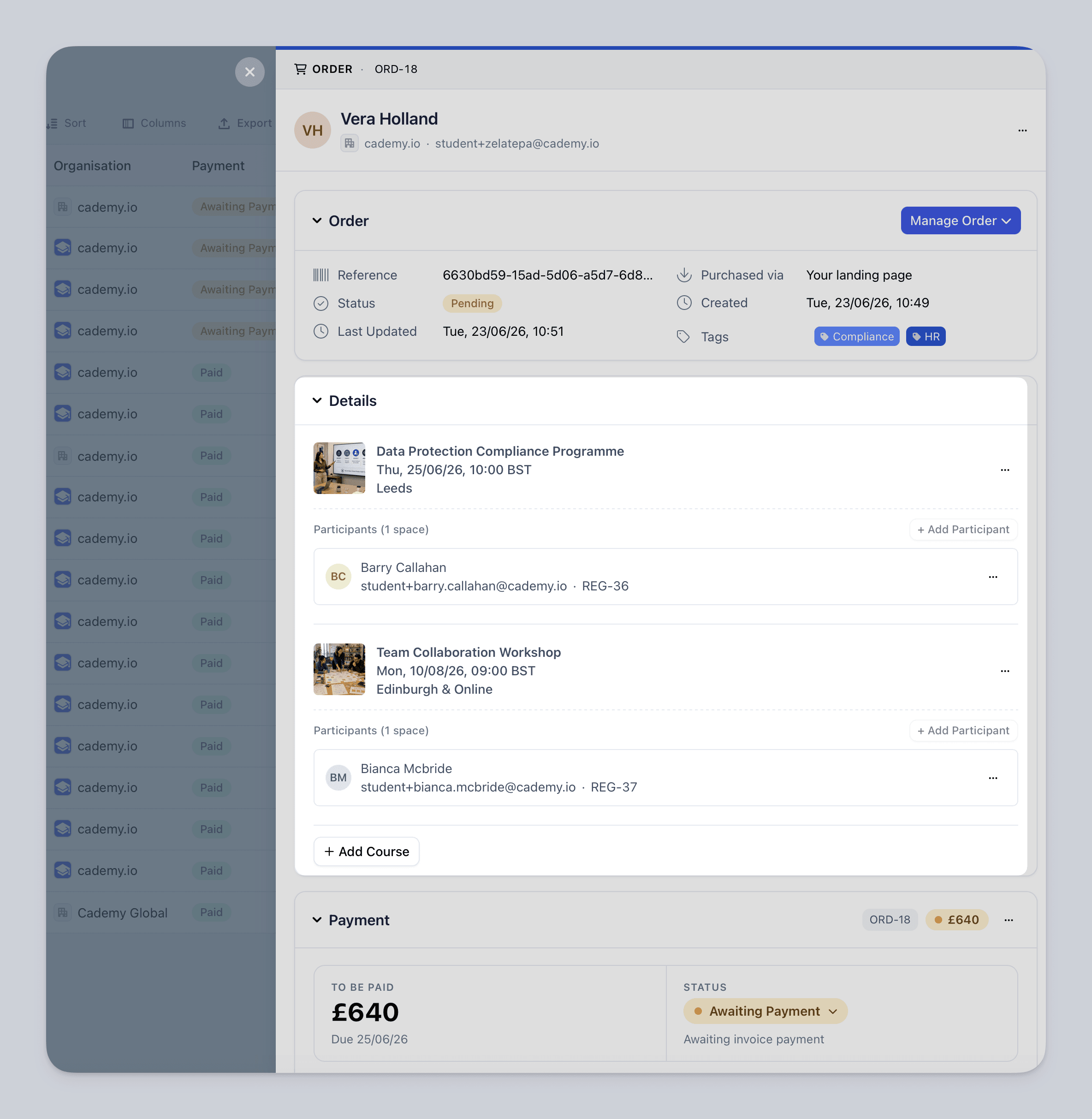 Orders in the Admin dashboard can now include multiple courses.
When you open an order, you can see the different courses included under that single order, along with the people attending each course.
This keeps the purchase together in one place, while still giving admins the course and participant details they need to manage the order.
Move One Course or Date Within an Order
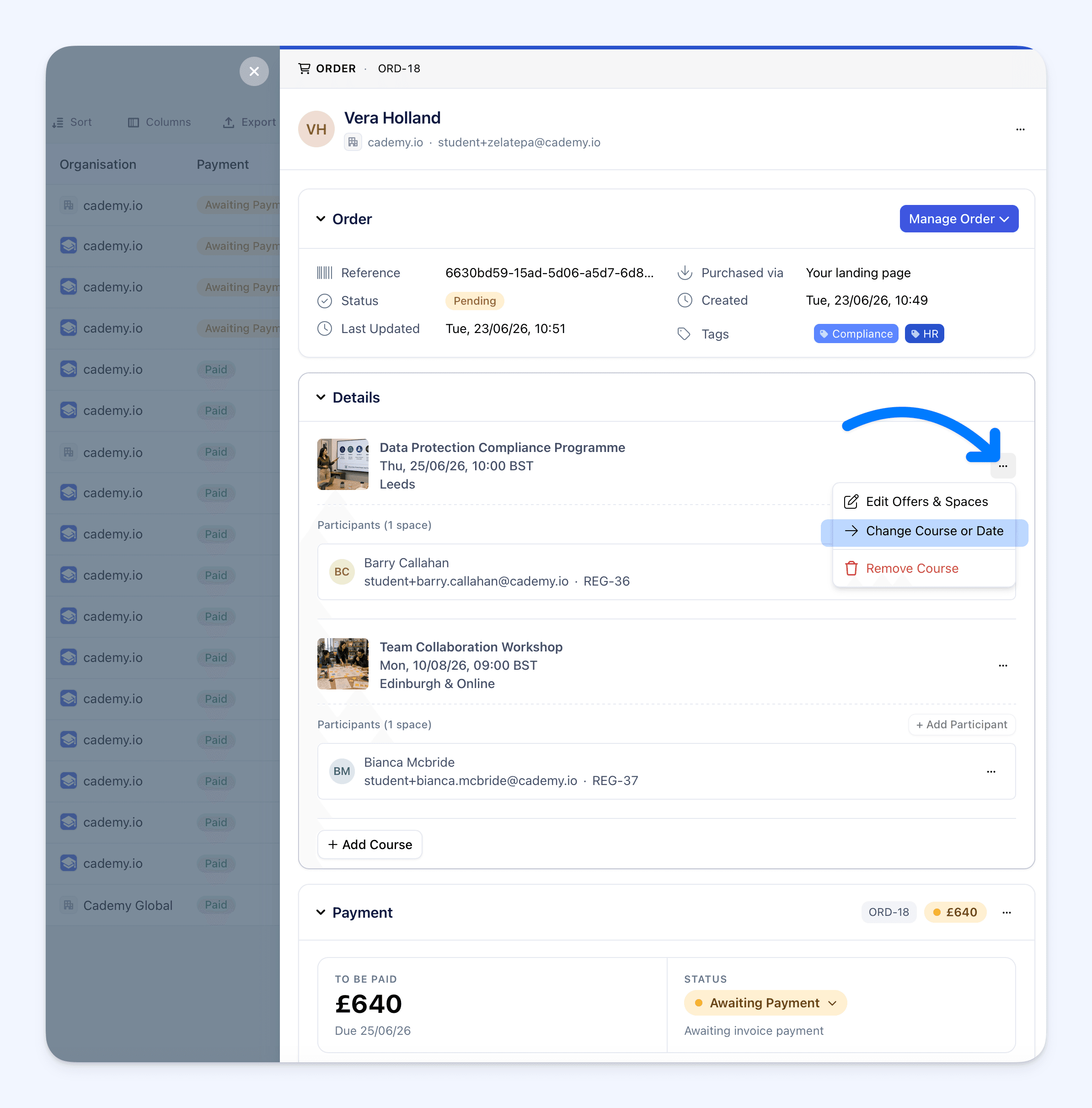 We’ve updated how moving bookings works for multi-course orders.
Previously, admins could move a full order to another course. With multi-course orders, that no longer makes sense in the same way, because one order can now include several different courses.
Instead, admins can change the course or date for a specific line item within the order.
For example, if someone can no longer attend one course date, you can move that specific course or date without moving the rest of the order.
Create Multi-Course Orders as an Admin
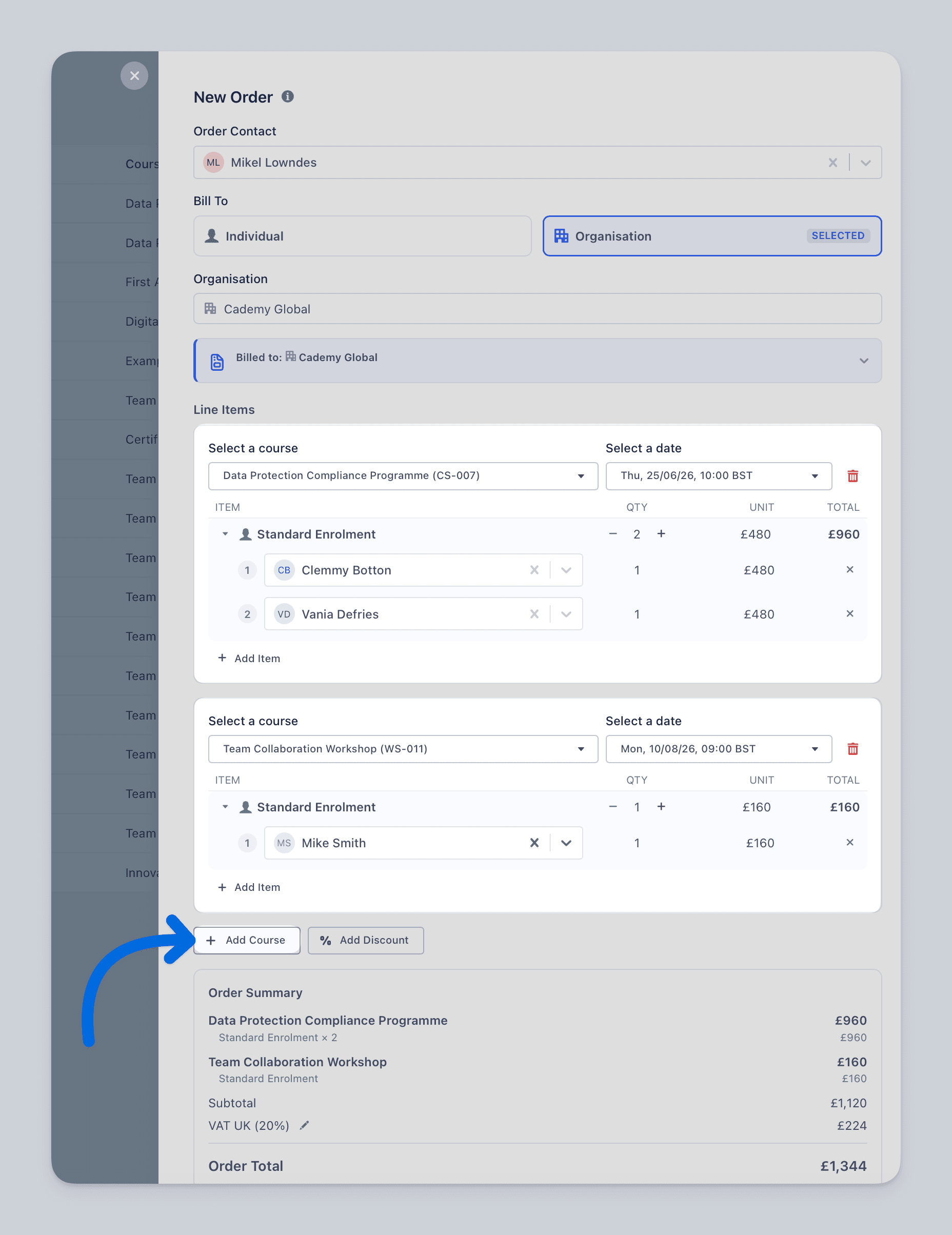 Admins can now create orders with multiple courses from the Admin dashboard.
The Create Order flow has been adjusted to make this easier. The primary contact is now selected earlier in the process, so Cademy can use existing contact and organisation details where available.
From there, admins can choose a course, choose a date where relevant, add one or more people to the course, and then add more courses to the same order.
Support for Scheduled, E-Learning, and On-Demand Courses
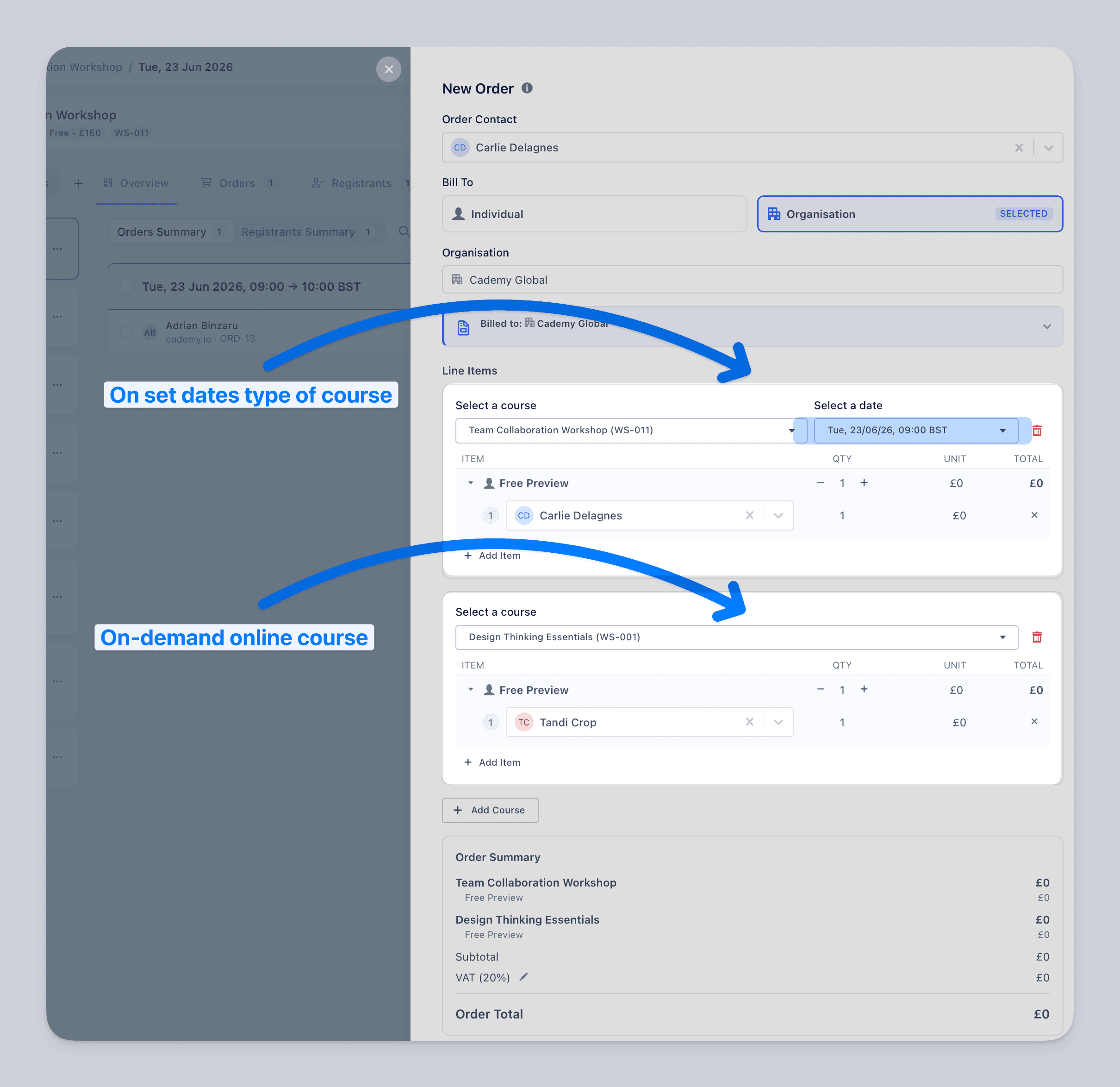 Multi-course orders can include different types of courses.
Admins can add scheduled courses, e-learning courses, and on-demand courses to the same order.
If a course is set up to capture participant details, the relevant fields will be shown. If a course does not need participant details, Cademy will not ask for unnecessary information.
Updated Invoices
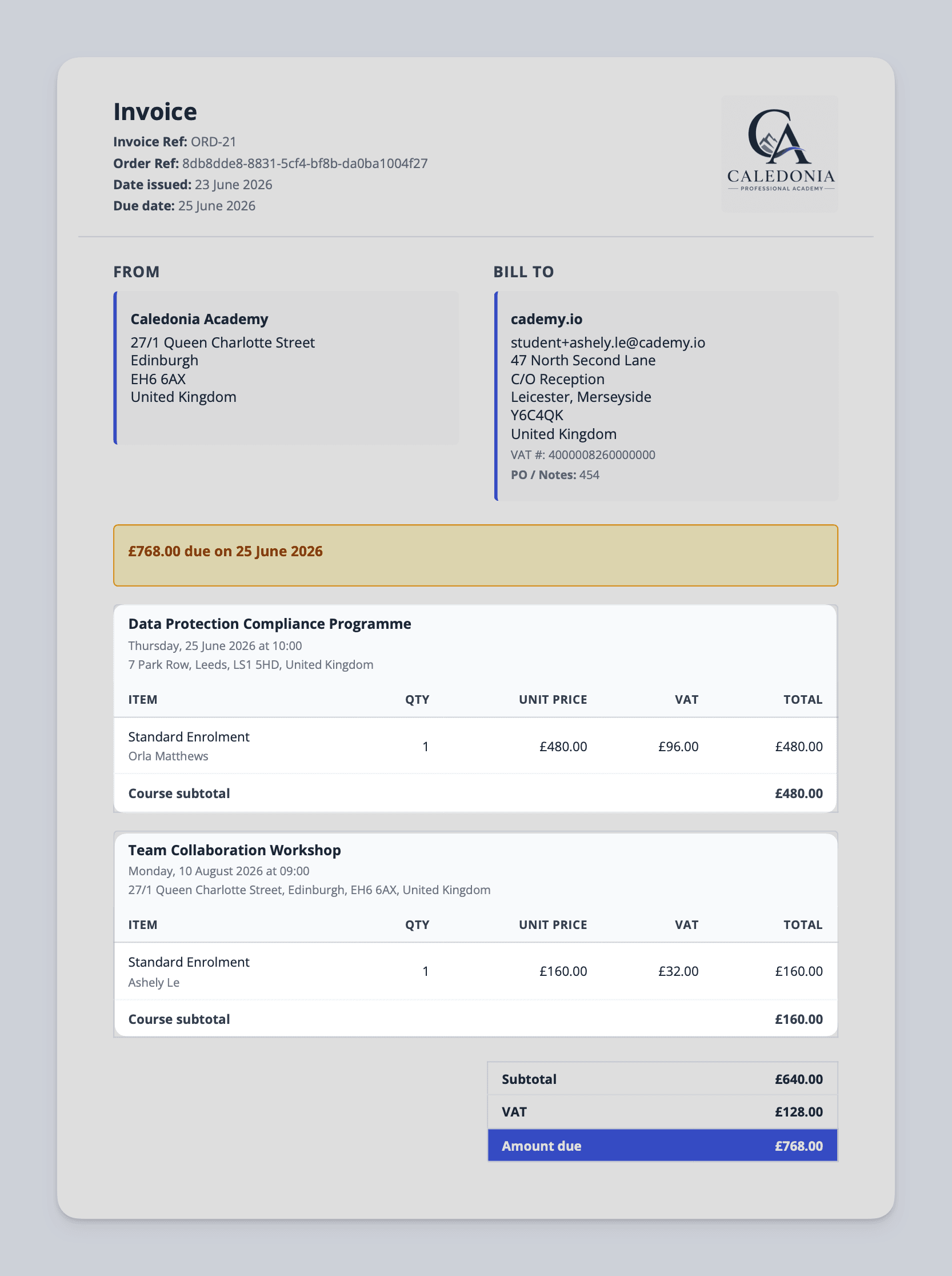 Invoices have been updated to support orders with more than one course.
The invoice layout now reflects multiple course line items and shows the individual participants under the relevant line items.
This makes invoices clearer when one order includes more than one course or course date.
Updated Admin Notification Emails
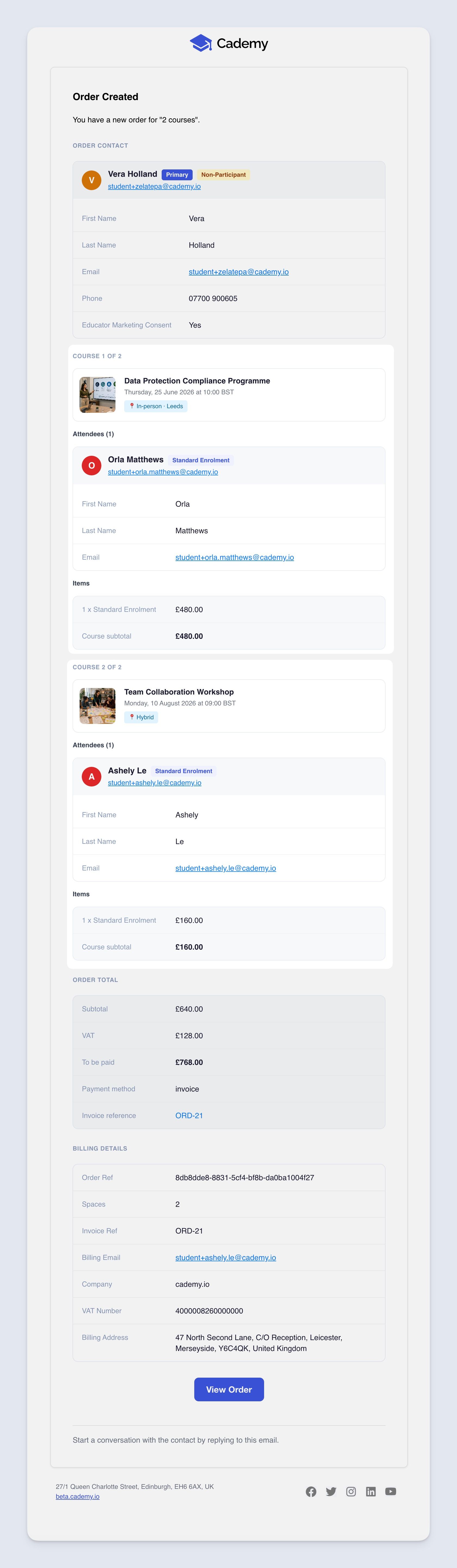 Admin notification emails have been updated for multi-course orders.
They now show which courses were purchased and which line items are included in the order.
This helps admins understand what has been booked from the notification email, even when a customer buys more than one course at once.
Updated Reports and Exports
Reports and exports have been updated to work with multi-course orders.
This helps keep order, course, and participant information aligned when an order includes more than one course.
Updated Xero Syncing
For accounts using Xero, synced invoices have been updated to reflect multi-course orders.
The invoice data sent to Xero now supports the updated invoice structure, including multiple course line items and the relevant participant details.
Optional for Existing Accounts
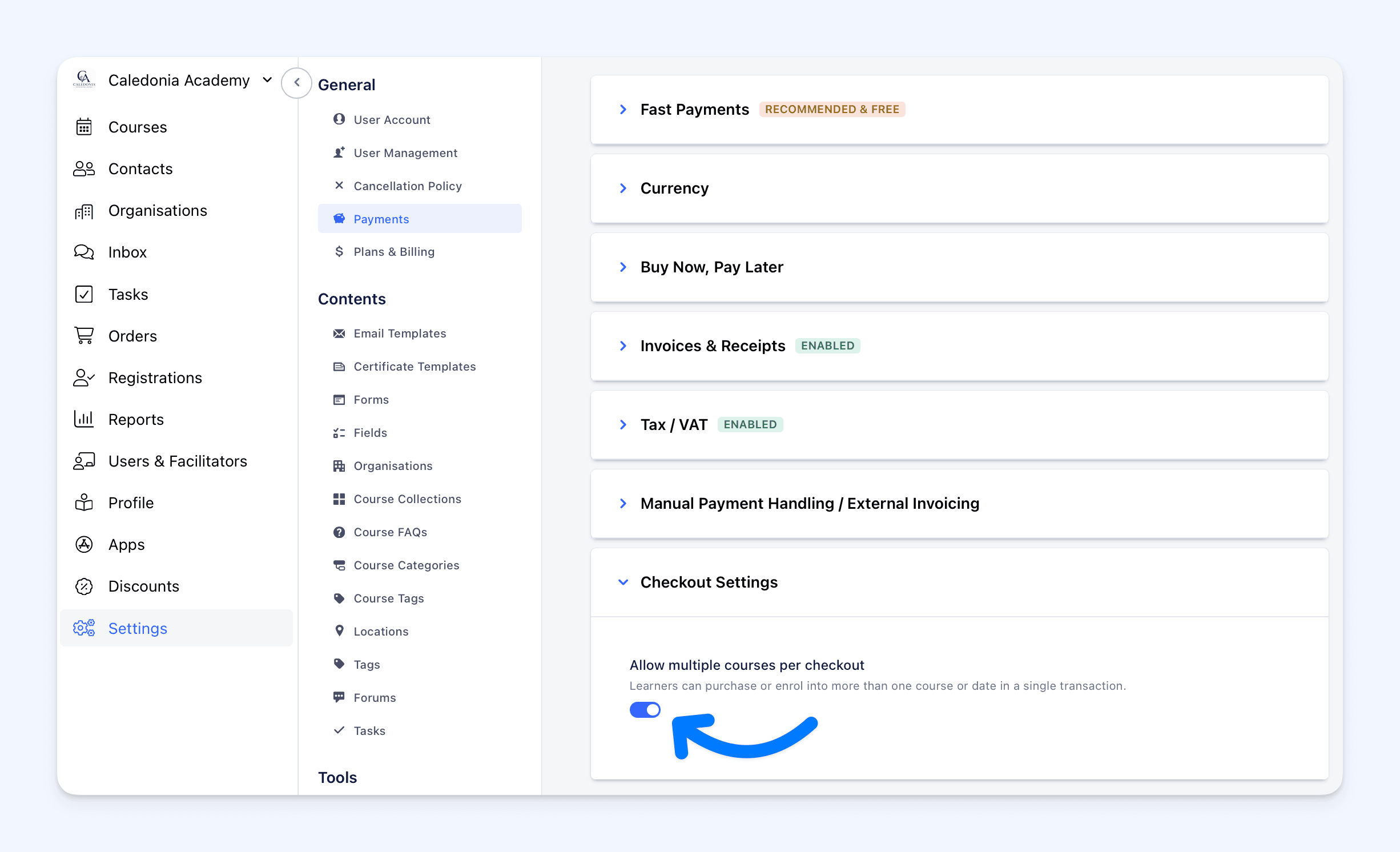 Multi-course checkout is optional for existing accounts.
The setting is disabled on launch, so your checkout will continue working as before unless you choose to enable it.
To turn it on, go to:
Settings → Payments → Checkout Settings
Then enable the multi-course checkout toggle.
Enabled by Default for New Accounts
New Cademy accounts will have multi-course checkout enabled by default.
For existing accounts, we have made it optional so you can choose whether this checkout experience is right for your customers.
A More Flexible Checkout Experience
Multi-course checkout gives customers a simpler way to book several courses in one go.
It also gives admins a more flexible way to create and manage orders that include multiple courses, dates, and participants.
This is especially useful when customers often book more than one course at a time, when organisations book multiple sessions for learners, or when admins need to create more flexible orders from the dashboard.
You can enable multi-course checkout from your Admin dashboard: