
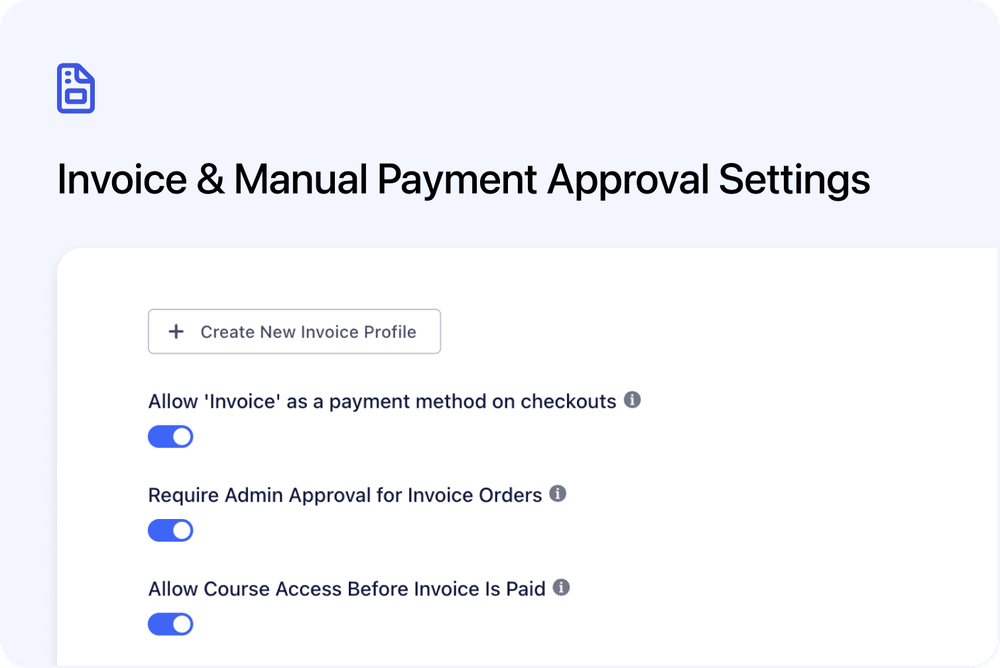
You can now require admin approval separately for Invoice and Manual payment orders.
This gives you more control over which payment methods need approval before the order is confirmed.
We’ve also added a new Invoice setting that lets you decide whether customers can access course content before their invoice is paid.
What’s new
✅ Require admin approval for Invoice Orders
A new setting is available for Invoice payments:
Require Admin Approval for Invoice Orders
When enabled, Invoice Orders are placed on hold until an admin approves them.
The invoice is sent when the order is approved.
This is useful when you want to review invoice orders before confirming them.
✅ Require admin approval for Manual Orders
A new setting is also available for Manual payments:
Require Admin Approval for Manual Orders
When enabled, Manual Orders are placed on hold until an admin approves them.
This gives you the same approval control for Manual payment workflows.
🔓 Allow course access before an invoice is paid
A new Invoice setting is available:
Allow Course Access Before Invoice Is Paid
When this is enabled, an approved Invoice Order is treated as confirmed even if the invoice has not been paid yet.
This means the customer can receive:
- The standard confirmation email
- Access to course content
- Reminder emails
The invoice email is still sent, so the customer can still pay the invoice.
How these settings work
Approval settings
An order will need approval if either of these is true:
- The course has Approve bookings manually turned on
- The selected payment method has Require Admin Approval turned on
This means existing course-level approval behaviour has not changed.
You can use the new payment method approval settings when you only want approval for specific payment types, such as Invoice or Manual payments.
Invoice access before payment
By default, Invoice Orders still wait for payment before course access is given.
Nothing changes unless you turn on:
Allow Course Access Before Invoice Is Paid
When enabled, customers can access the course after approval, even if the invoice is still unpaid.
Where to find it
Go to:
Settings → Payments
Under the Invoice payment card, you can now find:
- Require Admin Approval for Invoice Orders
- Allow Course Access Before Invoice Is Paid
Under the Manual Payment card, you can now find:
- Require Admin Approval for Manual Orders
Why this matters
These settings give you more control over invoice and manual payment workflows.
They are useful when you want to:
- Review Invoice or Manual Orders before confirming them
- Approve customers before sending an invoice
- Let approved invoice customers access course content before payment
- Keep card, PayPal, and Klarna payments working as normal
This is especially helpful for organisations that use invoice approval or external payment processes.
Good to know
Existing settings are unchanged
Existing educators will not see any change unless they turn these new settings on.
Card, PayPal, and Klarna payments are not affected.
Course-level approval still works
The existing course-level Approve bookings manually setting still works as before.
If it is turned on, orders will still need approval, regardless of payment method.