You can now control when contact fields appear at checkout based on whether the primary booker is attending.
This update gives you precise control over which details are collected from the booker and avoids asking for irrelevant information.
What’s new
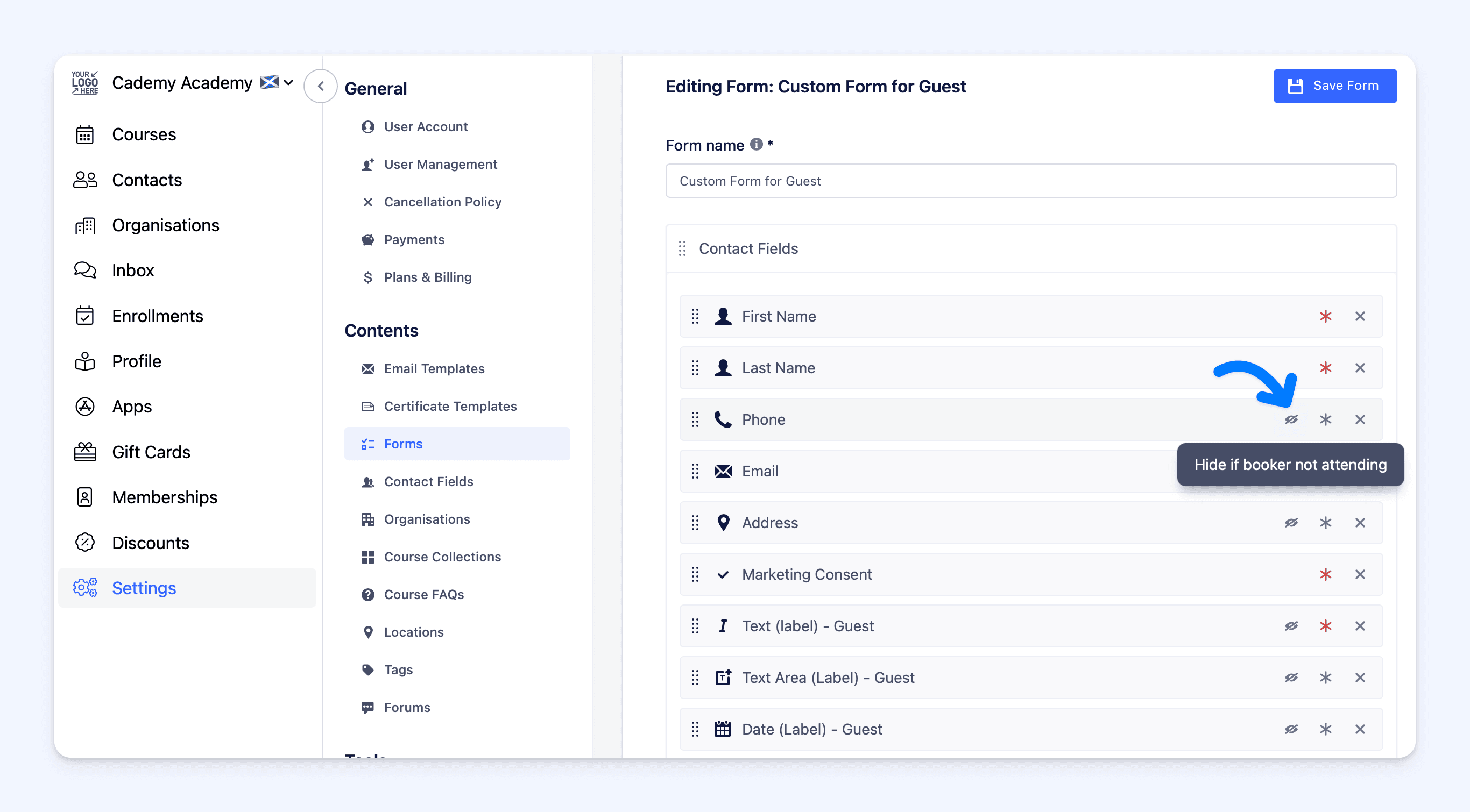
Hide if booker not attending
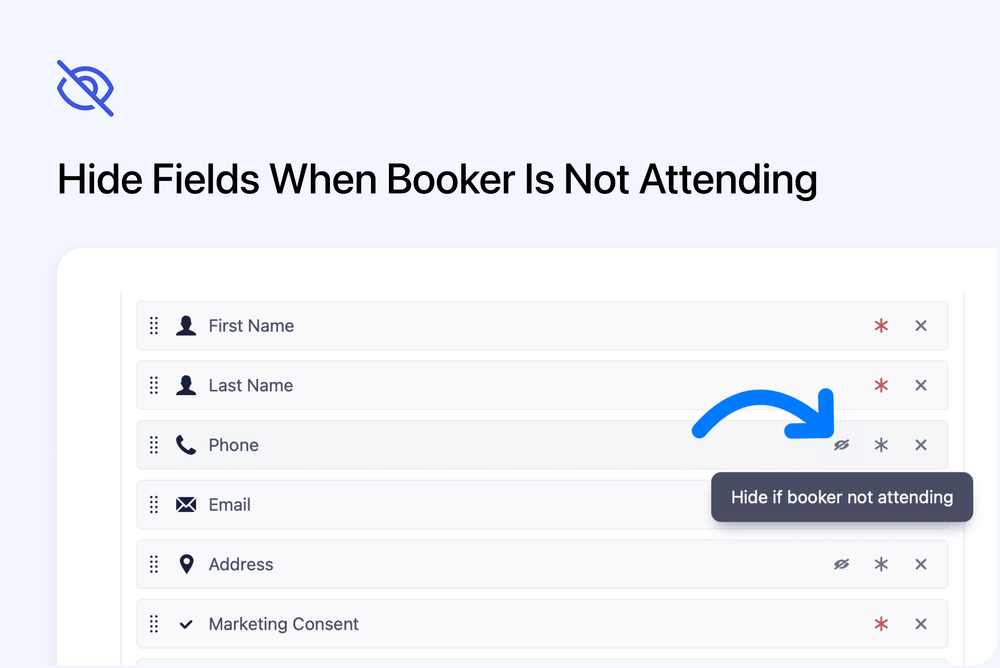
Contact fields can now be hidden when the primary booker is not attending.
Each contact field includes a new visibility option in the form editor. When enabled, the field is hidden if the booker selects that they are not attending. Hidden fields are skipped during validation, even if they are marked as required.
This is useful for fields such as date of birth, dietary requirements, licence details, or any attendee-only information.
Always hide option
Fields marked as hidden remain hidden for the primary booker when they are booking for others.
This ensures the form only asks for essential booker details when the booker is not attending.
Supporting improvements
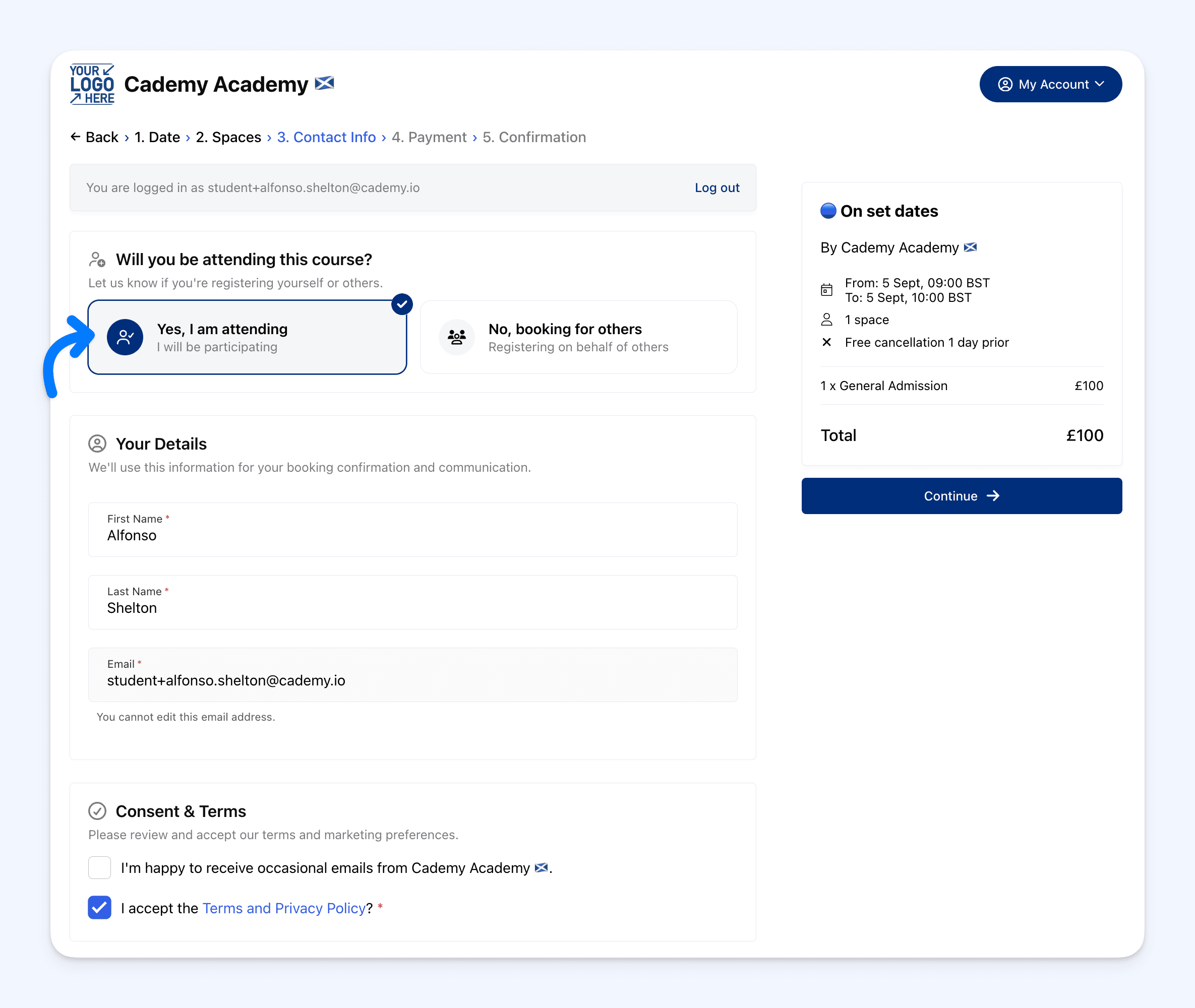
Clearer attendance selection
The “Will you be attending?” question now appears at the top of checkout and uses clear selection cards.
Improved attendee layout
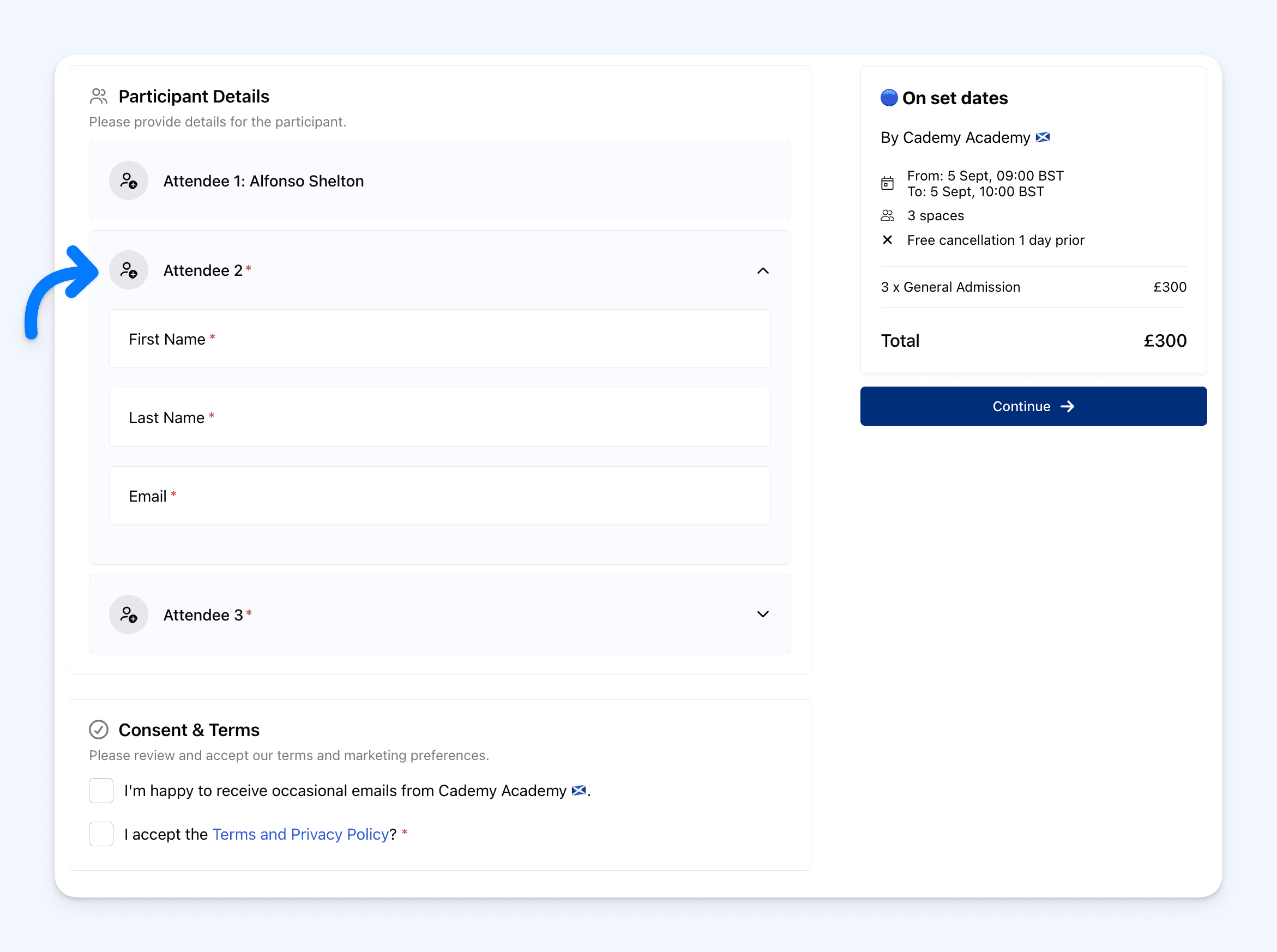
Attendee details are shown in collapsible cards.
The first attendee is expanded by default.
Attendee card titles update as names are entered.
Form settings clarity
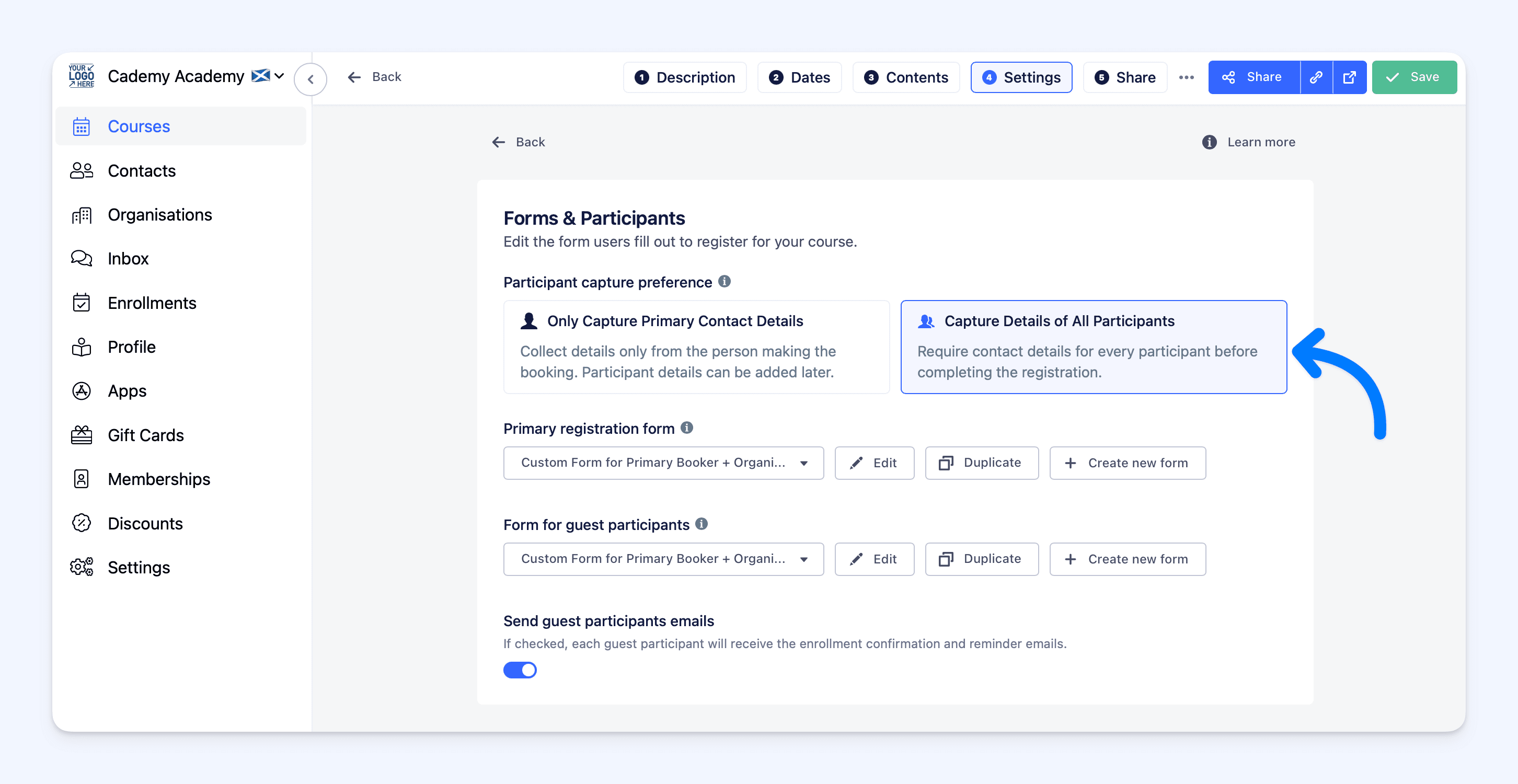
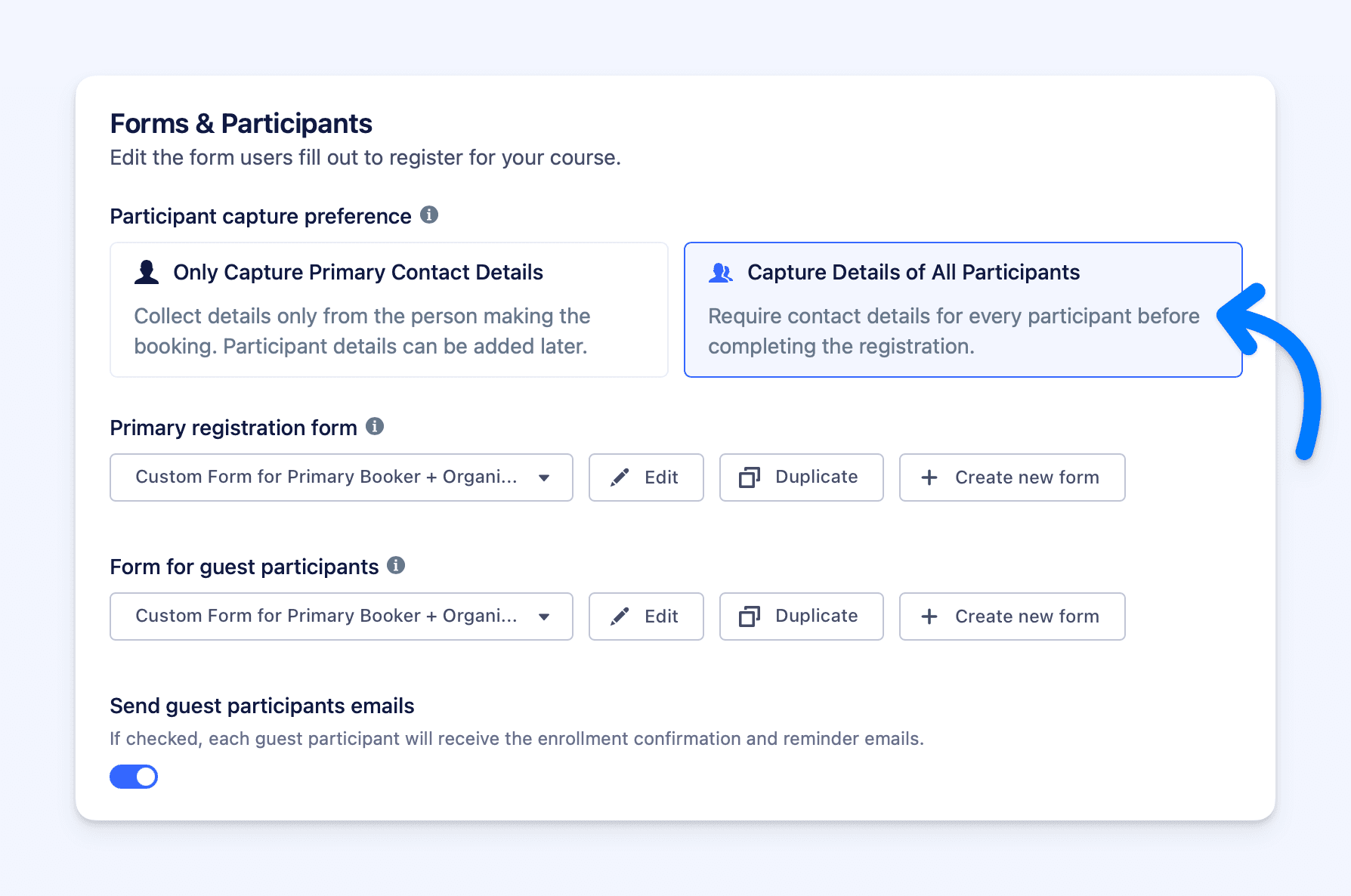
The participant capture setting is now displayed as two clear selection cards.
The behaviour is unchanged. The setting is easier to review and understand.
Where to manage this
Settings - Forms
Edit a contact form and use the eye icon on contact fields to control visibility.
Courses - Settings - Forms
Choose how participant details are captured at checkout.