
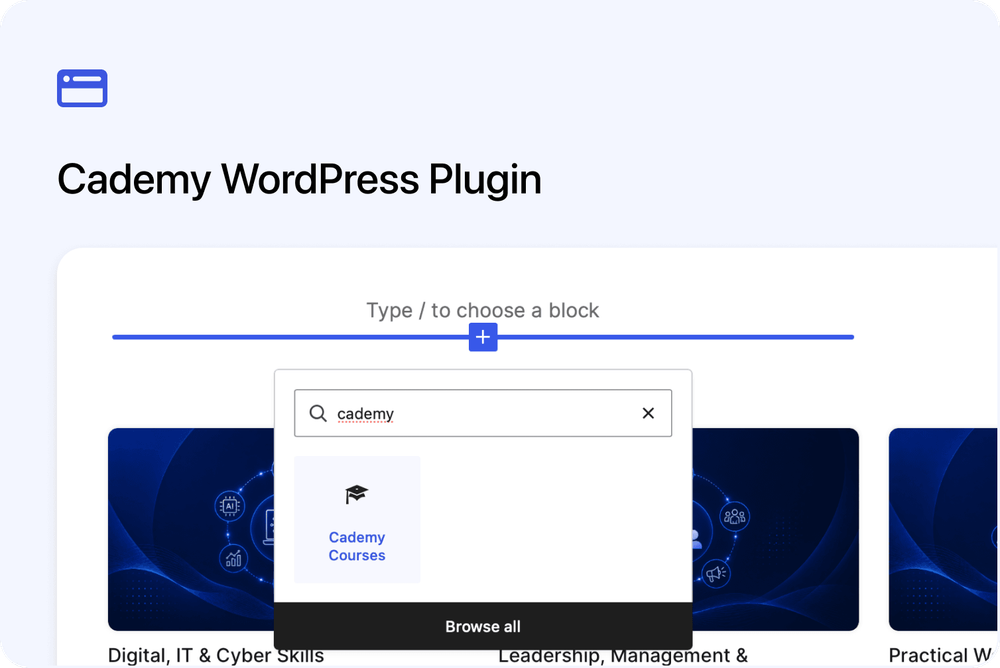
Cademy for WordPress lets you embed your Cademy course catalogue on your WordPress website as real pages on your own domain. Each published course gets its own page inside your WordPress theme, while you continue managing the course in Cademy.
Visitors can browse courses on your website. When they choose to book, enquire or join a waitlist, they continue securely on Cademy.
Course pages inside your WordPress website
Every published course automatically gets its own WordPress page. The default address is /courses/{course-slug}.
The course content sits inside your WordPress theme and uses its:
- Header
- Navigation
- Footer
- Fonts
- Course page template
You can change the Courses base path and choose the Course page template under Settings > Cademy in WordPress.
The page at /courses/ remains a normal WordPress page that you control. Add a course listing to that page, or place listings on any other page you need.
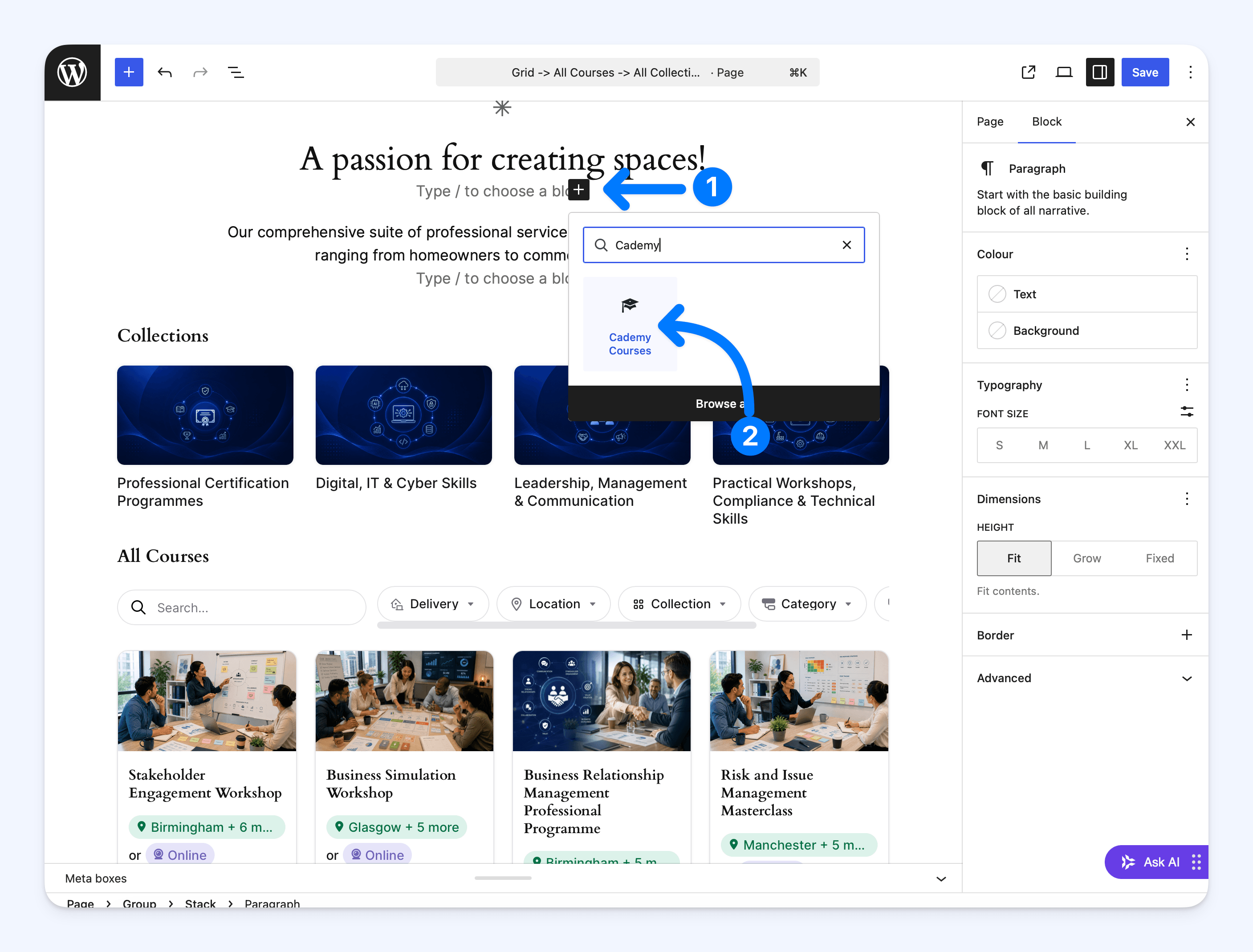
Add course listings without writing code
Add the Cademy Courses block in the WordPress editor. You can also use the [cademy_courses] shortcode.
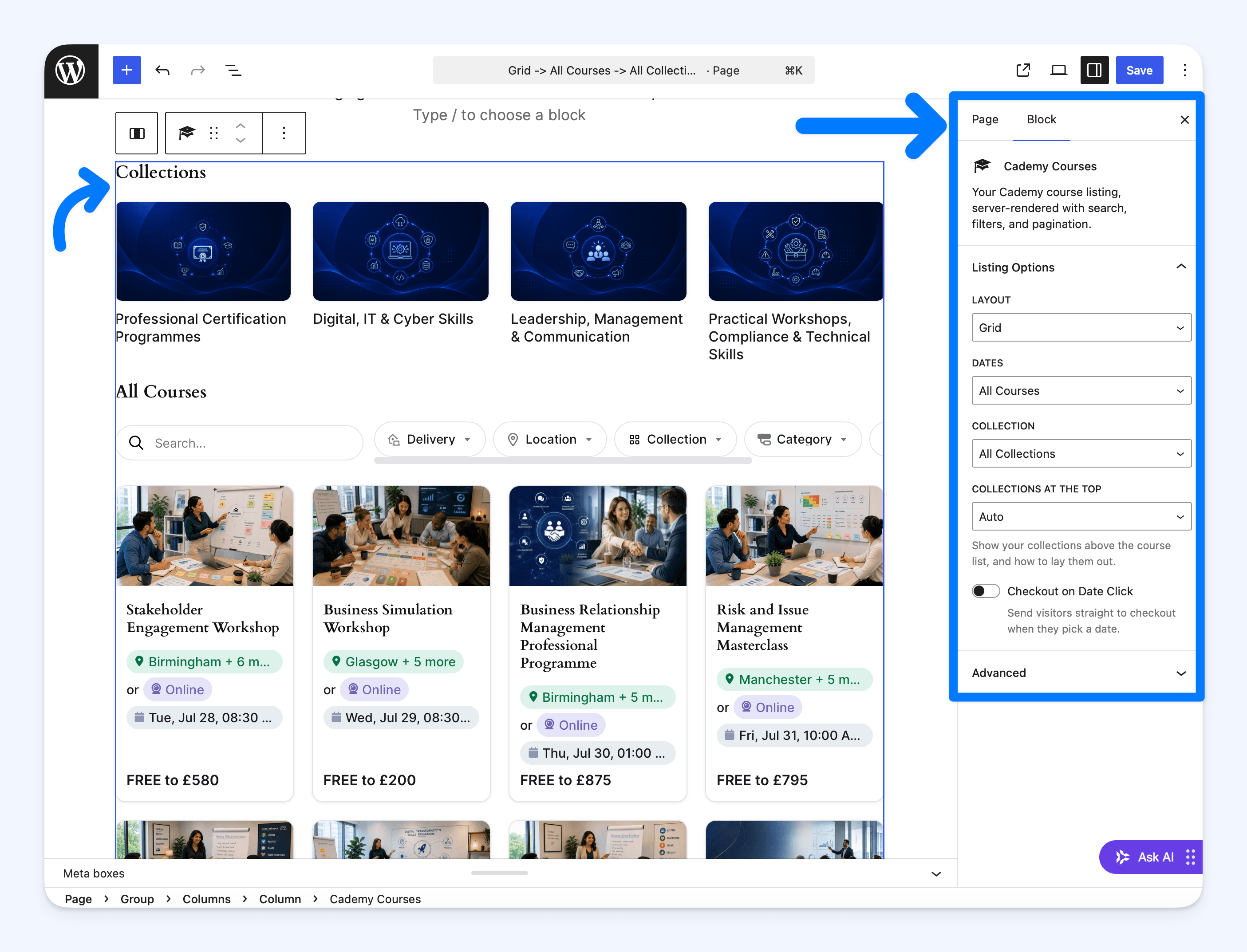
Under Listing Options, choose:
- Layout - Grid, Rows, Dated Rows or Date Cards
- Dates - All Courses or Upcoming Only
- Collection - All Collections or one collection
- Collections at the Top - Auto, Grid, Carousel or Hidden
- Checkout on Date Click - sends visitors straight to checkout when they pick a date
Search, filters and pagination work automatically on the published listing. The selected search, filters and page stay in the website address, so visitors can reload or share the same results.
Built-in SEO for individual courses
Cademy for WordPress creates a separate, search-friendly page on your domain for every published course. Search engines can read the full course content directly from the page.
Each course page includes:
- Its own page title and meta description
- A canonical URL that identifies the main course page
- Structured course data that helps search engines understand the page
When Cademy for WordPress is connected, Cademy identifies the WordPress course page as the main version for search engines. Filtered, searched and paginated listing pages are kept out of search results to reduce duplicate pages.
These features give each course a strong technical foundation for search visibility. They do not guarantee a particular search position or ranking.
Course changes stay up to date
Continue creating and editing your courses in Cademy. Changes made there update on WordPress automatically, usually within seconds.
Course pages are also cached on WordPress. If Cademy is temporarily unavailable, a previously loaded page can continue showing its cached copy. If no cached copy exists, courses may temporarily show as unavailable until the connection recovers.
No Cademy tracking while visitors browse
The course listings and pages are added as readable WordPress content. No Cademy JavaScript or Cademy cookies are added while visitors browse those pages, and no visitor data is sent to Cademy at that stage.
When a visitor chooses to book, enquire or join a waitlist, they continue securely on Cademy.
Standard Website Embed or Cademy for WordPress?
Both are good ways to show Cademy courses on WordPress.
The Standard Website Embed is the quicker free option. It works with WordPress, Wix, Squarespace and most websites that accept custom embed code. It also includes the Calendar layout.
Cademy for WordPress is available on the Teams plan. It is designed for separate course pages on your domain, a WordPress-native appearance and stronger course-level SEO.
Both options update automatically when you change a course in Cademy. The full comparison is included in the Cademy for WordPress: Embed Courses on Your Website guide.
Where to start
You need:
- A Cademy Teams plan
- WordPress 6.4 or later
- PHP 7.4 or later
- Administrator access to WordPress
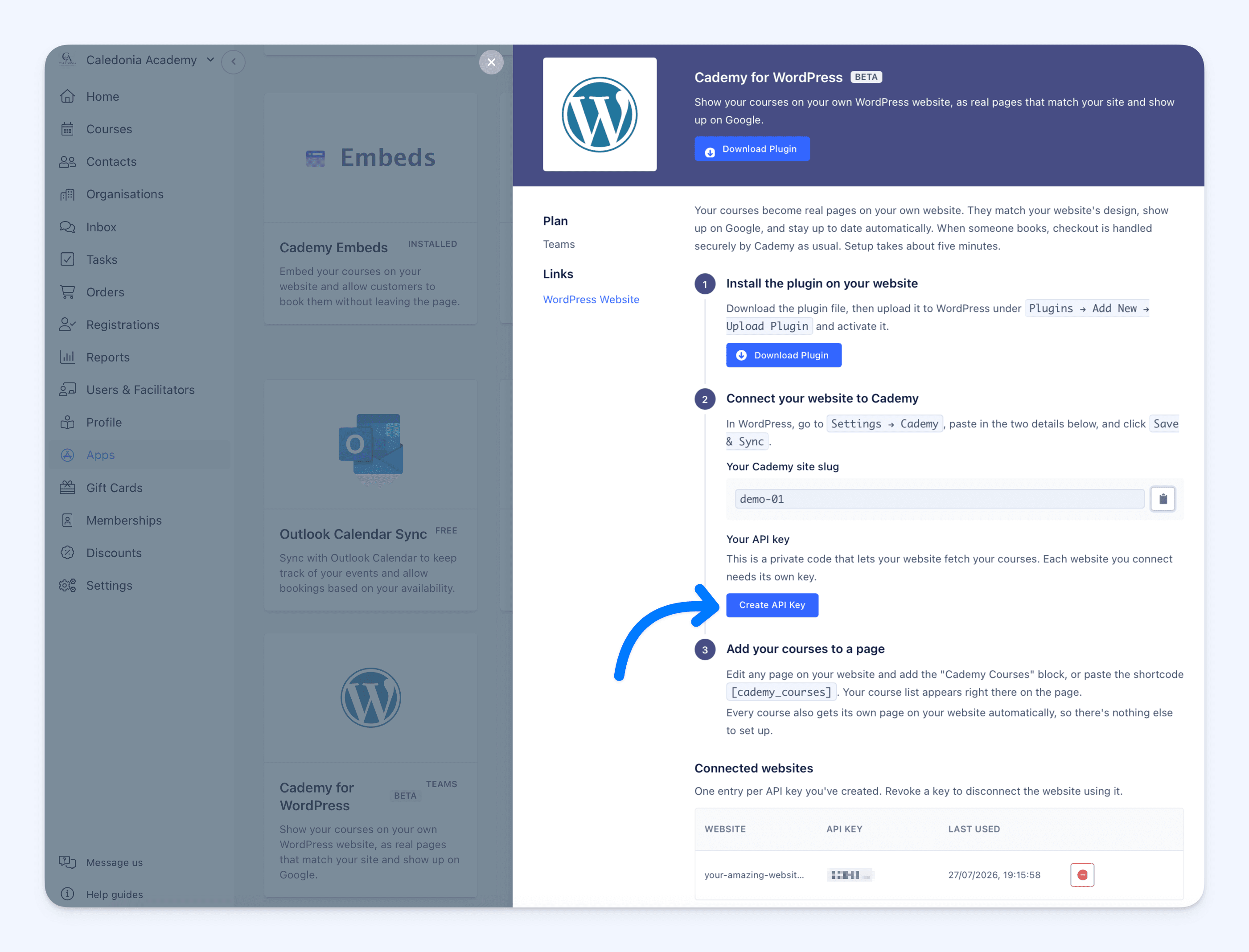
In Cademy, go to Apps > Cademy for WordPress and select Download Plugin. The plugin is downloaded from Cademy and is not installed from the WordPress plugin directory.
Upload and activate the ZIP file under Plugins > Add New > Upload Plugin in WordPress. Then return to Apps > Cademy for WordPress in Cademy to copy Your Cademy site slug and select Create API Key.
In WordPress, go to Settings > Cademy, enter those details and select Save & Sync.
Use one API key per website. The complete key is shown only once, so copy it before closing Your New API Key.
For complete installation and setup instructions, see Cademy for WordPress: Embed Courses on Your Website.
Good to know
- Every published course automatically gets its own WordPress page.
- The page at your Courses base path stays a normal WordPress page. Add the Cademy Courses block or
[cademy_courses]shortcode to show a listing there. - Plugin updates appear under Plugins and Dashboard > Updates in WordPress. Updating keeps your existing settings and Cademy connection.
- You can revoke a website's API key under Connected websites in Apps > Cademy for WordPress.
Frequently asked questions
Do I need to recreate my courses in WordPress?
No. Continue managing your courses in Cademy. They appear on WordPress automatically.
Do I need to know how to code?
No. You need administrator access to install and connect the plugin, then you can add the Cademy Courses block in the normal WordPress editor.
Can I install the plugin from the WordPress plugin directory?
No. Go to Apps > Cademy for WordPress in Cademy and select Download Plugin. Upload that ZIP file under Plugins > Add New > Upload Plugin in WordPress.
Where do customers complete bookings, enquiries and waitlists?
They browse your WordPress course pages, then complete bookings, enquiries and waitlists securely on Cademy.
Will course changes appear automatically?
Yes. Changes made in Cademy update on WordPress automatically, usually within seconds.
Does Cademy for WordPress guarantee better Google rankings?
No. It gives each course a separate page with technical SEO information and structured course data, but no platform can guarantee a particular search position.
Can I still use the Standard Website Embed on WordPress?
Yes. The Standard Website Embed remains a good free option when you want to add courses quickly. Use Cademy for WordPress when you want separate course pages on your domain, your WordPress theme around the content and stronger course-level SEO.
Which plan includes Cademy for WordPress?
It is available on the Teams plan.