
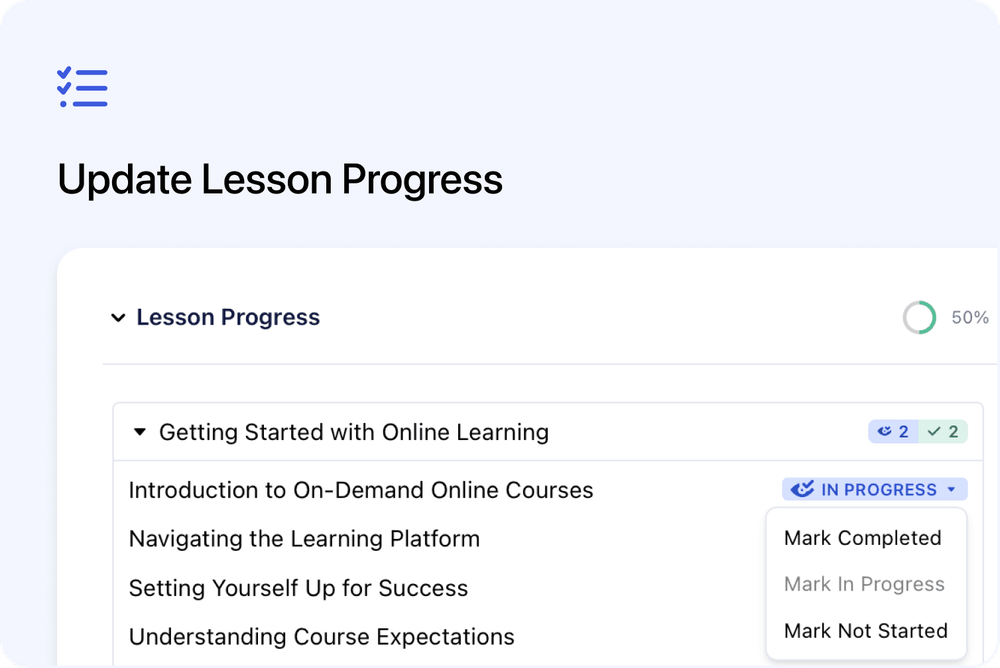
You can now correct an individual learner's lesson progress directly from their Registration in Cademy.
Open Lesson Progress, select a lesson's current status and choose Mark Completed, Mark In Progress or Mark Not Started. Cademy updates the learner's progress percentage and recalculates the Registration's overall Completion.
Correct any individual lesson
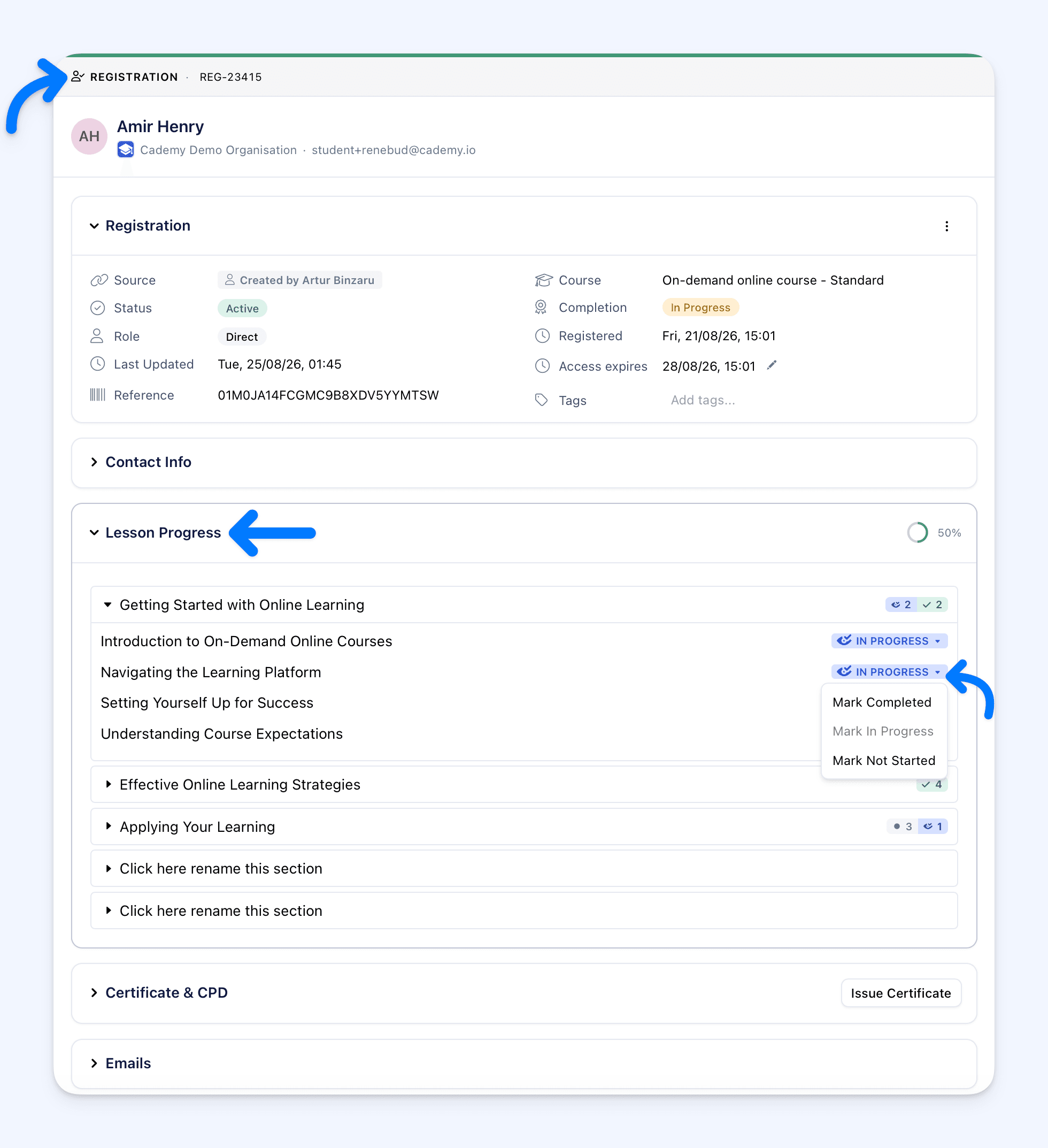 Each lesson in the Registration's Lesson Progress section now has an editable status badge.
Select the badge to choose:
- Mark Completed: the lesson counts as completed
- Mark In Progress: the lesson is recorded as started but not completed
- Mark Not Started: the recorded start or completion is removed
The updated percentage appears beside Lesson Progress after the change is saved. The learner's course progress also uses the corrected status.
How it works
Cademy uses completed published lessons when calculating course progress and Registration Completion.
- On-demand courses: completing every published lesson moves the Registration to Completed. Moving a lesson backwards can move the Registration back to In Progress or Not Started.
- Blended courses: the learner must complete every published lesson and meet the required attendance. Reaching 100% lesson progress alone is not enough when attendance is still missing.
The Completion badge can take a few seconds to refresh after a lesson changes.
Correct the record without changing assessment results
This control is designed for administrators correcting a learner's record. It can mark a lesson Completed even when the learner has not completed a required quiz, SCORM package or earlier locked lesson.
It changes the lesson progress used by the Registration. It does not create a quiz submission, change quiz answers or scores, or record a SCORM result.
Certificates and CPD
Marking a final lesson Completed can make the Registration reach Completed and activate the course's existing certificate or CPD settings.
When the course issues certificates automatically, Cademy shows Complete All Lessons? before a change that would bring the learner to 100% lesson progress. The warning explains that a certificate may be generated and emailed. Select Mark Completed to continue.
Changing the lesson back to In Progress or Not Started does not automatically revoke an existing certificate or CPD award. Revoke the award separately from the Registration when it should no longer remain active.
If the Registration becomes Completed again while the original award is still active, Cademy does not issue that same active award twice.
Why this matters
Lesson tracking sometimes needs an administrator correction when the status recorded in Cademy does not match what happened.
This update lets your team correct the individual lesson that controls the progress, without using the learner's account or editing the Registration's Completion status directly.
It makes it easier to:
- keep learner progress accurate
- correct one lesson without affecting the others
- update the overall Completion outcome from the underlying lesson record
- understand when certificates or CPD may be issued
- see exactly what will happen before completing the final lesson
Good to know
- Change one lesson at a time: there is no bulk option to mark every lesson together.
- Published lessons control Completion: unpublished lessons do not count towards the progress percentage used for course Completion.
- The date cannot be backdated: Cademy records the change when it is saved.
- Cancelled Registrations are read-only: lesson progress cannot be changed after the participant's place is cancelled.
- Assessment results stay separate: changing lesson progress does not create or alter quiz or SCORM results.
- Access follows the Registration: System Admins can use the control across the account. Course Owners and Facilitators can use it for Registrations on courses or course dates assigned to them.
Where to find it
Go to:
Admin dashboard → Registrations → select a Registration → Lesson Progress
You can also open:
Admin dashboard → Courses → select a course → Registrants → select a Registration → Lesson Progress
Expand the lesson section, then select the current status badge beside the lesson.
For complete instructions and award guidance, see Change a Learner's Lesson Progress in the Cademy Help Centre.
Frequently asked questions
Can I mark every lesson Completed at once?
No. Change each lesson individually from the Registration's Lesson Progress section.
Can I choose a different completion date?
No. The lesson status is recorded when the change is saved and cannot be backdated from this control.
Does Mark Completed pass a quiz for the learner?
No. It changes lesson progress only. Quiz answers, scores and submissions are not created or changed.
Why is a blended Registration still In Progress at 100% lesson progress?
Blended courses also require the relevant attendance. Check the learner's attendance separately.
Why does the learner still have a certificate after I selected Mark Not Started?
Changing lesson progress does not revoke an existing award. Revoke the certificate or CPD award separately when required.
Can I change a cancelled Registration?
No. Lesson progress is read-only while the Registration is cancelled.