
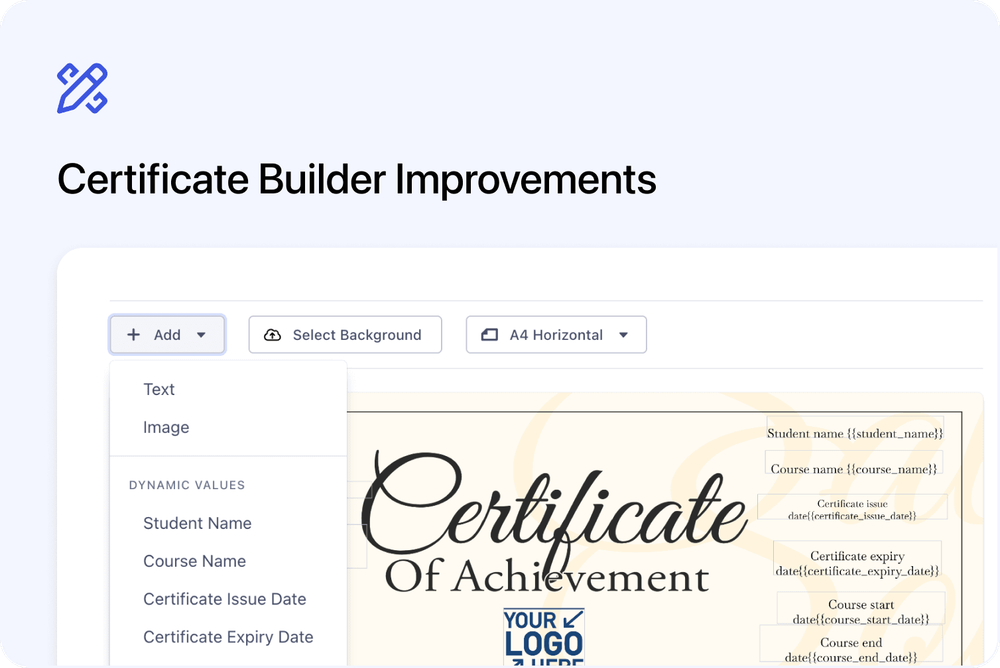
We’ve made several improvements to the Certificate Template Builder to make certificates easier to design and format.
You can now style text more easily, add dynamic values inside text blocks, and use new layout helpers when positioning blocks on the certificate.
What’s new
✍️ Bold, italic, and underline
You can now apply bold, italic, and underline formatting to text blocks.
This works for text-style blocks such as:
- Plain text
- Student name
- Course name
- Dates
- Course facilitator
- Course-specific values
- Educator name
The formatting buttons appear in the toolbar when a text-style block is selected.
You can use one option on its own, or combine them.
👩🏫 Course facilitator on certificates
You can now add the course facilitator as a dynamic value on certificate templates.
This lets you show the facilitator name directly on issued certificates where needed.
↩️ Text wrapping over multiple lines
Text blocks can now wrap over multiple lines.
This is useful for longer course names, certificate wording, facilitator names, or custom text that needs to fit neatly inside a specific area of the certificate.
🎯 Centre alignment guides
When you drag a block around the certificate, guide lines now appear when the block is centred on the page.
This makes it easier to place blocks neatly without guessing where the centre is.
The guides are visual only, so they help with positioning without forcing the block to snap into place.
↔️ Resize from the centre
You can now hold Alt while resizing a block to resize it from the centre.
On Mac, use Option.
This keeps the block centred while it grows or shrinks, which is useful when adjusting text areas, names, dates, or other certificate content.
🏷️ Insert variables inside text blocks
You can now add dynamic values directly inside a plain text block.
For example, you can write:
This is to certify that {{student_name}} successfully completed {{course_name}} on {{certificate_issue_date}}.