
You can now automatically email people on a course waitlist when a place becomes available.
This helps fill newly available spaces without requiring your team to contact each person manually.
Notifications can be enabled separately for each course. They work for people waiting for a specific course date, as well as people who joined the course-level waitlist without choosing a date.
What’s new
📅 Notify people waiting for a specific date
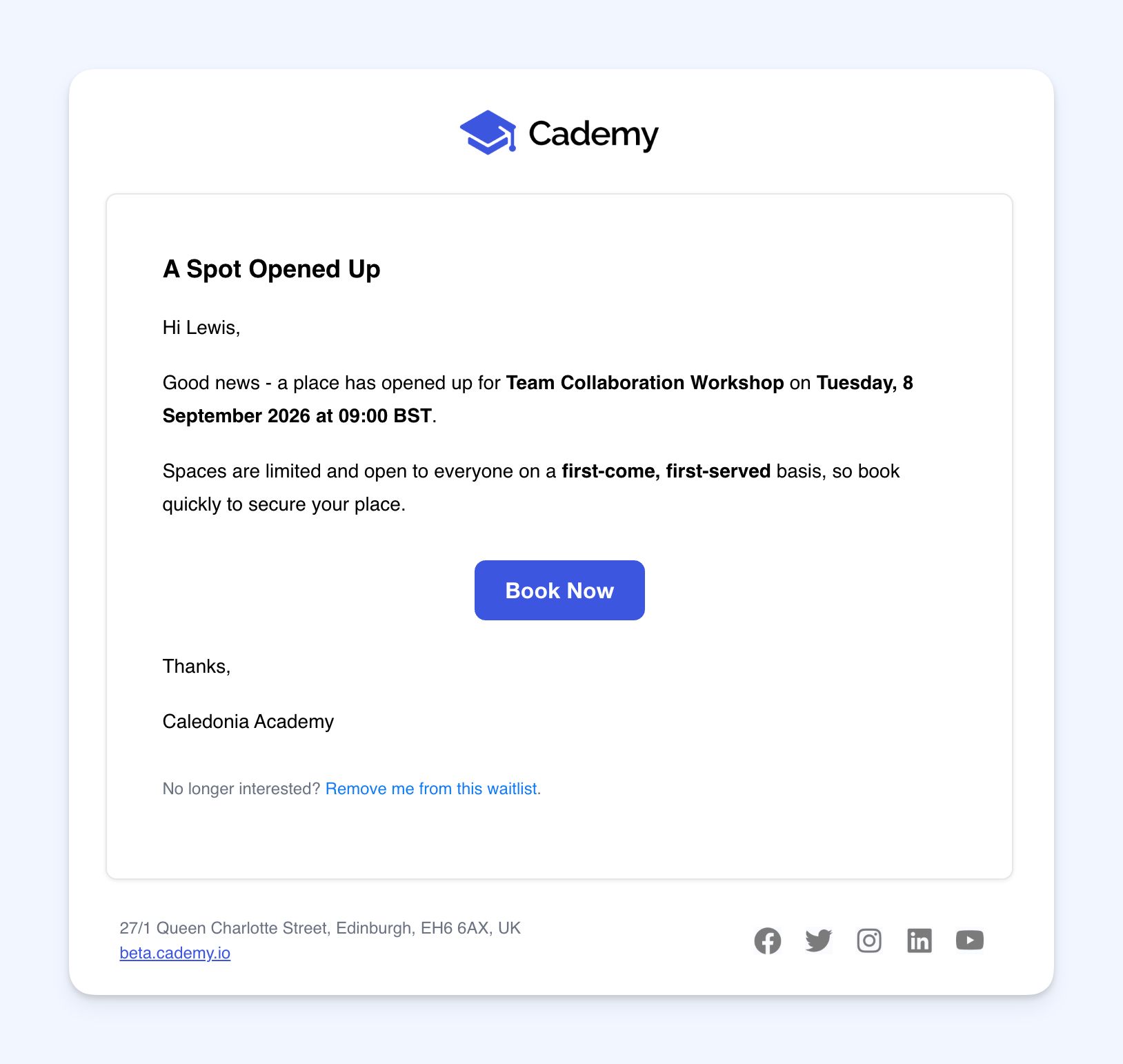 When a place becomes available on a course date, Cademy can automatically email the next person on that date’s waitlist.
People are notified in the order they joined the waitlist.
The email includes a link to the public booking page so they can book the available place.
🗓️ Notify people on the course-level waitlist
 Some people join a course waitlist without selecting a particular date.
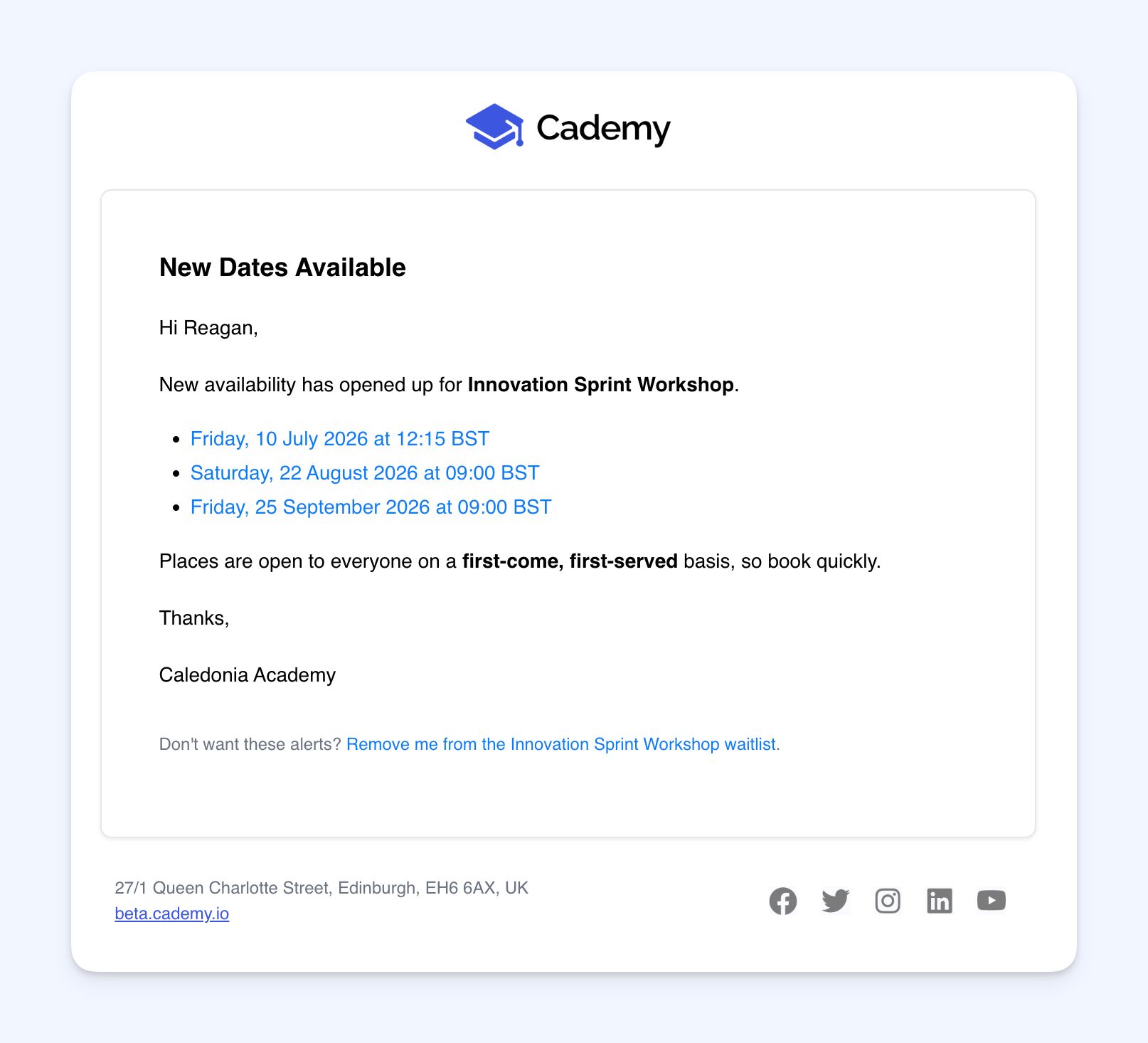
When suitable dates have spaces available, these people can receive one email showing the dates they can currently book.
This also works when you add a brand-new date to the course.
If several dates are available, Cademy combines them into one email instead of sending a separate message for every date.
✉️ Clear first-come, first-served wording
A waitlist notification does not reserve a place.
Every email explains that the available space can be booked by anyone and will be allocated on a first-come, first-served basis.
🔕 One-click waitlist removal
Every notification includes a link that lets the recipient remove themselves from the waitlist.
They do not need to log in to use it.
👀 See when someone was last notified
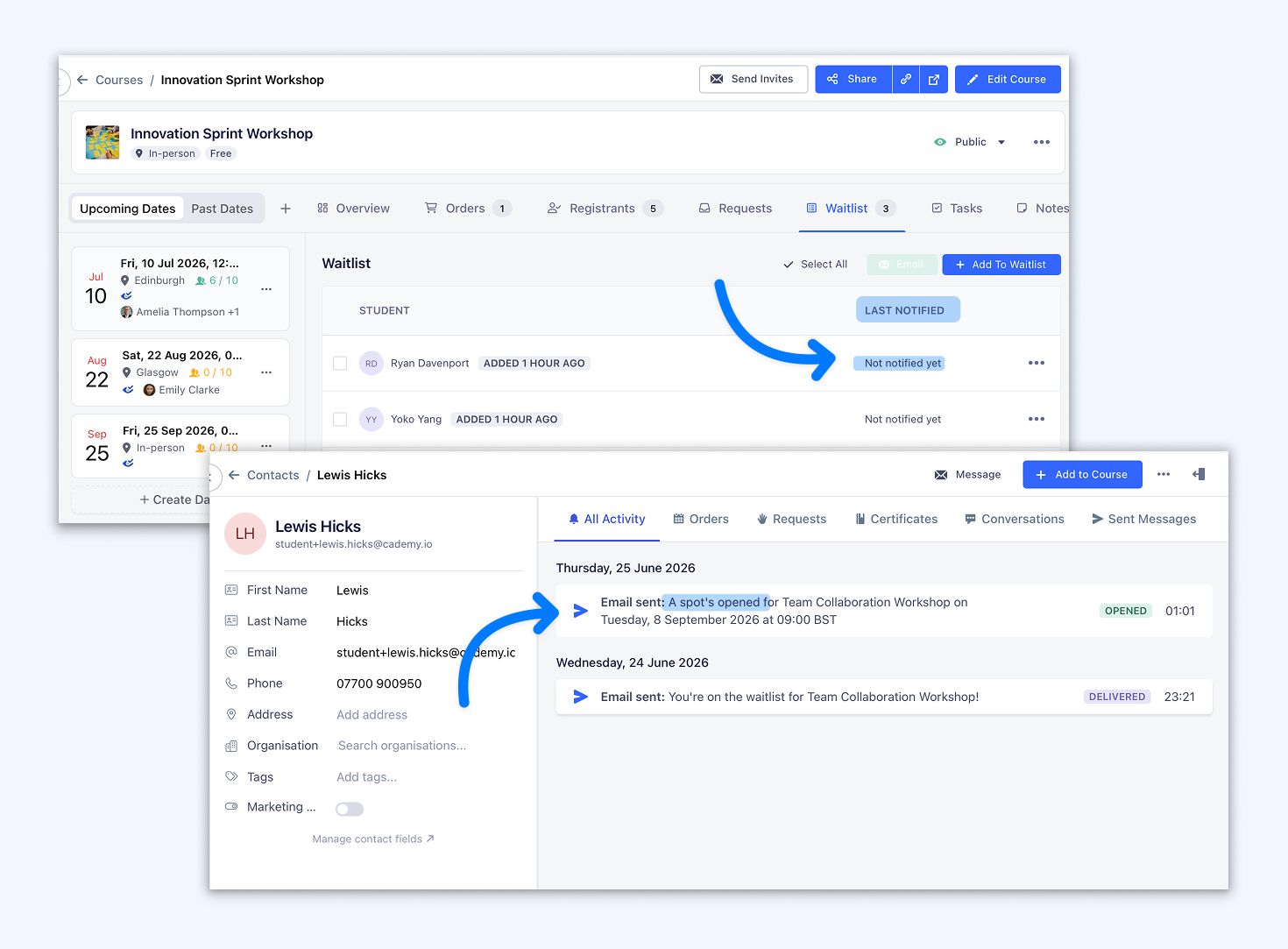 Educators can see when each waitlist entry was last sent a notification.
This makes it easier to understand who has already been contacted when reviewing the waitlist.
How it works
Cademy checks waitlists hourly.
This gives admins a short window to make changes before an email is sent. For example, you may want to move an existing Registration, change the course capacity, or manually contact someone on the waitlist.
When the hourly check runs, Cademy looks at the current availability. If the space has already been filled or the waitlister has booked, no notification is sent.
For a specific course date
When a space is available, the next eligible person in the order they joined is notified.
A person will not receive another notification about the same course date within 24 hours.
For the course-level waitlist
People who did not choose a particular date receive one combined email showing the course dates that currently have space.
They will not receive these notifications more than once every three days.
They will also not be emailed again when the set of available dates has not changed.
When someone is on both waitlists
A person may be waiting for a specific date while also appearing on the course-level waitlist.
They will receive no more than one waitlist notification during the same hourly check. The notification about their chosen date takes priority.
Why this matters
Places can become available when someone cancels, an admin increases capacity, or a new course date is added.
Previously, educators needed to notice the change and contact people on the waitlist themselves.
Automatic notifications reduce this manual work and give interested customers a quicker opportunity to book.
The notification limits also help avoid repeatedly emailing people when availability has not meaningfully changed.
Good to know
Automatic notifications are off by default
Turning on a course waitlist does not automatically turn on email notifications.
You need to enable automatic notifications separately for each course where you want to use them.
No place is reserved
Receiving a notification does not guarantee a place.
The recipient must complete checkout, and another customer may book the final space first.
Cademy’s existing course capacity checks still apply during checkout.
Only publicly bookable courses and dates are included
Notifications are not sent for:
- Private course dates
- Unpublished courses
- Courses without a public booking page
- Course dates starting within the next 12 hours
Notifications are not instant
Waitlists are checked once per hour.
An email is only sent if the course date still has space when that check runs.
Available on all plans
Automatic waitlist notifications are available on all Cademy plans.
Where to find it
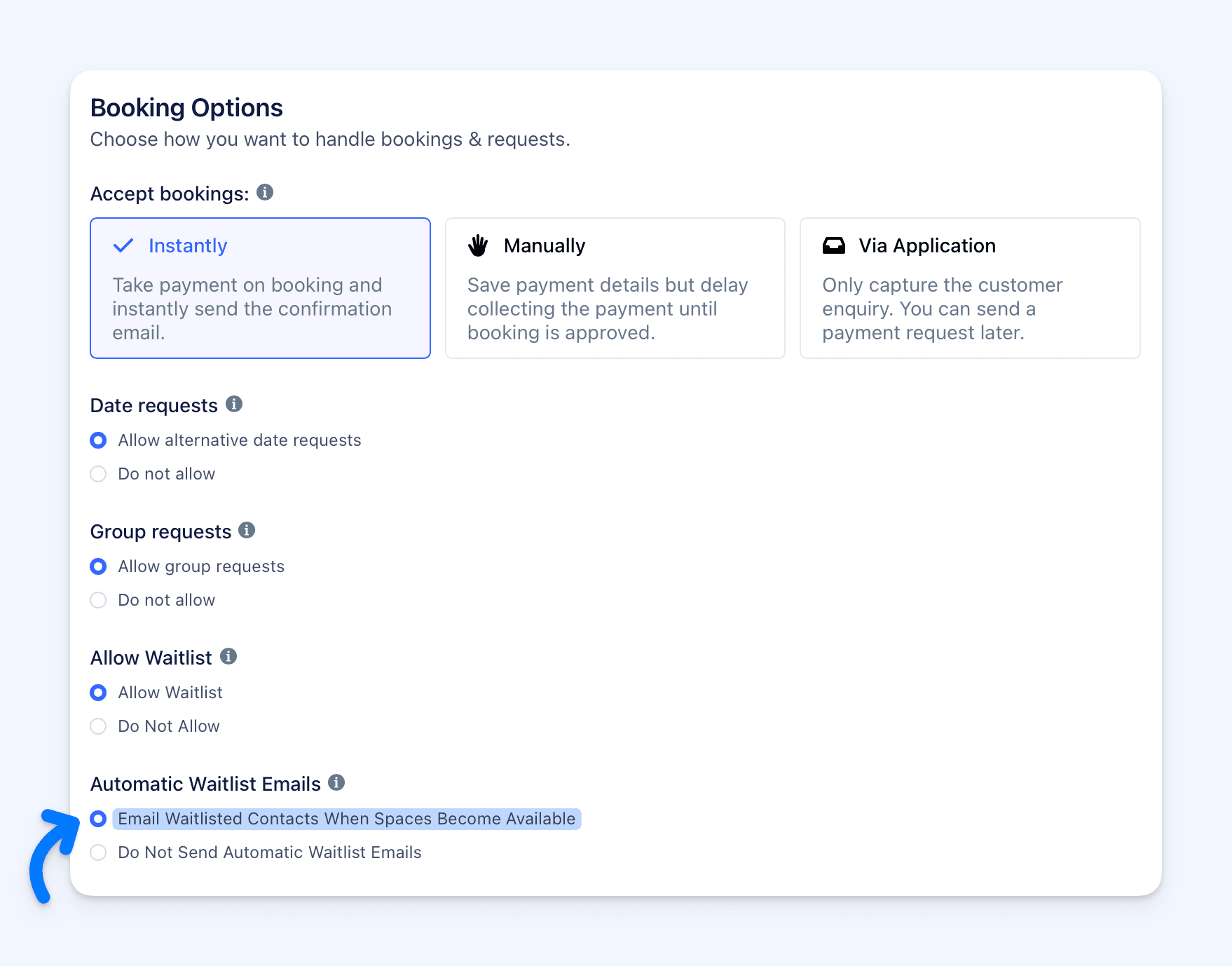 Open the relevant course and go to:
Course Editor → Settings → Booking Options
First, make sure Enable Waitlist is turned on.
The automatic notification setting appears beside the existing waitlist setting and can be enabled separately for that course.
For step-by-step instructions on setting up and managing waitlists, see the Waitlist help article:
https://help.cademy.io/en/articles/6698523-waitlists#h_632cc52d62
Frequently asked questions
Will existing course waitlists start emailing people automatically?
No.
Automatic notifications are off by default. You must enable them separately on each course where you want to use them.
Does the email reserve a place for the person?
No.
The email tells them that a place is available, but it remains open to everyone. The first person to complete their booking gets the place.
Are people emailed immediately when someone cancels?
No.
Cademy checks availability hourly. This gives your team time to adjust capacity, move a Registration, or make other admin changes before a notification is sent.
Who receives the first email?
For a specific course date, the next eligible person is selected based on when they joined that waitlist.
People are notified in join order.
What happens if the place is filled or the waitlister books before the hourly check?
No notification is sent.
Cademy checks the current availability and waitlist status when the hourly process runs. It does not send an email if the place is no longer available or the person has already booked.
What happens when I add a new course date?
People on the course-level waitlist can be notified if the new date is public, bookable, and has space.
They receive one email summarising all currently available dates.
Will someone receive a separate email for every available date?
No.
People on the course-level waitlist receive one combined email containing the available course dates.
Can the same person be emailed repeatedly?
Notification limits are included to reduce repeated emails.
For a specific course date, the same person will not be emailed about that date more than once within 24 hours.
For the course-level waitlist, the same person will not be emailed more than once every three days. They will also not be emailed again if the available dates have not changed.
What if someone is on both the specific date waitlist and the course-level waitlist?
They receive no more than one email during the same hourly check.
The notification for the specific date takes priority.
Are private, unpublished, or soon-to-start dates included?
No.
Notifications are not sent for private course dates, unpublished courses, courses without a public booking page, or course dates starting within the next 12 hours.
Can people remove themselves from the waitlist?
Yes.
Every notification contains a one-click removal link. The recipient can use it without signing in.
Can admins see who has already received an email?
Yes.
The waitlist shows when each entry was last notified.
Is this feature limited to a particular plan?
No.
Automatic waitlist notifications are available on all plans.
For more detailed waitlist instructions and additional FAQs, see: https://help.cademy.io/en/articles/6698523-waitlists