
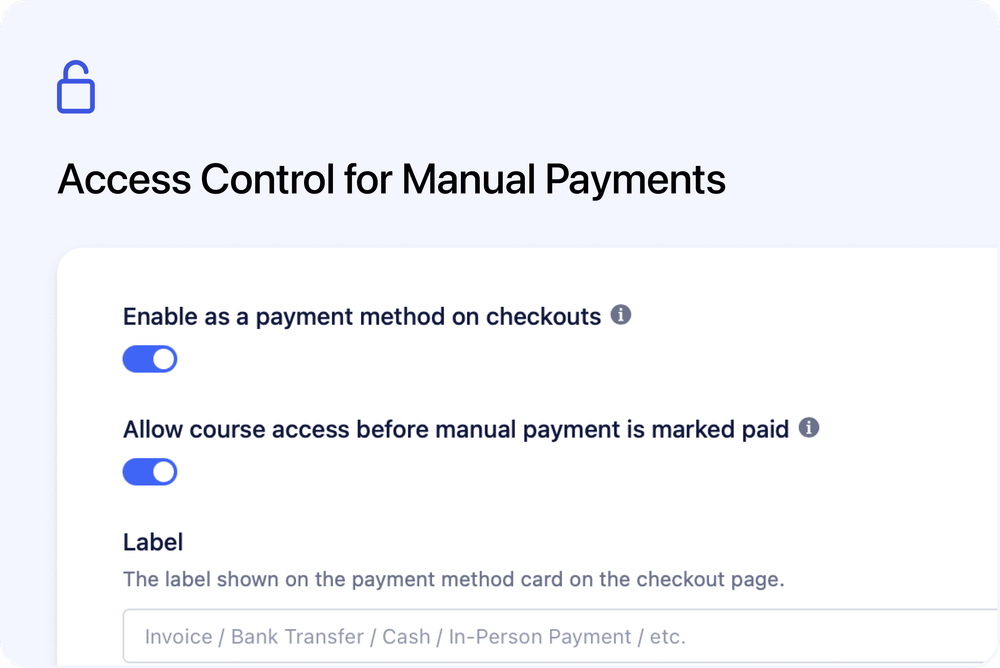
We’ve added a new option to Manual Payment Handling / External Invoicing - giving you more control over when learners can access course content when using manual payment methods.
Whether you collect payment via bank transfer, cash, in-person payment, or issue invoices externally (for example via Xero), you can now decide if access should be granted immediately or only after payment is confirmed.
What’s new
🔒 Optional access restriction for manual payments
A new setting is now available in:
Settings → Payments → Manual Payment Handling / External Invoicing
Toggle:
Allow course access before manual payment is marked paid
This allows you to choose how course access behaves when a booking or order uses Manual Payment:
- Enabled (default) – Learners receive immediate access after checkout, even if payment is still pending.
- Disabled – Learners only receive access once the manual payment status is marked as Paid.
This applies to both bookings (set dates) and orders (on-demand courses).
How restricted access works
When access restriction is disabled and a booking or order uses Manual Payment with a payment status other than Paid:
- Course access entry points are hidden or disabled
- A clear unpaid notice appears on the booking or order details page
- No invoice download or payment action buttons are shown
Once the payment status is updated to Paid, access is restored automatically.
Designed for flexible billing workflows
Manual Payment Handling is commonly used when:
- You issue invoices externally (for example via Xero)
- You accept bank transfers or offline payments
- You collect payment in person
- Billing and reconciliation happen outside Cademy
This new option allows you to align course access with your real-world payment process - whether that means granting access immediately or waiting until payment is confirmed.
You stay fully in control of how manual payments affect course access.
This update is available to all educators using Manual Payment Handling / External Invoicing.
To configure this setting, go to:
👉 Settings → Payments → Manual Payment Handling / External Invoicing