
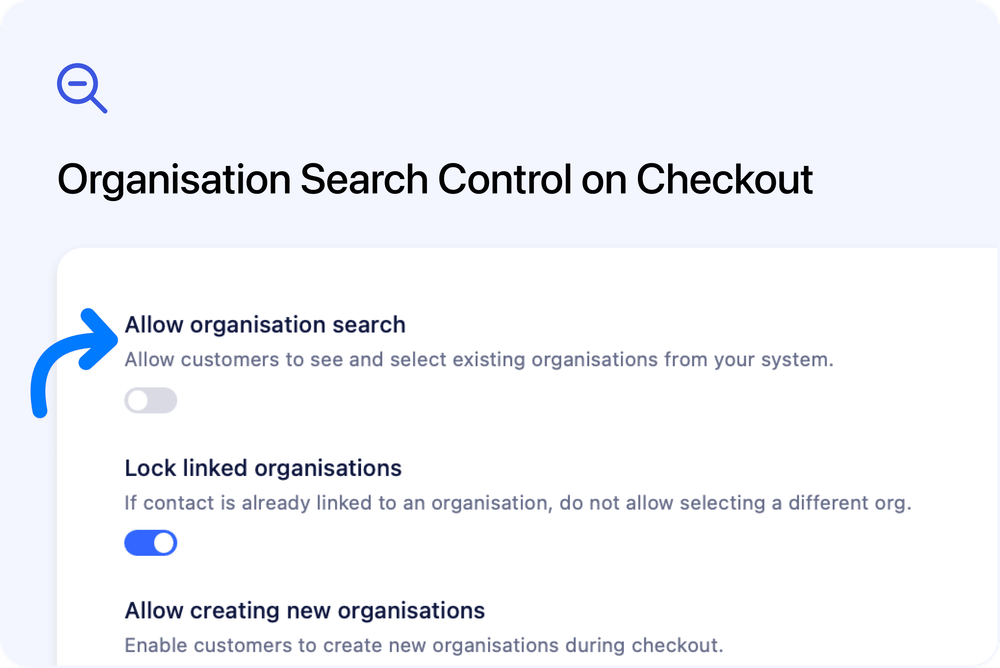
Allow admins to disable organisation search on checkout
Admins can now control whether customers can search for and select existing organisations during checkout.
Previously, the organisation field on checkout always allowed customers to search through all organisations in your system as they typed.
What’s new
A new “Allow organisation search” toggle has been added to the Organisation Section Settings dialog in Settings → Forms. When disabled, the search dropdown is replaced with a simple text input where customers type their organisation name directly - no existing organisations are shown or searchable.
We’ve also tidied up the existing settings in this dialog:
- “Allow auto-complete” has been renamed to “Pre-populate” to better describe its behaviour
- “Auto-link by domain” now has an updated description for improved clarity
How it works
- Navigate to Settings → Forms, edit a form, and click the cog icon on the organisation section
- Toggle “Allow organisation search” off to prevent customers from browsing existing organisations
- Customers will see a plain text field instead of the search dropdown, and any name they enter will create a new organisation
- Pre-populate and auto-link by domain continue to work independently - if a customer is already linked to an organisation, their details can still be pre-filled regardless of the search setting
Existing forms are unaffected. Organisation search remains enabled by default unless you explicitly turn it off.