
Label individual dates to make them easier to understand
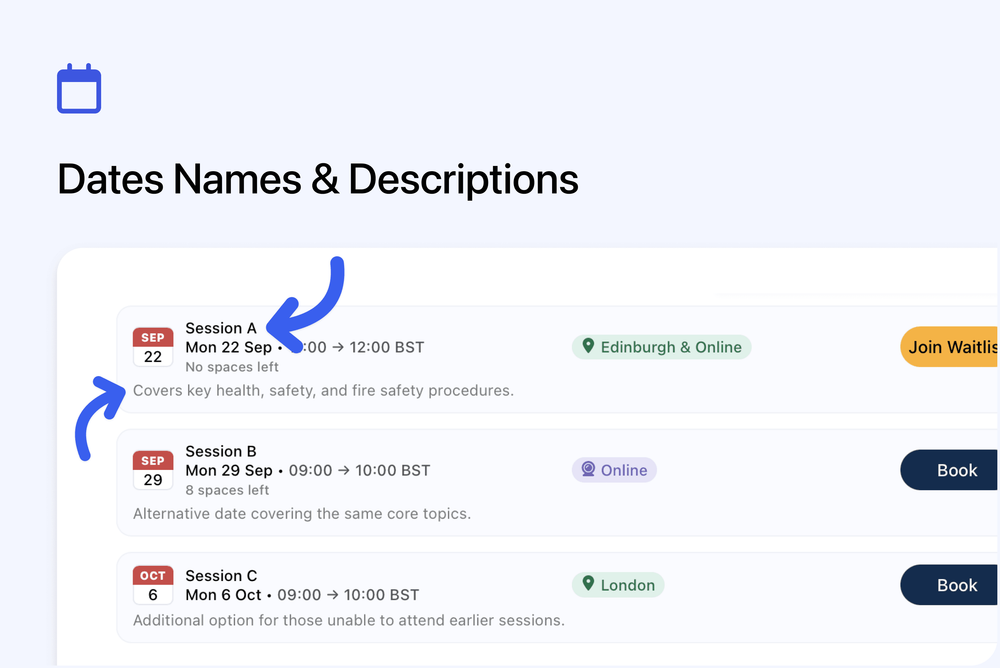
You can now add a name or label to each date in a course. This helps highlight the difference between multiple dates and makes it clearer for learners when choosing a session.
What’s new
Date names and descriptions
Each date can now have its own name and description.
- Add a short label like “Session A”, “Evening Session”, or “Online Option”
- Optionally add a short description to explain what’s different
- Names and descriptions are shown on the public course page
Clearer date selection
This is especially useful when:
- A course has multiple dates with different formats or locations
- Sessions cover different content
- You want to guide learners to the right option more easily
Where to manage this
Course editor -> Dates section