- Professional Development
- Medicine & Nursing
- Arts & Crafts
- Health & Wellbeing
- Personal Development

3ds Max Basic to Advanced Training
By London Design Training Courses
Why Learn 3ds Max Basic to Advanced Training Course? Learn 3ds max design and animation with our comprehensive 3ds Max Basic to Advanced Training Course. Whether you're a beginner or an experienced user, this course is thoughtfully designed to elevate your skills. Course Link Duration: 40 hrs Method: 1-on-1, Personalized attention & Tailored content. Schedule: 1-on-1 training with flexible scheduling. Book a convenient hour, Mon to Sat, from 9 am to 7 pm. Course Details: Course Duration: 40 hours Course Syllabus: Part 1: Introduction to 3ds Max and Vray Familiarization with the 3ds Max Interface Configuring an efficient workspace in 3ds Max Seamless navigation within 3ds Max and Vray Understanding the power of Vray and its interface Part 2: 3D Modeling Precision crafting of fundamental shapes Mastering modifiers for advanced modeling Creating intricate 3D models using diverse techniques Learning the art of polygonal modeling Shaping both organic and inorganic models flawlessly Part 3: Texturing Applying and refining textures with expertise Grasping the essentials of UVW mapping Harnessing material editor to perfection Customizing materials with Vray materials Part 4: Lighting Discovering the magic of illumination Differentiating various light types Comprehending the subtleties of light properties Setting up captivating scenes with Vray lights Part 5: Animation Embarking on an animation adventure Expertly setting up keyframes and animation curves Infusing life into objects in a mesmerizing 3D space Elevating animations with Vray's prowess Part 6: Advanced Rendering with Vray Entering the realm of rendering excellence Mastering Vray Global Illumination for realism Optimizing visuals with Vray Physical Cameras Illuminating scenes with Vray HDRI Lighting Employing Vray Proxies and Render Elements for finesse Streamlining rendering workflow with Vray's techniques Part 7: Projects Showcasing skills through hands-on projects Crafting a captivating yet simple interior scene Designing an alluring exterior scene Taking on the challenge of a complex scene with multiple elements Course Requirements: A computer with 3ds Max and Vray installed (trial versions are available on Autodesk and Chaos Group websites) Basic knowledge of computer operations Enthusiasm for 3D modeling and animation Course Objectives: Upon completing the course, you will have mastered 3ds Max and Vray, enabling you to create photorealistic 3D scenes. The skills acquired will open doors to opportunities in the 3D modeling and animation industry, while also serving as a foundation for further honing your expertise. Course Overview: Photoshop Post-Production Delve into the world of Photoshop post-production through our comprehensive course. Learn essential photo editing techniques, including color correction, retouching, and compositing. Unleash your artistic potential by creating mesmerizing visual effects and stylizing your photos. Course Syllabus: Part 1: Introduction to Photoshop Post-Production Navigating the Photoshop Interface with ease Mastering the art of Layers and Layer Masks Embracing the power of Selections Understanding the basics of Color Correction Part 2: Retouching Techniques Unraveling common Retouching Tools and Techniques Removing blemishes, wrinkles, and unwanted elements Achieving remarkable results with Dodging and Burning Part 3: Compositing Embracing the art of Compositing Working seamlessly with Multiple Images Blending images flawlessly using Layer Masks Part 4: Visual Effects and Stylizing Techniques Crafting Special Effects with Layer Styles and Blending Modes Enhancing images with Filters Achieving mesmerizing effects with Color Grading and Adjustment Layers Part 5: Projects Applying your knowledge to hands-on projects Perfectly Retouching a portrait Creating an alluring composite image Fashioning a stylized masterpiece Course Requirements: A computer with Photoshop installed (trial version available on Adobe website) Basic knowledge of computer operations Passion for photo editing and manipulation

AutoCAD Training Courses
By FourSquare Innovations Ltd
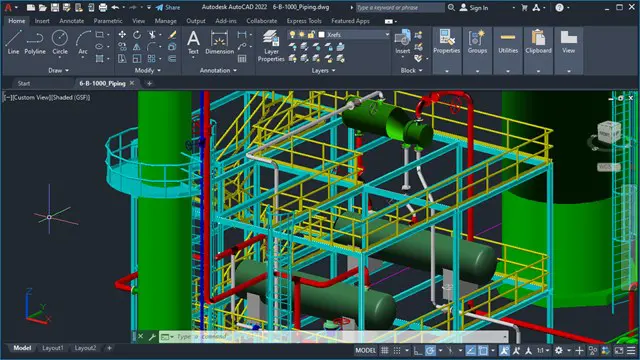
Our regionally-based associate AutoCAD trainers come to your organisation to deliver small-group training when you need and at the level you require. Or, opt for live virtual classroom courses delivered via Microsoft Teams. One of our trainers will speak to you about the scope of your requirement and course lengths may vary depending upon your needs. Course Outlines AutoCAD 2D Beginners - 2 days AutoCAD 2D Intermediate - 2 days AutoCAD 3D Beginners - 1 day Advance Steel Beginners - 2 days Pricing £800.00 plus VAT per day for up to 6 learners and £125.00 plus VAT per day to cover travel and accommodation within mainland UK. Just add £50.00 plus VAT per additional learner up to the 8delegate maximum.
Autodesk 3ds max Project based Training 1-2-1 Live online or Face to Face.
By Real Animation Works
3ds max face to face training customised and bespoke. Live online or Face to Face.

https://www.transmedia.co.uk/course/figma-advanced This intensive two-day Advanced Figma course builds on your existing Figma knowledge. Through hands-on exercises, you will learn to use auto layout for resilient UX and component systems for scalable design. The course covers collaborating at scale with libraries, permissions, and version control for real-world workflows. Prototyping and accessibility best practices are woven throughout to help you create effective products. You will leave equipped with deep Figma knowledge to translate stunning, functional designs from concept to launch. All our Figma courses are taught by industry professionals who will share years of their industry experience with you, imparting best practice techniques as well mastery of the tools. Topics covered include Advanced auto layout, Components in depth, Using variables, Design systems in figma, Advanced prototyping techniques, Accessibility features, Improving team collaboration and Handoff to developers.

Product Design Training Courses 1-2-1
By Real Animation Works
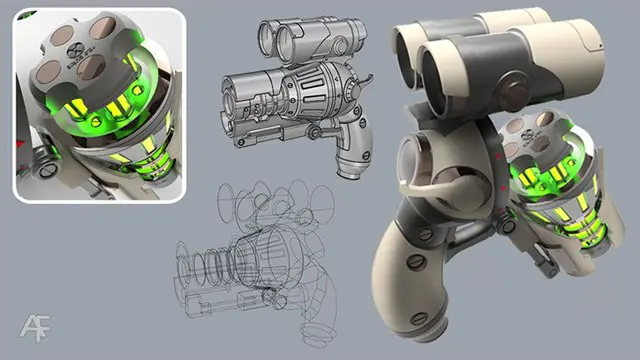
PRODUCT DESIGN face to face training customised and bespoke.
Unity 3d Game design course Basic to advanced level 1-2-1
By Real Animation Works
Unity 3d face to face training customised and bespoke.
Level 2 NVQ Diploma in Decorative Finishing & Industrial Painting
By BAB Business Group
The NVQ Level 2 Diploma in Decorative Finishing & Industrial Painting is appropriate for individuals aged 16 and over working in the construction sector who specialise in painting and decorating activity and are looking to become eligible for the Blue CSCS Card. The aim of this qualification is to recognise the knowledge, skills and competence of individuals who specialise in painting and decorating activity. Upon completion of the qualification, you will be awarded the NVQ Level 2 Diploma in Decorative Finishing & Industrial Painting. CSCS Cards We can provide CSCS tests and CSCS Cards alongside the qualifications without the need to attend the test centre. Speak with our friendly and helpful team for more information.
Rhino 3d and V-Ray for Rhino Basic to Intermediate Training Course
By Real Animation Works
Rhino Basic to Intermediate Training Course
AutoCAD 3D modeling course
By Real Animation Works
Autocad face to face training customised and bespoke.